.png)
Release Date:
Billable Time Tracking, Project Control & Capacity-Based Log Limits
This release adds billable time logs, project-level controls, and capacity-based daily log limits, along with improvements and bug fixes for smoother planning, time tracking, and reporting.
🚀 What’s New
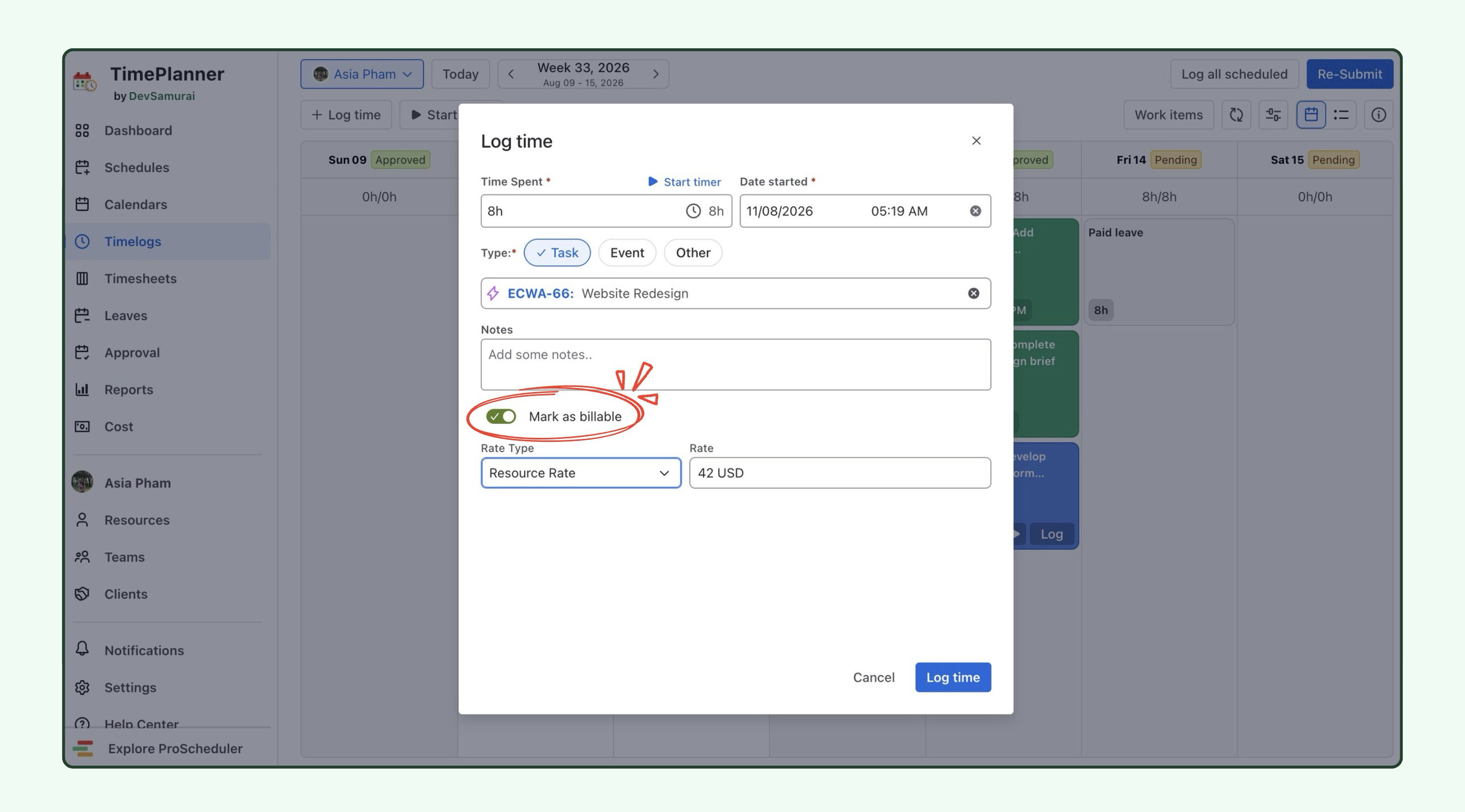
🌟 Mark logged time as billable
You can now mark logged time as Billable directly in the Timelog.
Simply enable Mark as billable and select the appropriate Rate Type when logging work. This makes it easier to track billable hours and ensure accurate actual cost calculations and reporting, even if the task wasn't marked as billable during planning.
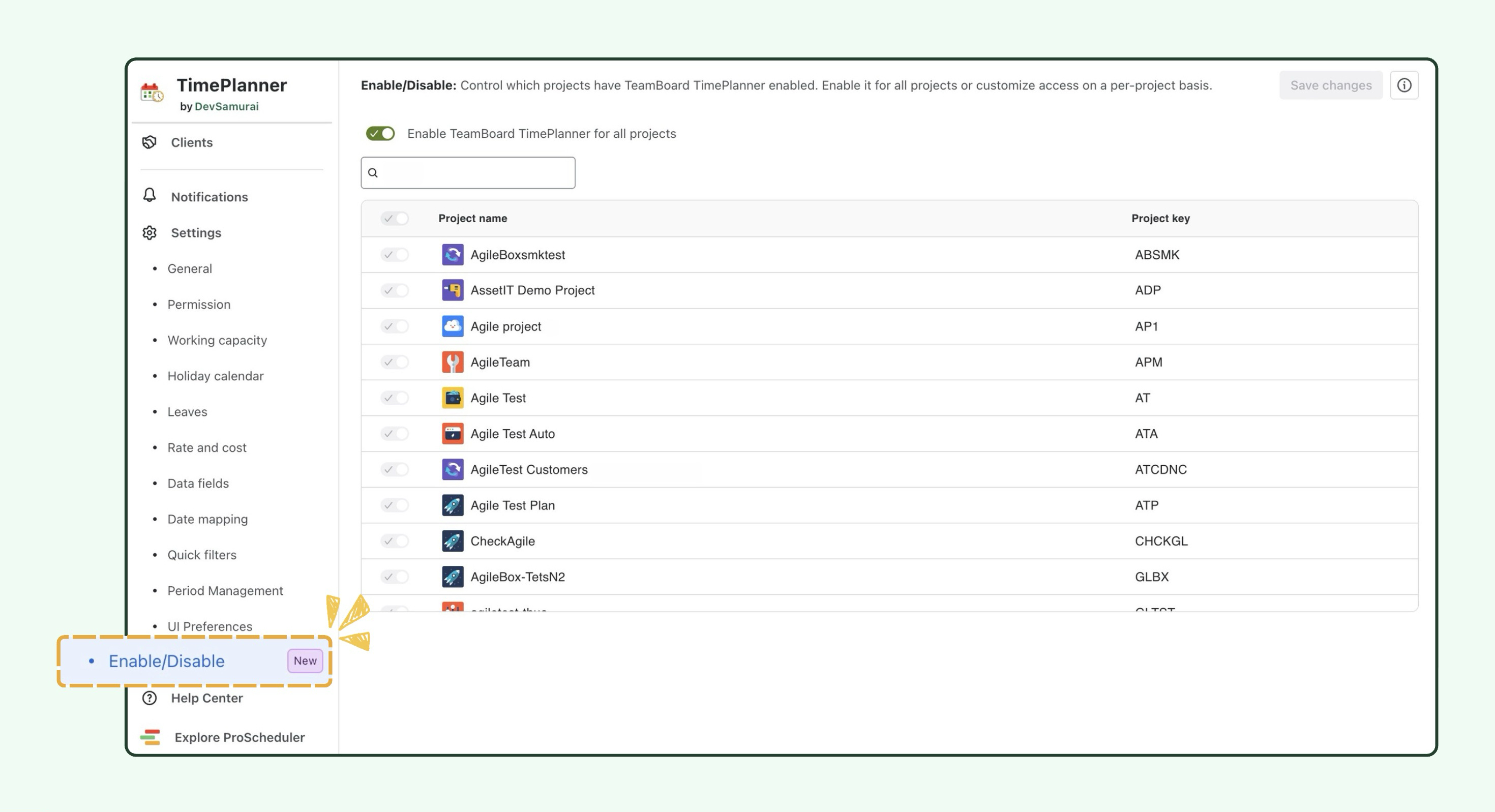
🌟 Enable or disable TimePlanner for specific projects
Admins have more control over which Jira projects are included in TimePlanner.
-
When enabled, the project's work items are available for planning and time tracking in TimePlanner.
-
When disabled, the project and its work items are hidden from TimePlanner.
This helps teams focus on relevant projects, reduce unnecessary clutter, and keep their planning and time tracking views organized.
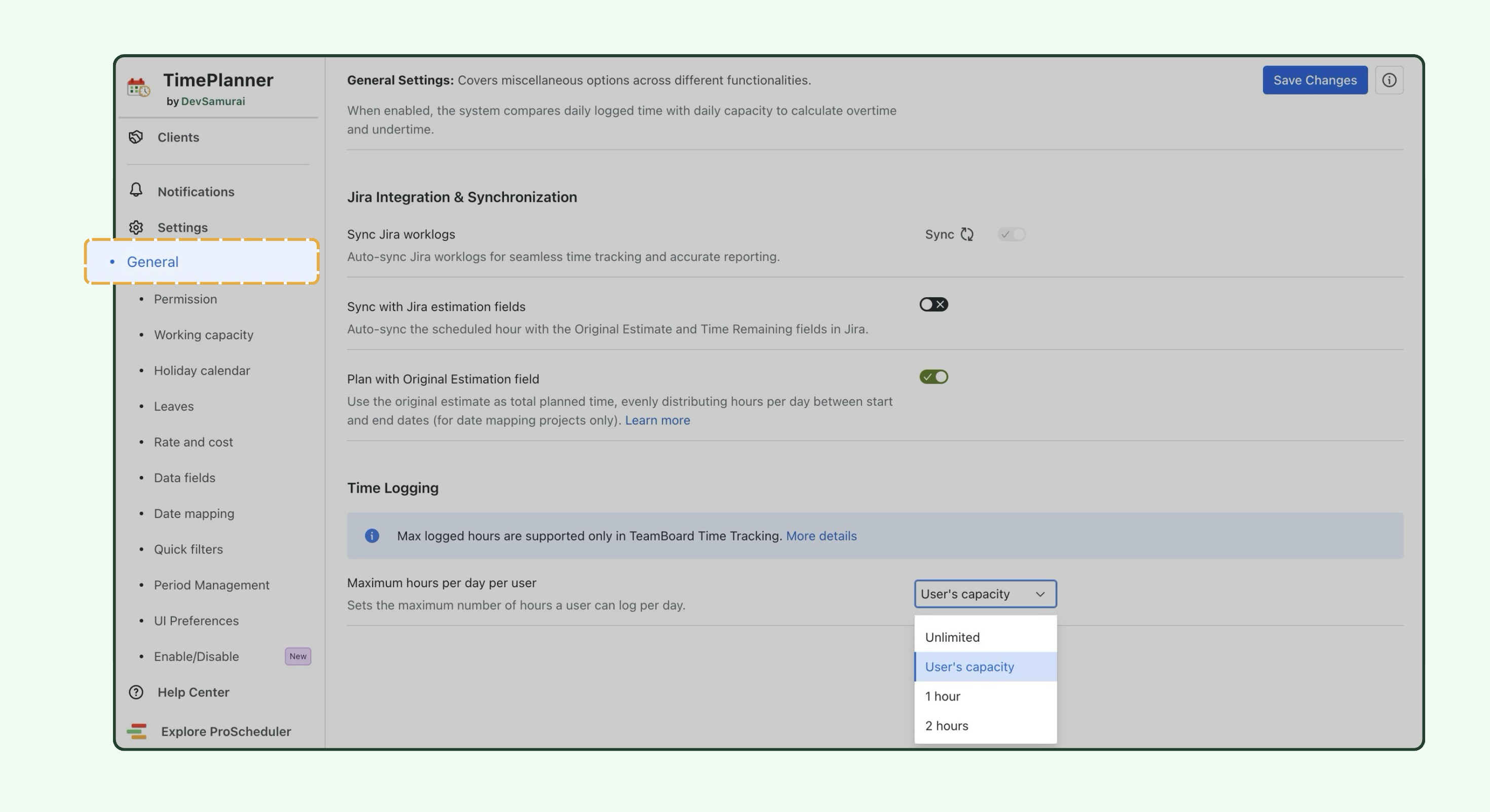
🌟 Limit daily logged hours by working capacity
A new setting lets admins restrict the total hours a member can log per day based on their working capacity.
When User's capacity is selected as the maximum daily logged hours, members cannot log more time than their configured daily working capacity.
This helps prevent excessive time entries, improve timesheet accuracy, and keep logged hours aligned with each member's available working hours.
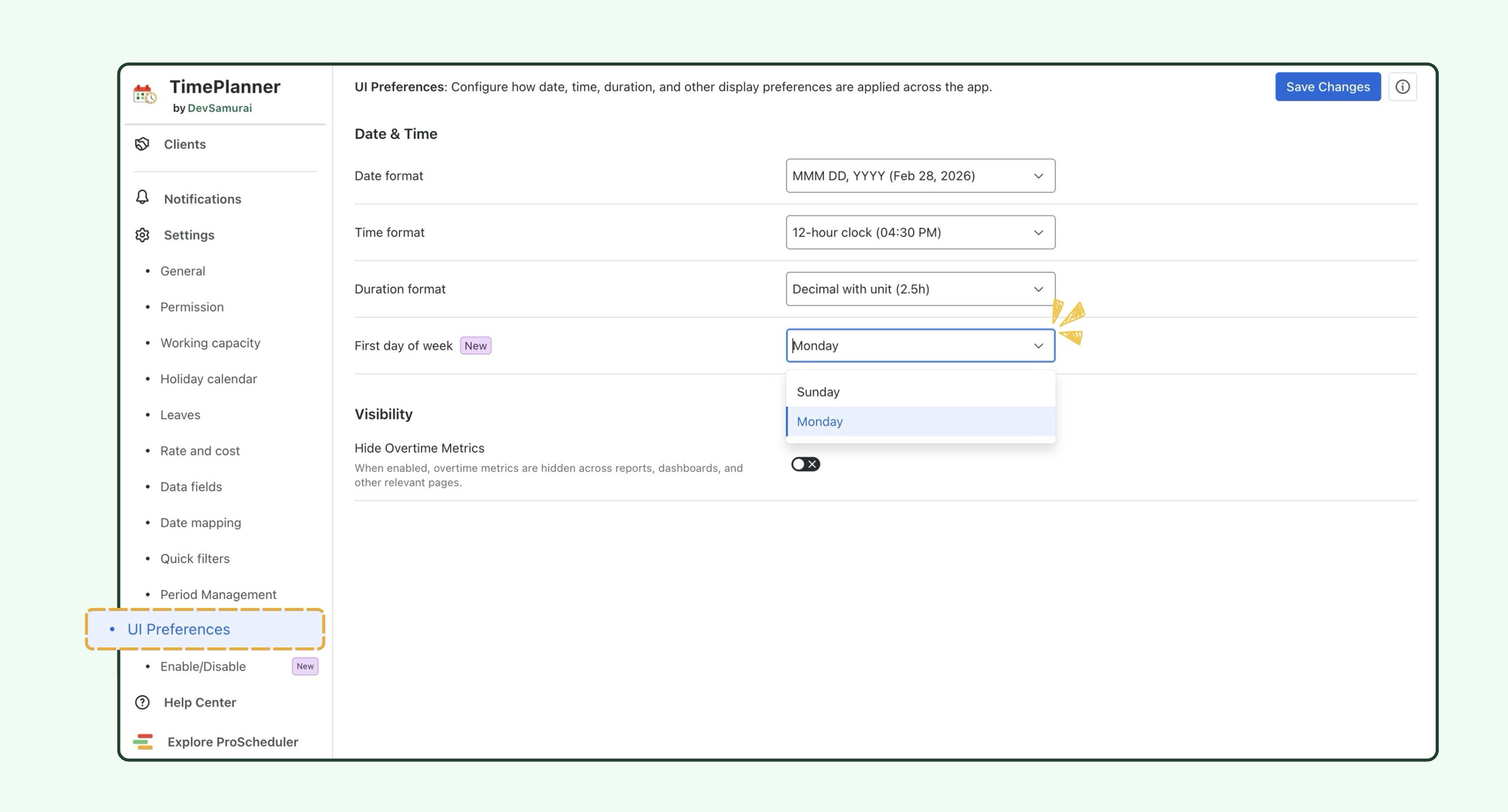
🌟 Set the first day of the week
The first day of the week can now be set to Sunday or Monday.
This setting helps teams customize how weekly schedules, timelogs, and timesheets are displayed in TimePlanner to match their preferred workweek format.
🛠️ Improvements
Planning modal
-
Description field: Add notes or context to your planned work directly in the Planning modal.
Planning & Logging modal
-
Work Type filter: Filter by Work Type in the work item selection dialog to find the right work item faster.
Plan history
-
Plan history: Improved how plan changes are displayed in Plan Details and Jira work items, making it easier to track plan creation, edits, and deletions.
Timesheets and calendar
-
Timesheet notes: Refreshed the notes UI to make them easier to read.
-
Time off in ICS feeds: Time off entries now include leave request statuses when synced to external calendars.
Reports
-
Leave report export: Exported reports now include a Detail sheet showing individual leave days alongside the Overview sheet.
-
Work Type Hierarchy filter: Filter reports by Epic and other work type hierarchy levels.
-
Deactivated users: Added an inactive icon to identify deactivated users in the Team Leaves report.
Other improvements
-
Bulk actions: Added a floating action bar to make bulk actions easier to access when selecting multiple items.
-
Member search: Search by email address in member pickers, with faster filtering and results.
-
Date range picker: Previous and next arrows now navigate by the length of the selected date range.
🐞 Bug Fixes
-
Fixed an issue where multiple time off entries could not be added on the same day. Time off days are now calculated based on the member's working capacity.
-
Fixed an issue where the Project view in Cost showed no data for projects with existing costs.
-
Fixed an issue where an incorrect Week 53 appeared in the Weekly view of reports around the year boundary.
-
Fixed an issue where custom-field grouping chips in the Reports Hierarchy view displayed internal keys instead of field names.
-
Fixed an issue where users beyond the first 50,000 on large Jira sites could not be found in Resources and member pickers.
📘 Help Center
If you have any questions, please don't hesitate to contact us through our support desk. Our team is available 24/7 to assist you.
If you're enjoying our app, we'd appreciate it if you could leave us a positive review. ⭐⭐⭐⭐⭐ Your feedback is valuable and means a lot to us!