.png)
Release Date:
Timesheet management and leave approvals
This release improves timesheet management and leave approval workflows, bringing more flexibility for admins and users across planning, reporting, and time entry.
🛠️ Improvements
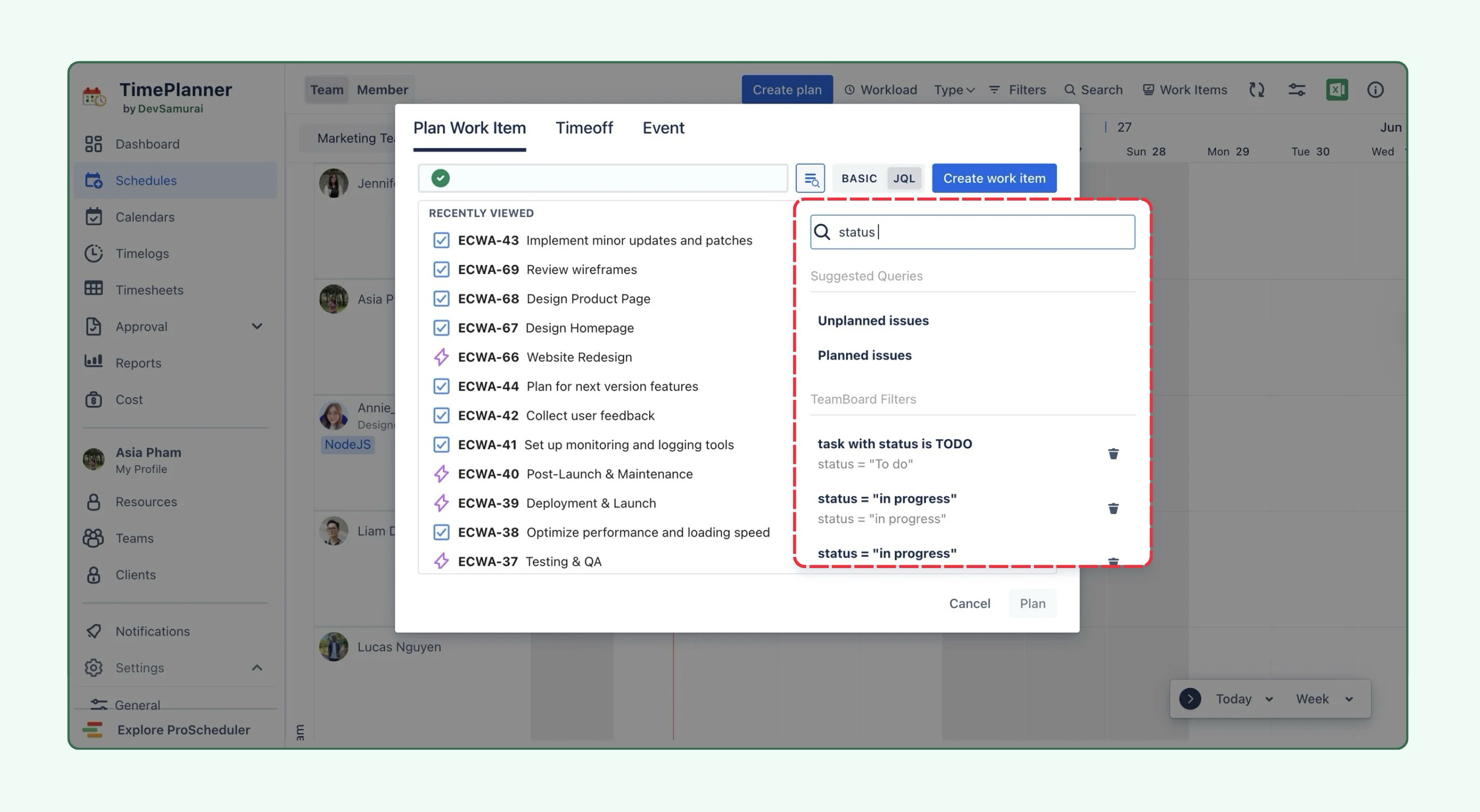
🌟 JQL quick filters in Plan and Log Work Item modals
JQL quick filters created within TeamBoard are now available directly in the Plan Work Item and Log Work Item modals.
This allows users to quickly apply saved filters, find relevant assigned tasks, and plan or log work more efficiently directly in the modal.
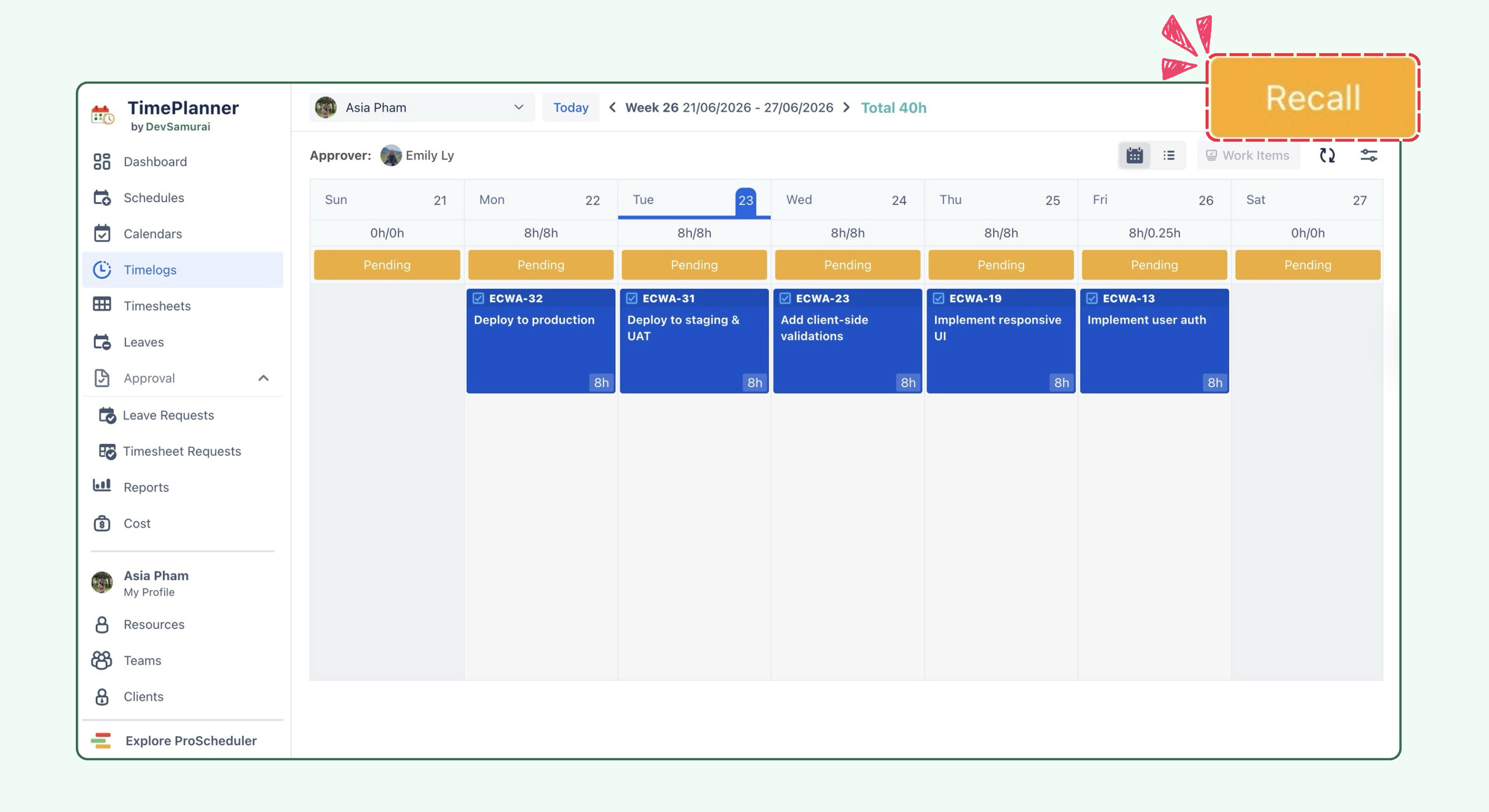
🌟 Recall pending timesheets without waiting for approval
Users can now recall their own pending timesheets directly, without needing authorization from an admin or approver. This makes it easier to quickly correct or update submitted time entries while the timesheet is still pending.
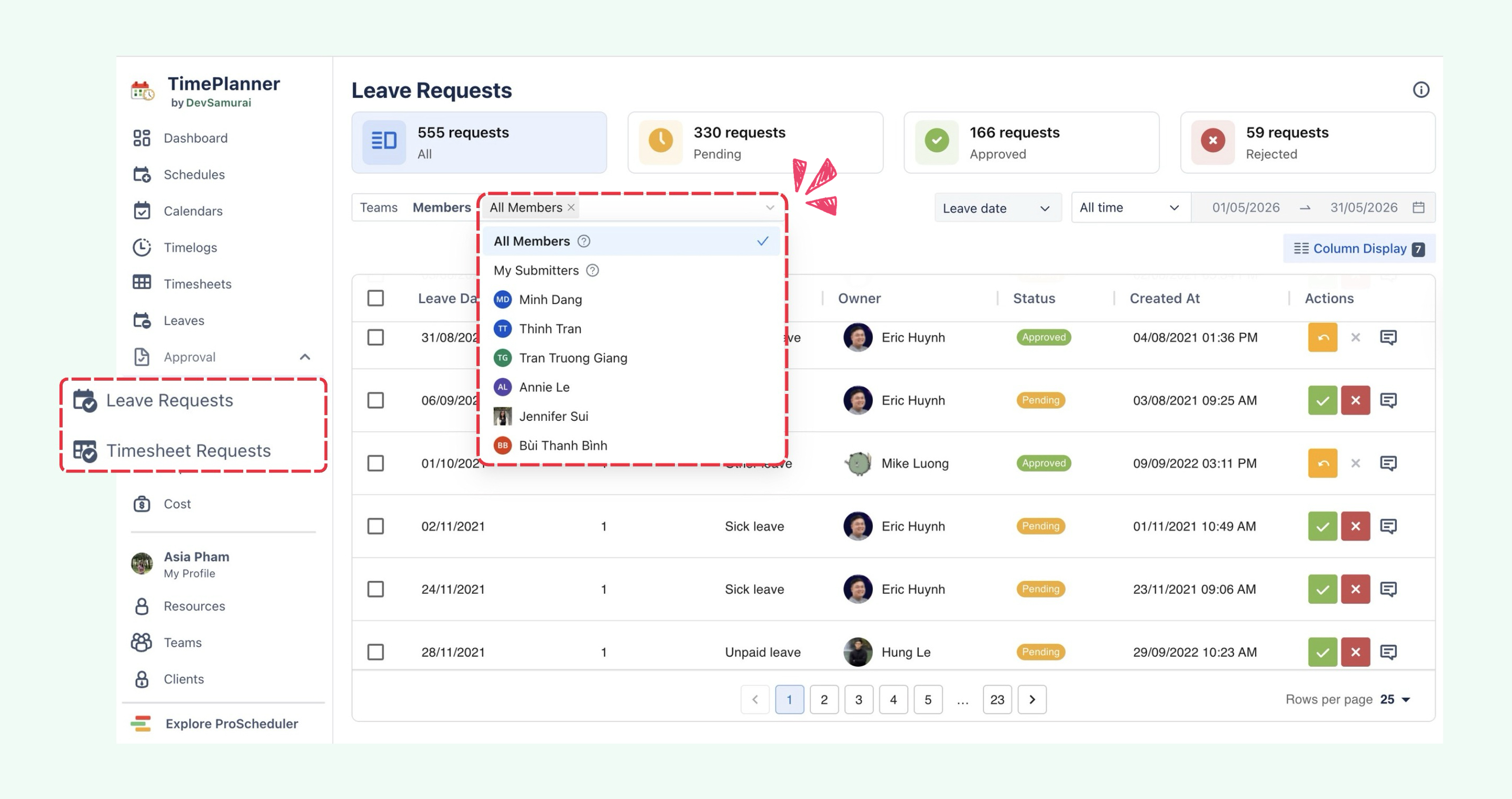
🌟 Added “All members” view option in Leave and Timesheet Approval
Admins can now view requests from all members across the organization, even if they are not the assigned approver.
On the Leave and Timesheet Approval pages, admins can choose All members to review organization-wide requests more easily.
🌟 Improved leave request behavior for submitted or approved timesheets
-
Leave approvers can now approve or reject leave requests even when the leave has already been included in a submitted or approved timesheet.
-
Users can create new leave requests for dates that fall within a submitted timesheet period.
-
Users can recall approved leave requests for dates that fall within a submitted timesheet period.
🌟 Improved Timelog date and time handling
Timelog date and time values are now stored exactly as entered by the user:
-
Date is stored as date-only format:
YYYY-MM-DD -
Time is stored as time-only format:
HH:mm -
No timezone conversion is applied
This ensures all users see the same date and time values, even when viewing from different machines or time zones, and helps prevent “off by one day” issues.
🌟 Hide "No Sub-task" row when no worklogs exist at sub-task level
The No Sub-task row in reports is now hidden when there are no worklogs at the sub-task level, reducing visual noise and keeping reports focused on relevant data.
🐞 Bug Fixes
-
Fixed an issue where Plan History displayed Invalid Date.
-
Fixed an issue where admins could not view all members’ leave requests on profile pages.
-
Fixed two dropdown issues in the Map new project flow under Date Mapping.
-
Fixed an issue in Leave Approval where bulk selection blocked requests based on request count instead of total taken days.
📘 Help Center
If you have any questions, please don't hesitate to contact us through our support desk. Our team is available 24/7 to assist you.
If you're enjoying our app, we'd appreciate it if you could leave us a positive review. ⭐⭐⭐⭐⭐ Your feedback is valuable and means a lot to us!