.png)
When you navigate to the Exploratory Test section, you can see 2 main areas:
-
Exploratory Test Summary Charts: Help you quickly understand overall session activity, recent results, and completion trends without opening each exploratory test session individually.
-
Exploratory Test Detail Table: Allows you to manage, track, and monitor individual exploratory test sessions, including their status, assignee, and activity.
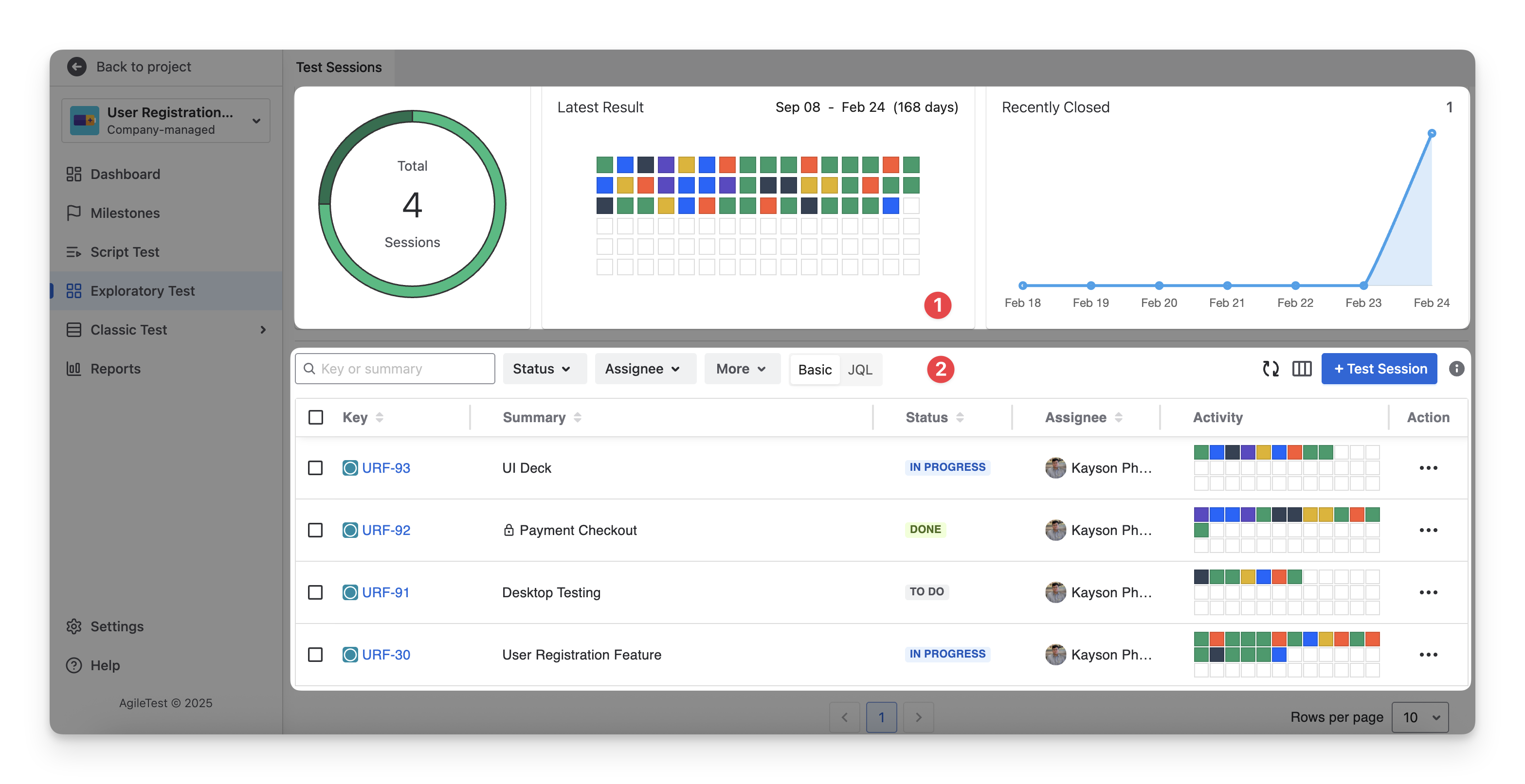
1. Exploratory Test Summary Charts
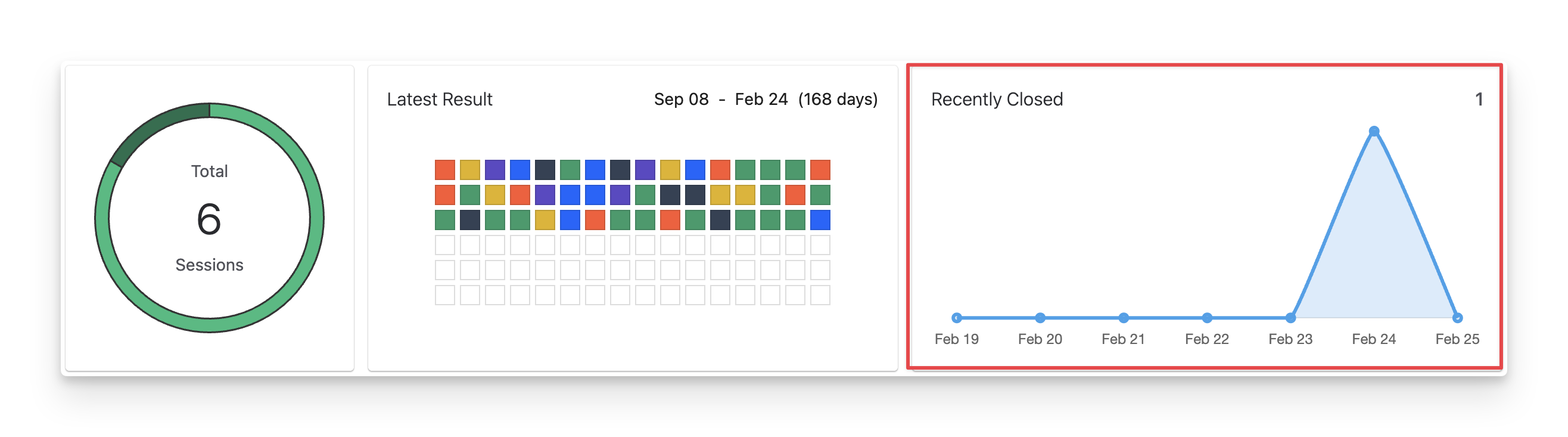
The Exploratory Test Summary Charts provide a visual overview of all Exploratory Test activities within your project.
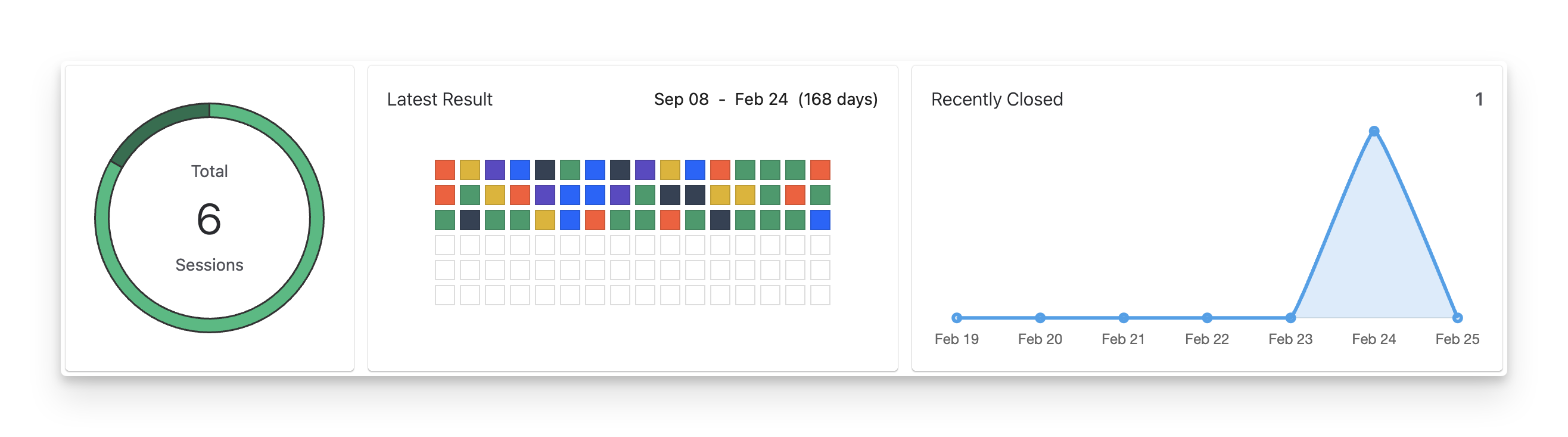
1.1 Total Test Sessions Chart
In AgileTest, an Exploratory Test is managed through Test Sessions. A Test Session represents one time-boxed exploratory testing activity focused on a specific feature, scope, or objective.
The Total Test Sessions chart displays the total number of exploratory Test Sessions in the project. Bold/darker segments represent Completed sessions, while the Normal/lighter segments represent Active (In Progress) sessions.
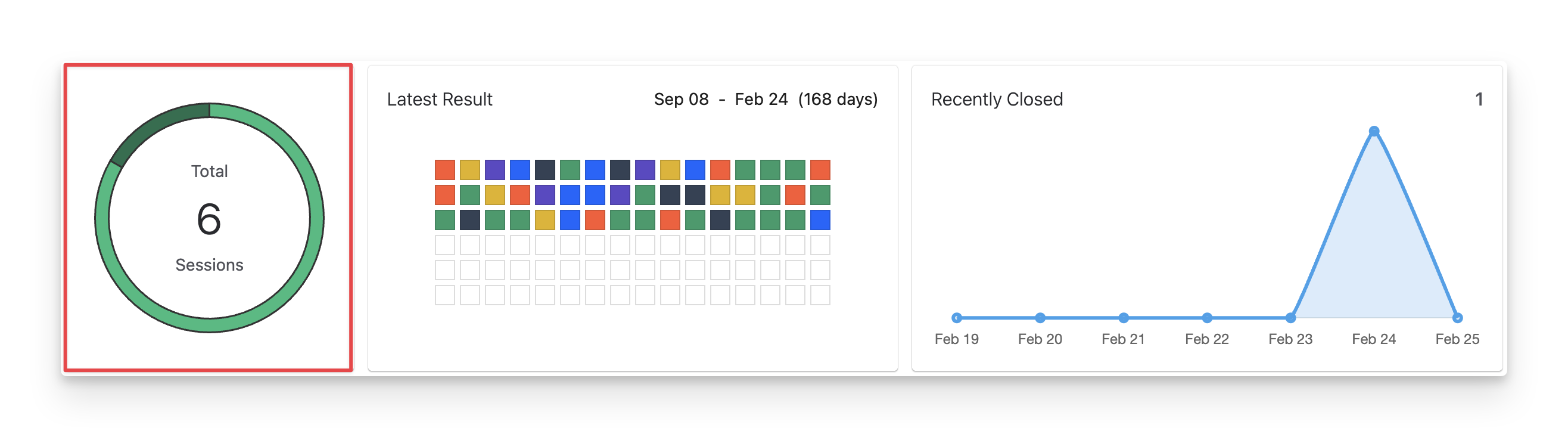
1.2 Latest Result Chart
The Latest Result chart visually summarises recent exploratory testing outcomes from the first active test session to date. Each small square represents the result of a Test Session item (an individual note or finding recorded during a session). The colors indicate the Test Session Item Status, including:
-
Pass : The item has been verified and meets the expected condition.
-
Fail : The item does not meet expectations, indicating a defect or issue.
-
blocked : The item cannot be executed due to an external dependency or unresolved issue.
-
Skipped : The item was intentionally not executed during this session.
-
Retest : The item needs to be retested later.
-
Query : The tester requires clarification before confirming the result.
-
todo : The item has not yet been executed in the current session.
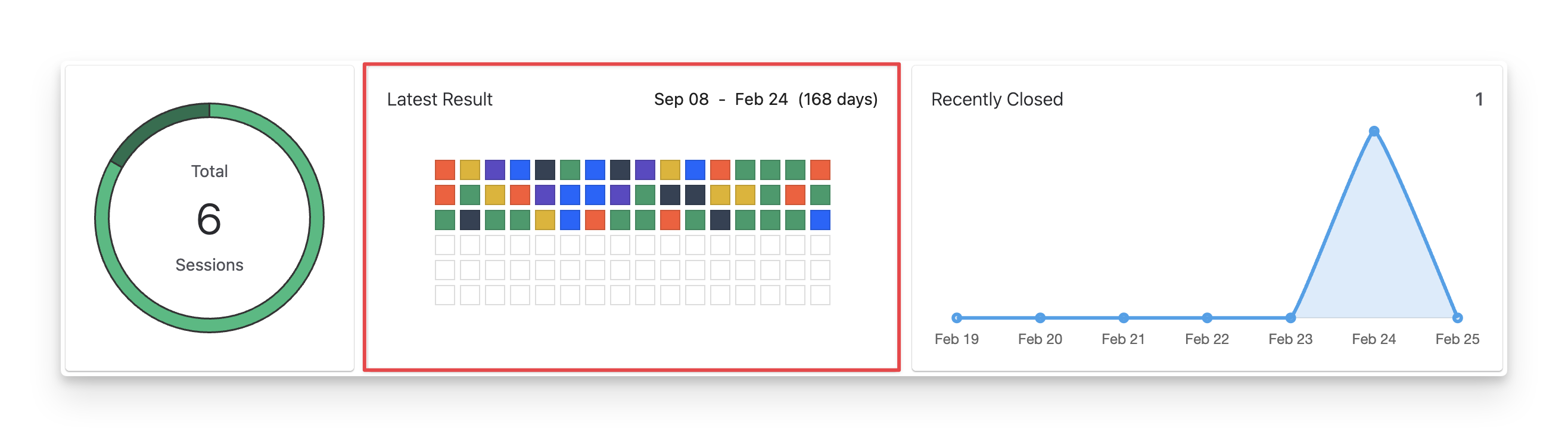
1.3 Recently Closed Chart
The Recently Closed chart shows the number of exploratory Test Sessions that were marked as Done (Completed) within the past week.
2. Exploratory Test Detail Table
2.1 Exploratory Test Detail Table Explanation
In the Exploratory Test Detail Table, you can see a table with a list of test sessions.
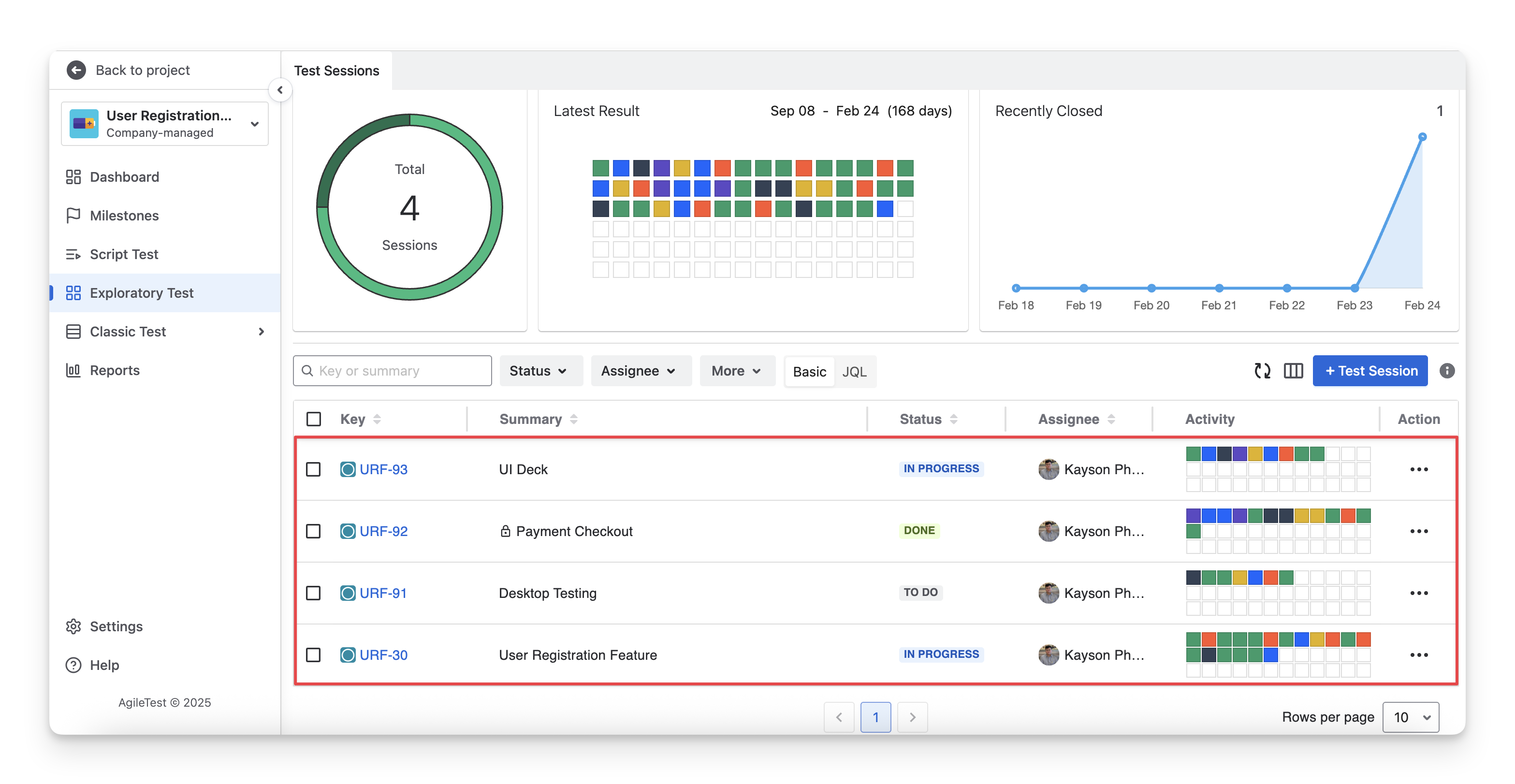
This list shows you detailed information about:
|
Types of Information |
Description |
|---|---|
|
Key |
A Jira unique identifier for the exploratory test, used to track and link it. |
|
Summary |
A brief title describing the purpose or scenario of the exploratory test. |
|
Status |
The current Jira status of the exploratory test ticket ( todo ; in progress done ) indicates its lifecycle stage. |
|
Assignee |
The user is responsible for working on or maintaining the test session. |
|
Activity |
The status of each test session item by chronological order ( Fail , todo , pass , Blocked , query , Skipped , Retest ). |
|
Priority |
The importance and urgency of the test session that helps teams decide what should be addressed first. |
|
Reporter |
The user who originally created and reported the test session. |
|
Last Updated |
The most recent date and time when the test session was modified, reflecting the latest activity or changes. |
|
Created At |
The date and time when the test session was first created in the system. |
2.2 Exploratory Test Detail Table Actions
2.2.1 Show/Hide Column In The Table
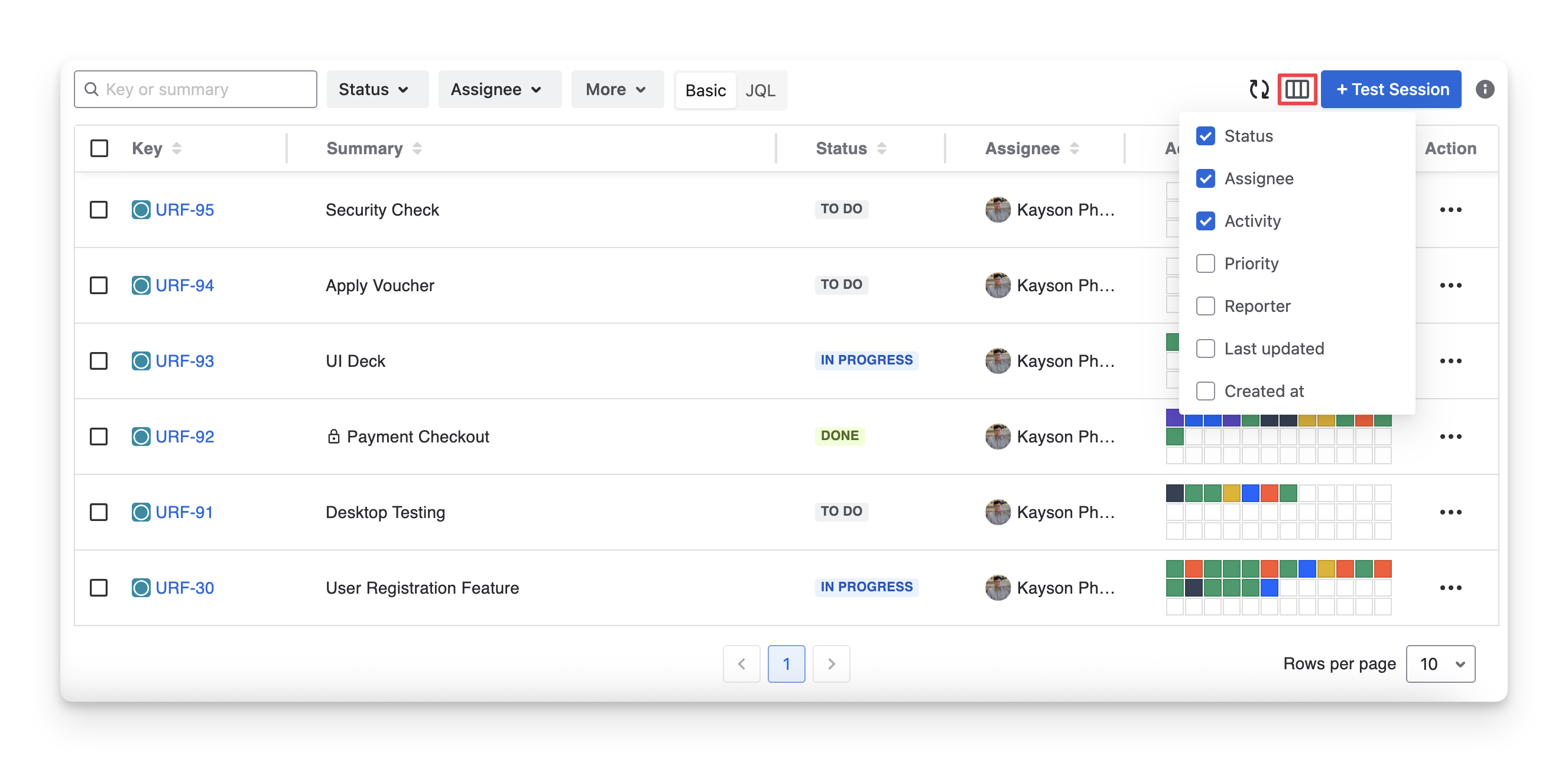
You can show or hide columns in the table by clicking the “Display” button and selecting/deselecting the checkbox to display/hide the desired columns in the exploratory test detail table.
The Key and Summary Columns are two System Fields, which cannot be hidden.
2.2.2 Rearrange Column Orders
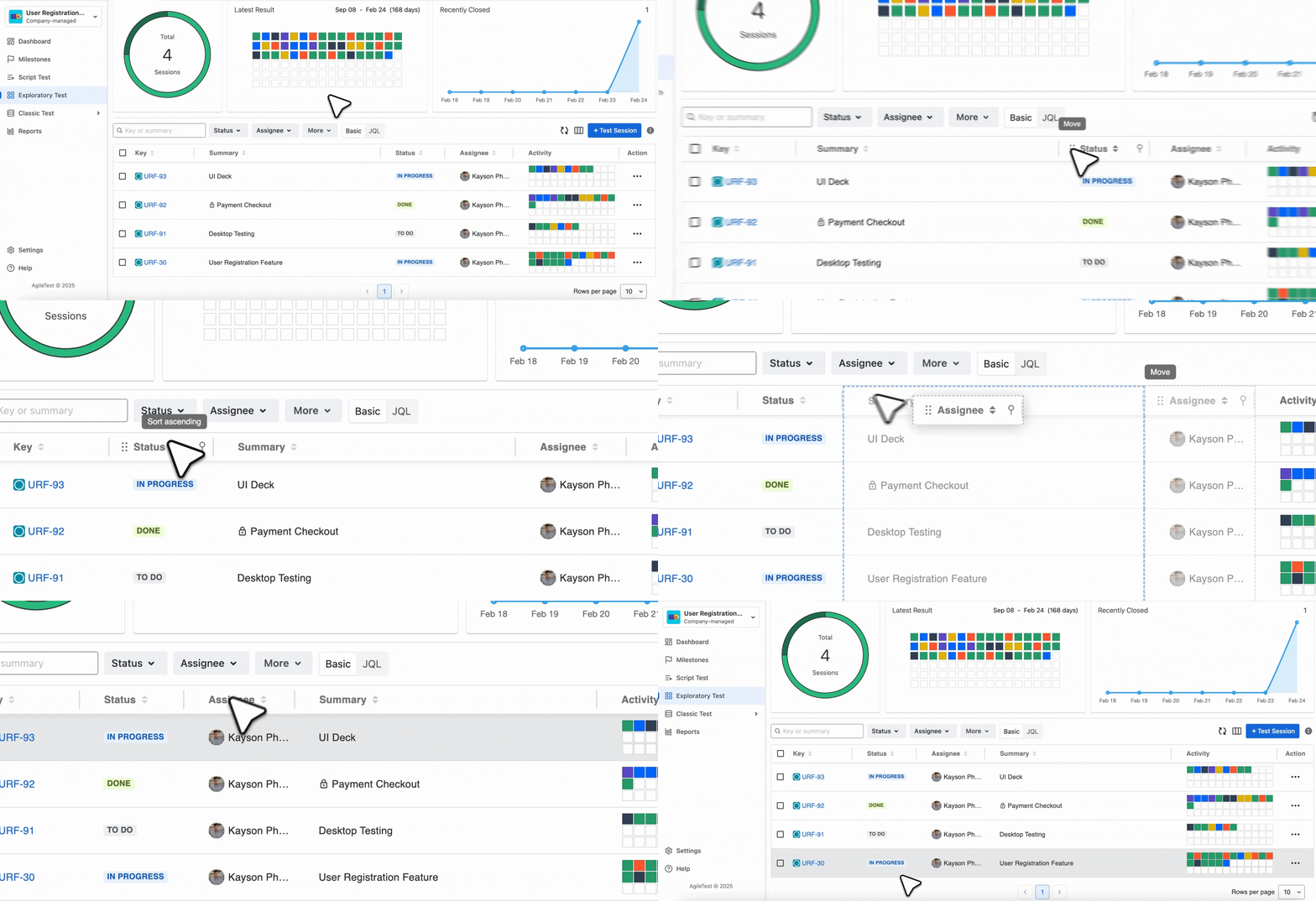
To change the display order of columns, drag and drop each column to your preferred position.
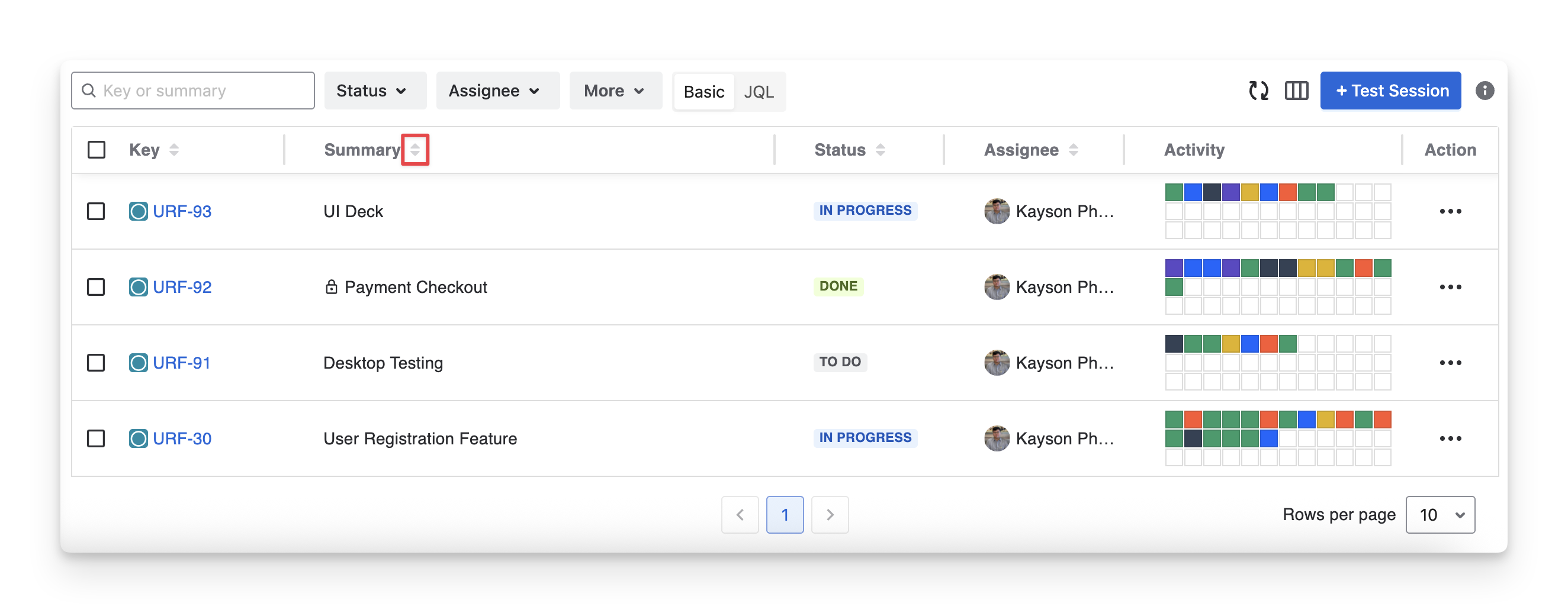
2.2.2 Sort Test Session
To sort any column and view the data in ascending or descending order, you can:
-
Choose the 🔼 to sort ascending.
-
Choose the 🔽 to sort descending.
2.2.3 Filter Test Sessions
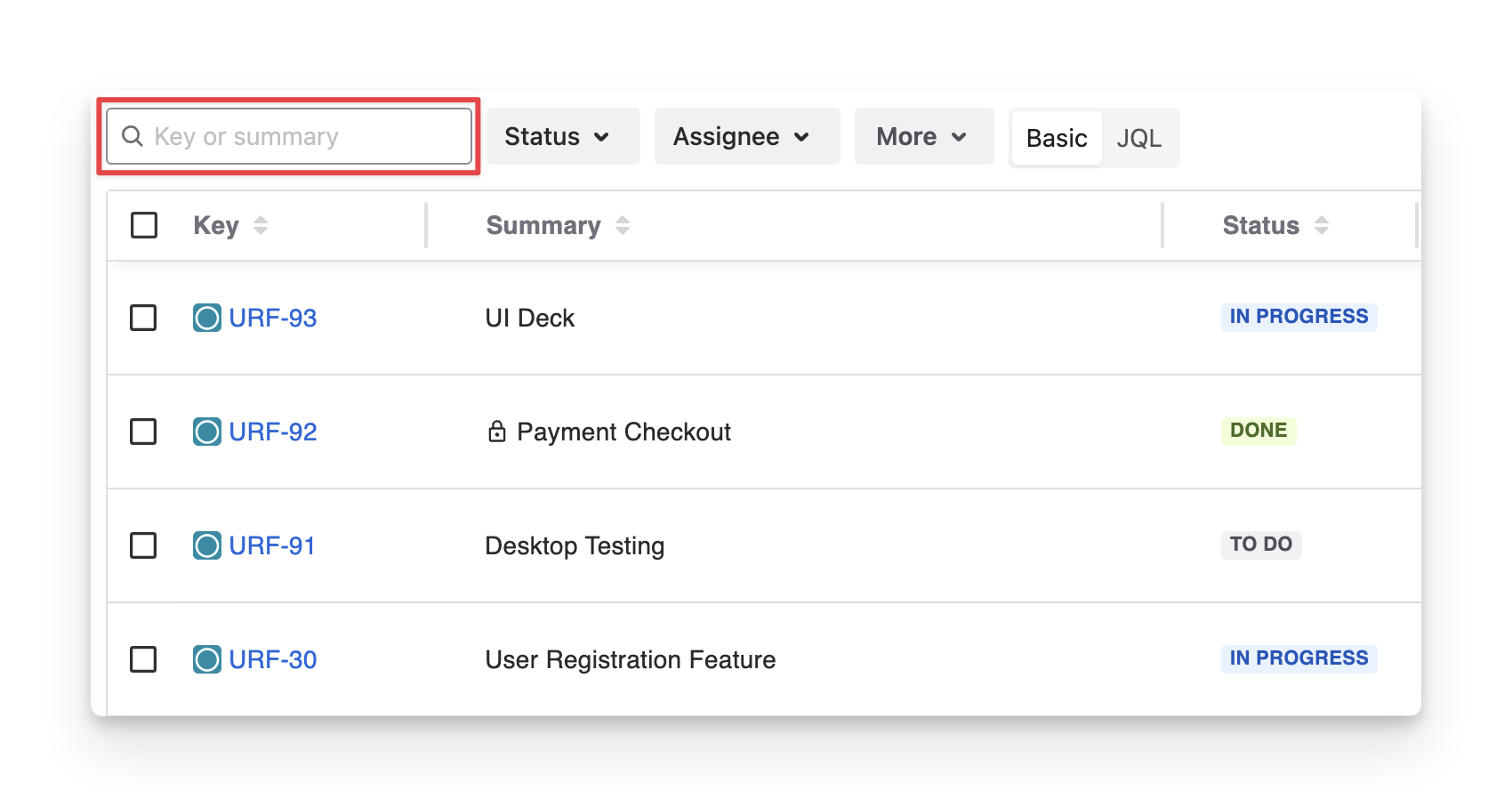
To quickly identify a specific test session, you can:
-
Provide the Jira Key ID or the Test Session Summary to find the exact exploratory session.
-
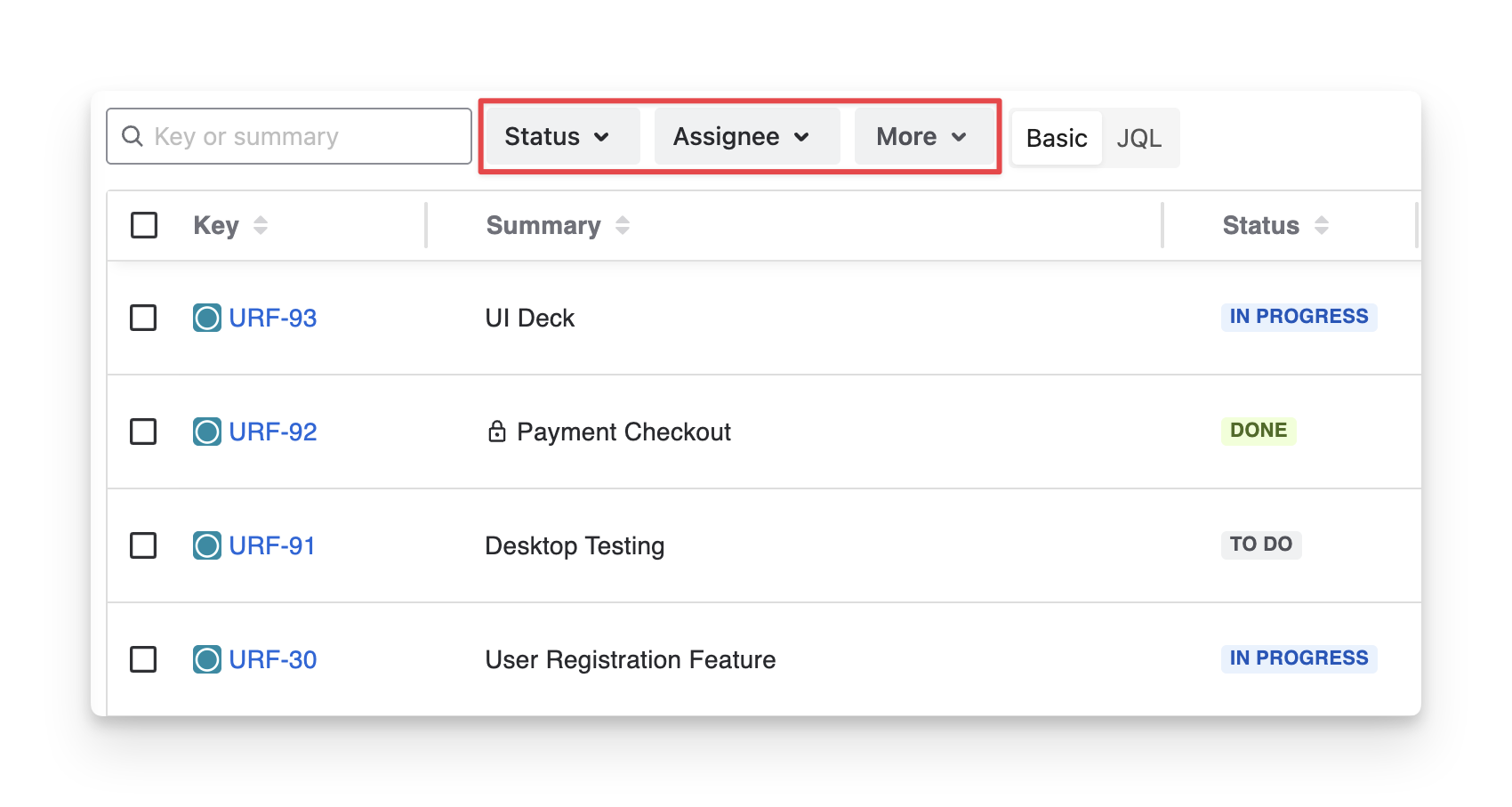
Apply Filters to narrow down the list
AgileTest supports you in filtering test sessions by:
-
Status: your Jira status of the exploratory test ticket ( todo ; in progress ; done ).
-
Assignee: your team members assigned to test sessions.
-
Priority: the priority of the test session( Highest ; high ; medium ; lowest ; low ).
-
Reporter: your team members created test sessions.
-
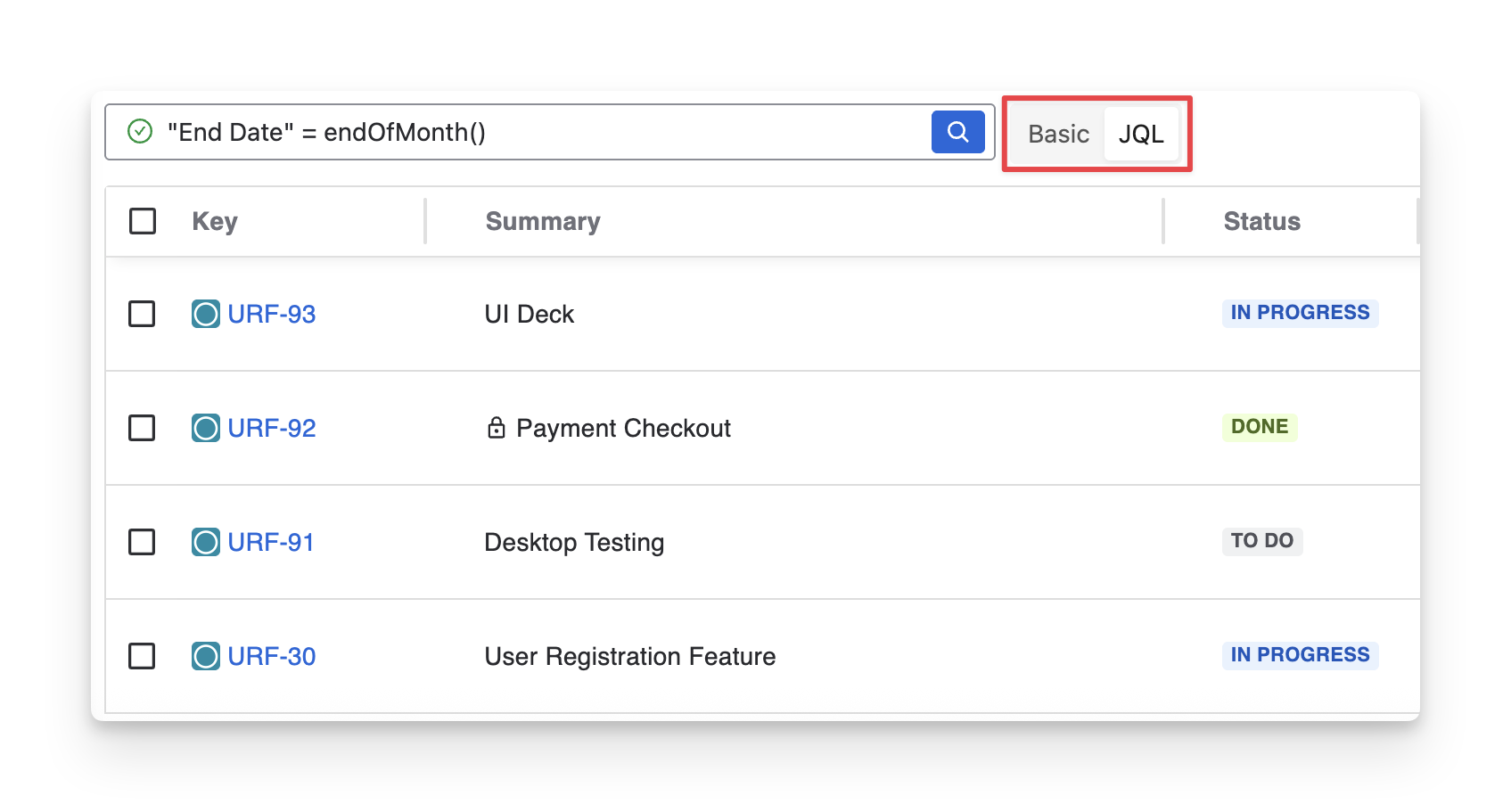
Or switch to JQL and enter your custom search.
Should you need any assistance or further AgileTest inquiries, contact our 24/7 Support Desk!