
Use PlanCore’s member capacity schemes to see which scheme applies to each member and assign a new scheme to one or several members. Choose a start date to control when the new capacity takes effect.
Assign a new capacity scheme to one member
-
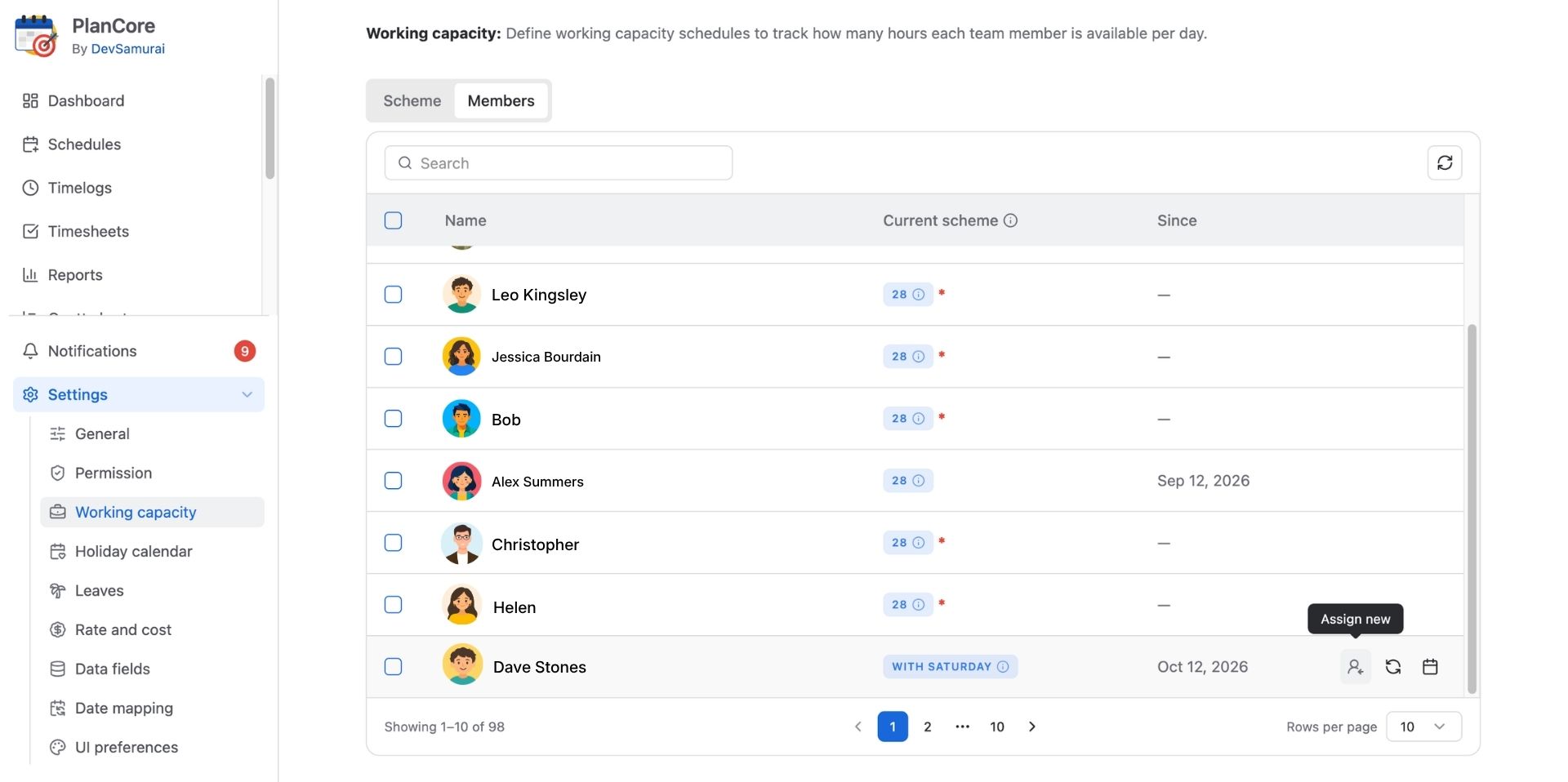
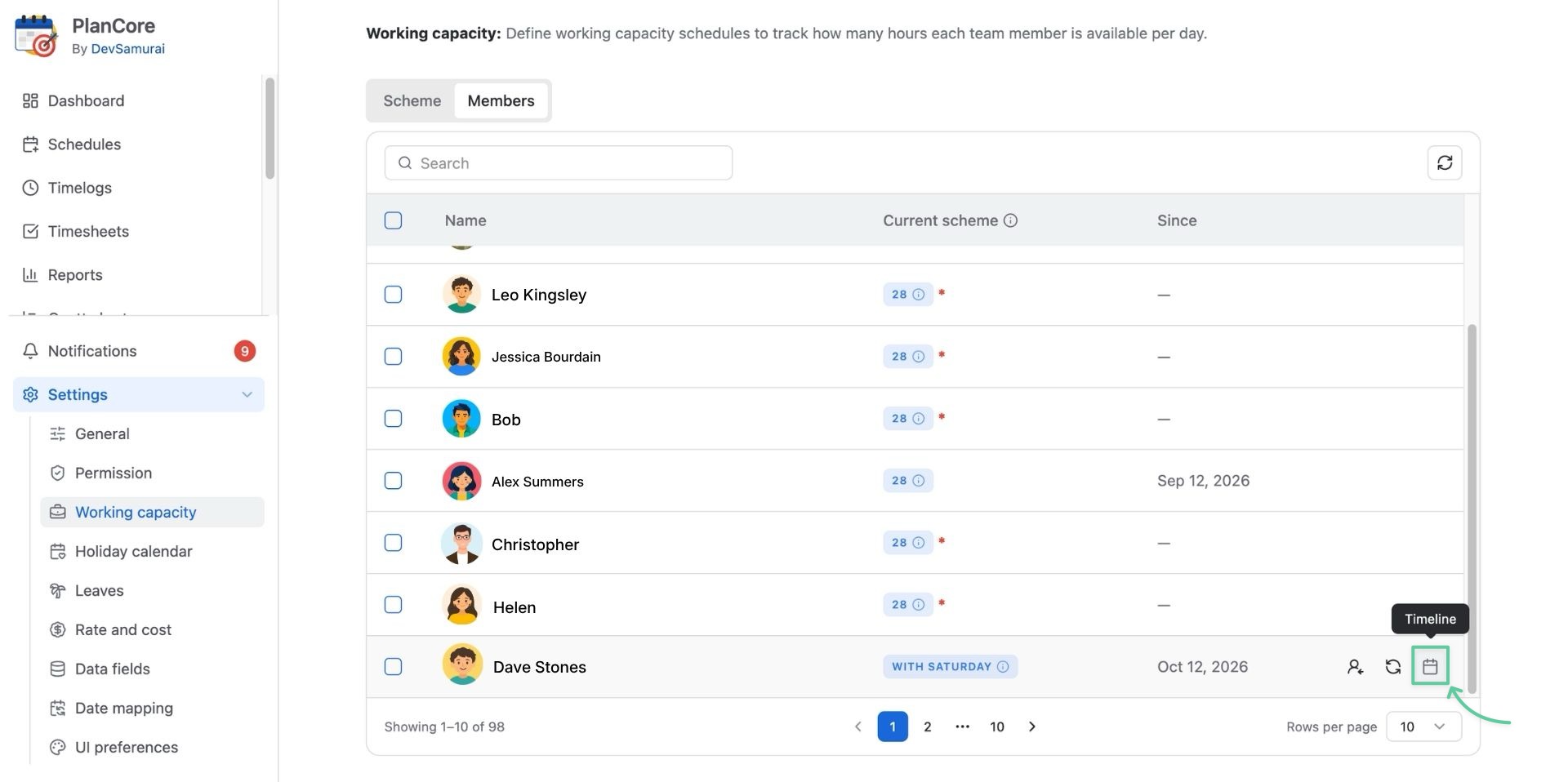
Open the Members tab to view members and their current capacity schemes.
-
Find the member whose capacity you want to change and open their capacity-scheme action.
-
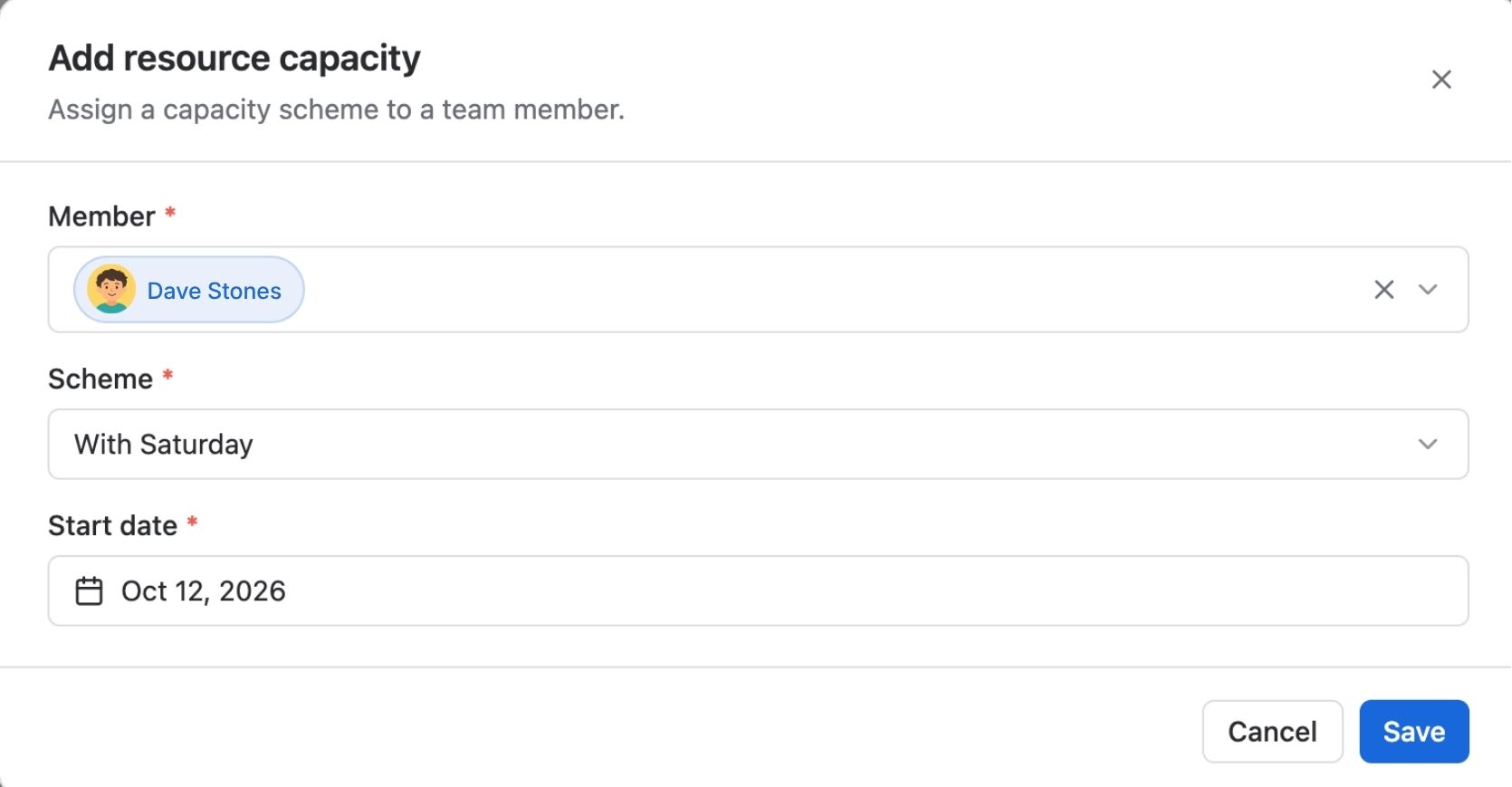
Choose the new capacity scheme, then select New start date to specify when it takes effect. Save the assignment.
Assign a scheme to multiple members
-
In the Members tab, select the members you want to update.
-
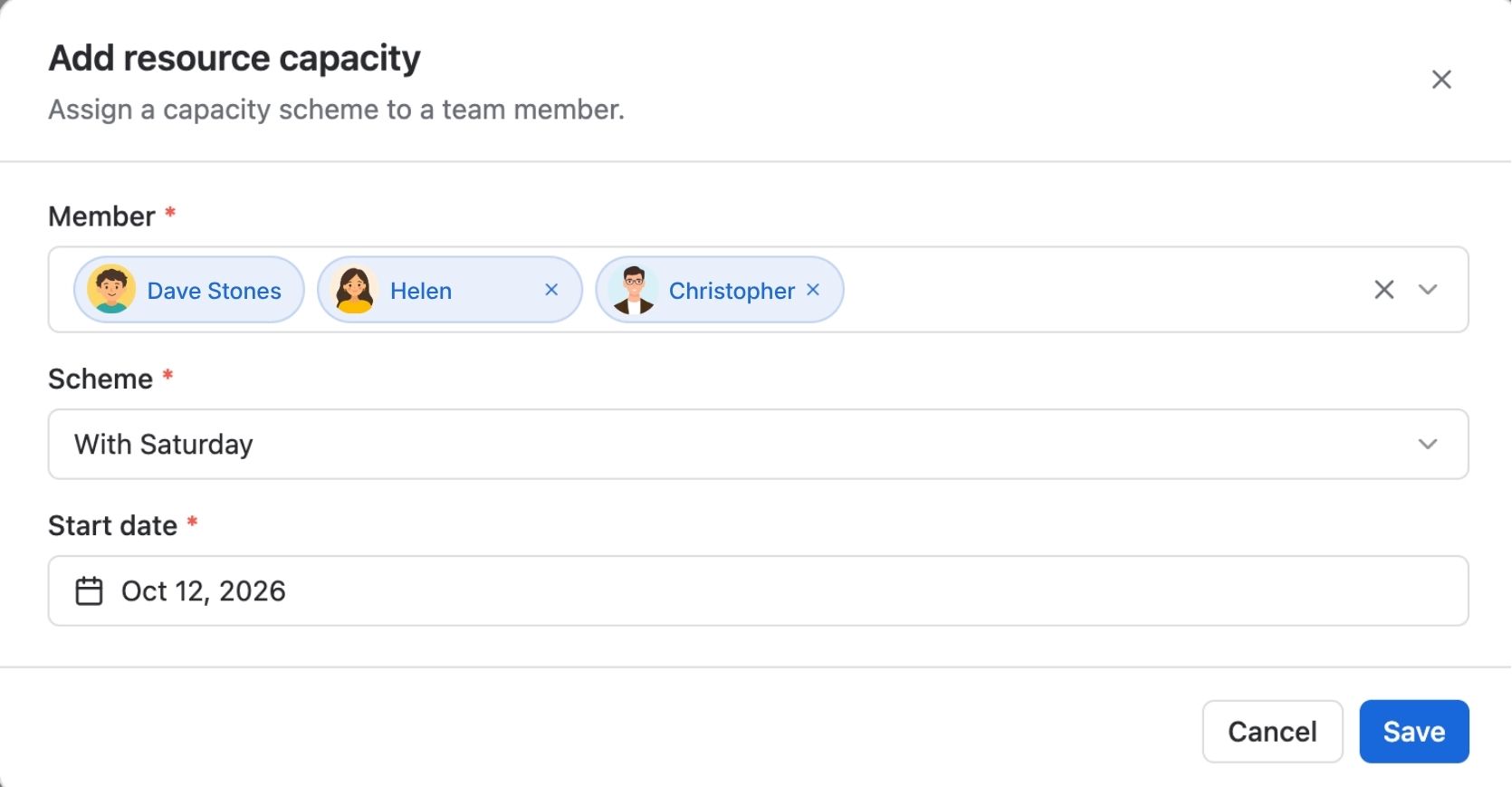
Choose Assign new (or Reassign in the bulk action) and select the capacity scheme for the selected members.
-
Set the new start date and confirm the bulk assignment.
You can review each selected member’s timeline to see previous schemes and their effective periods, and switch between the selected members’ timelines while reviewing changes.
Reassign capacity scheme
Members with an existing capacity scheme can be reassigned at any time.
Hover over that specific member and choose Reassign at the end of the row.
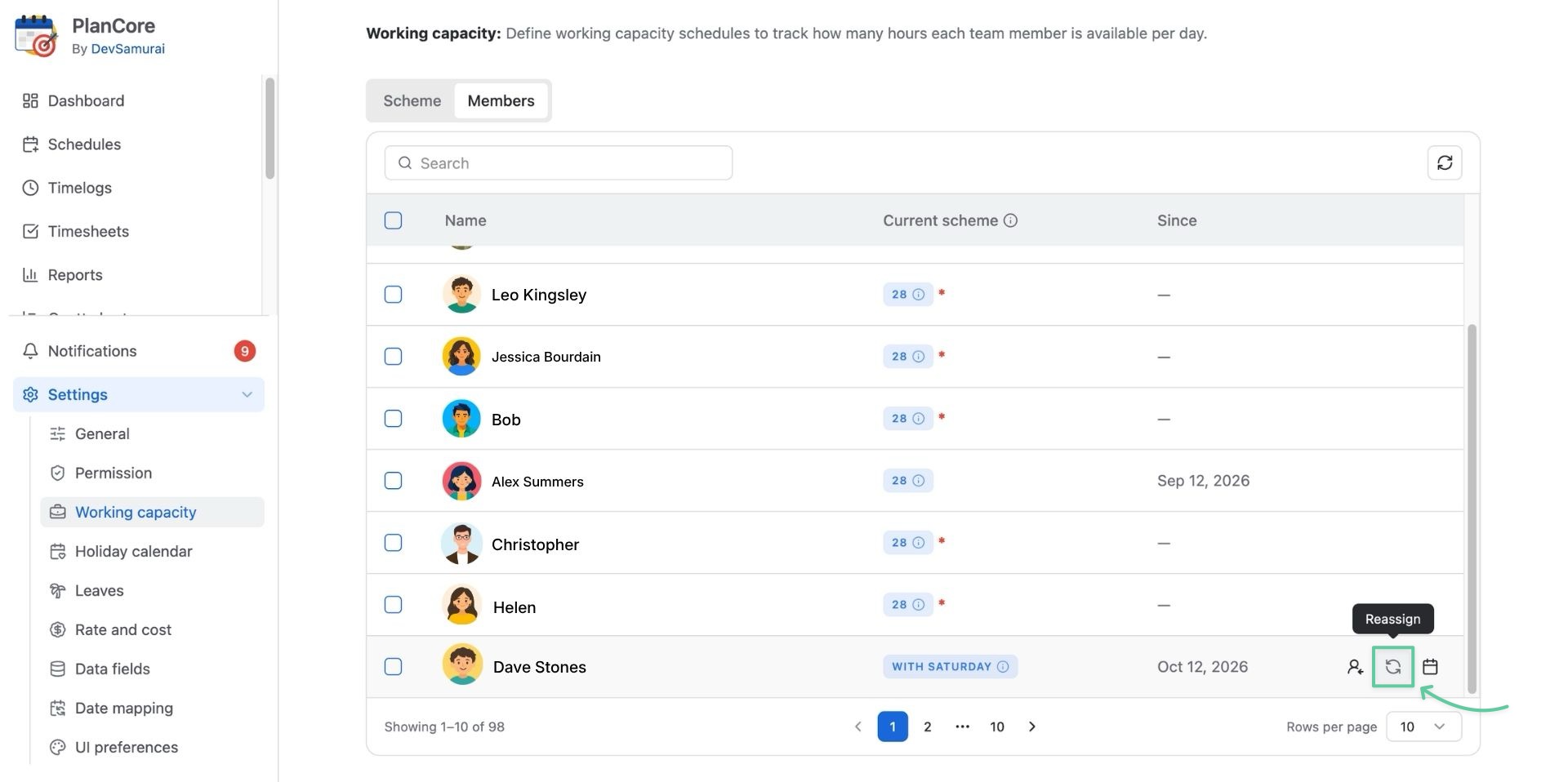
Select a New scheme for this member and choose Reassign.
View capacity scheme timeline
Users can check when a member’s capacity scheme ends by clicking on the timeline 🗓️ icon at the end of the row.
In the dialog, you can change the start and end dates of a capacity scheme for a specific member.