.png)
Since Jira does not support a built-in progress field for the percentage number, users can create a custom field and add it to their Jira instances.
Only the Jira admins can make changes to work items and fields in the Jira instance. If you want to create a custom progress percentage field, please contact your manager.
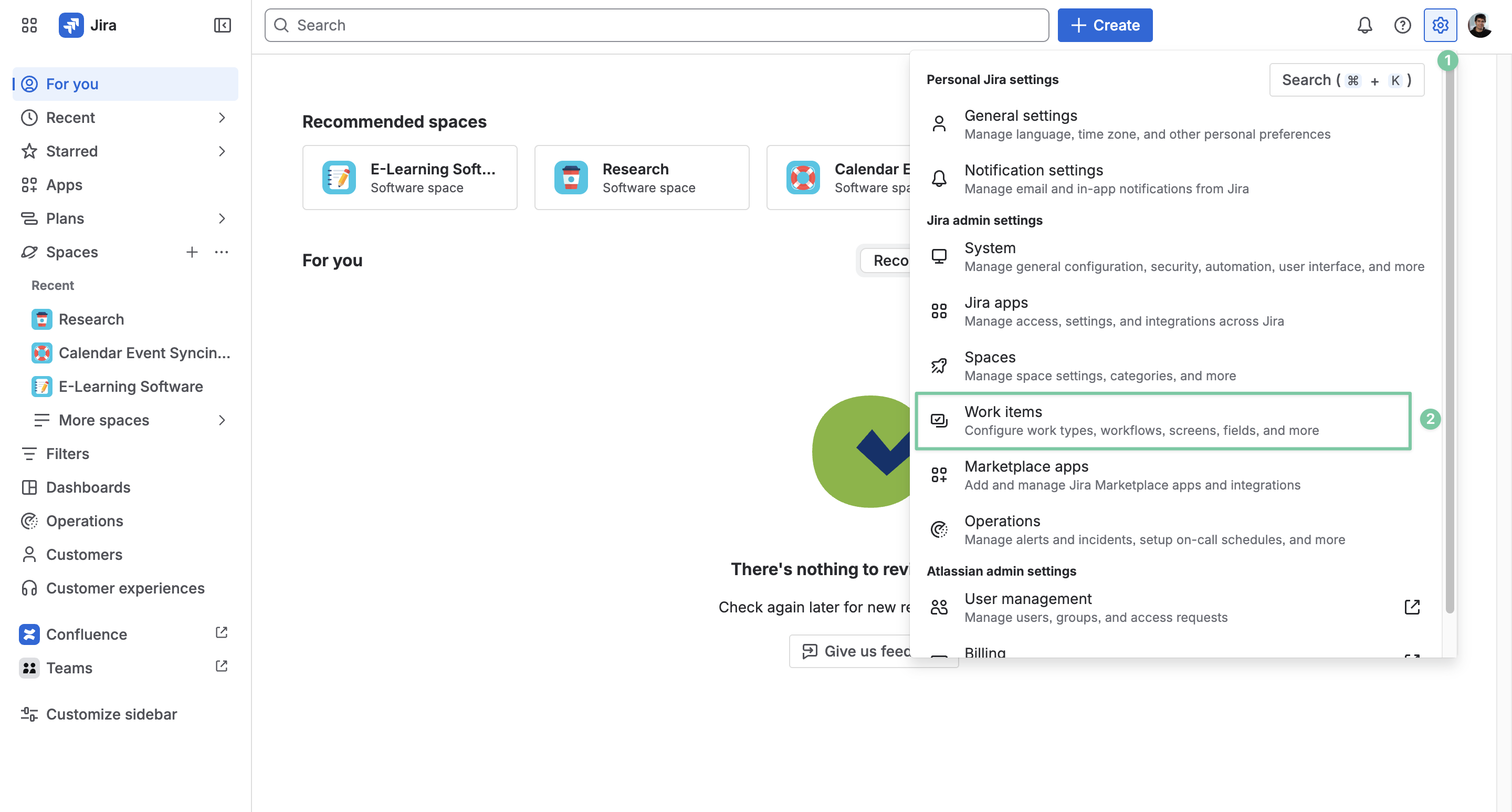
From your dashboard, locate the ⚙️ symbol next to your avatar and choose Work items.
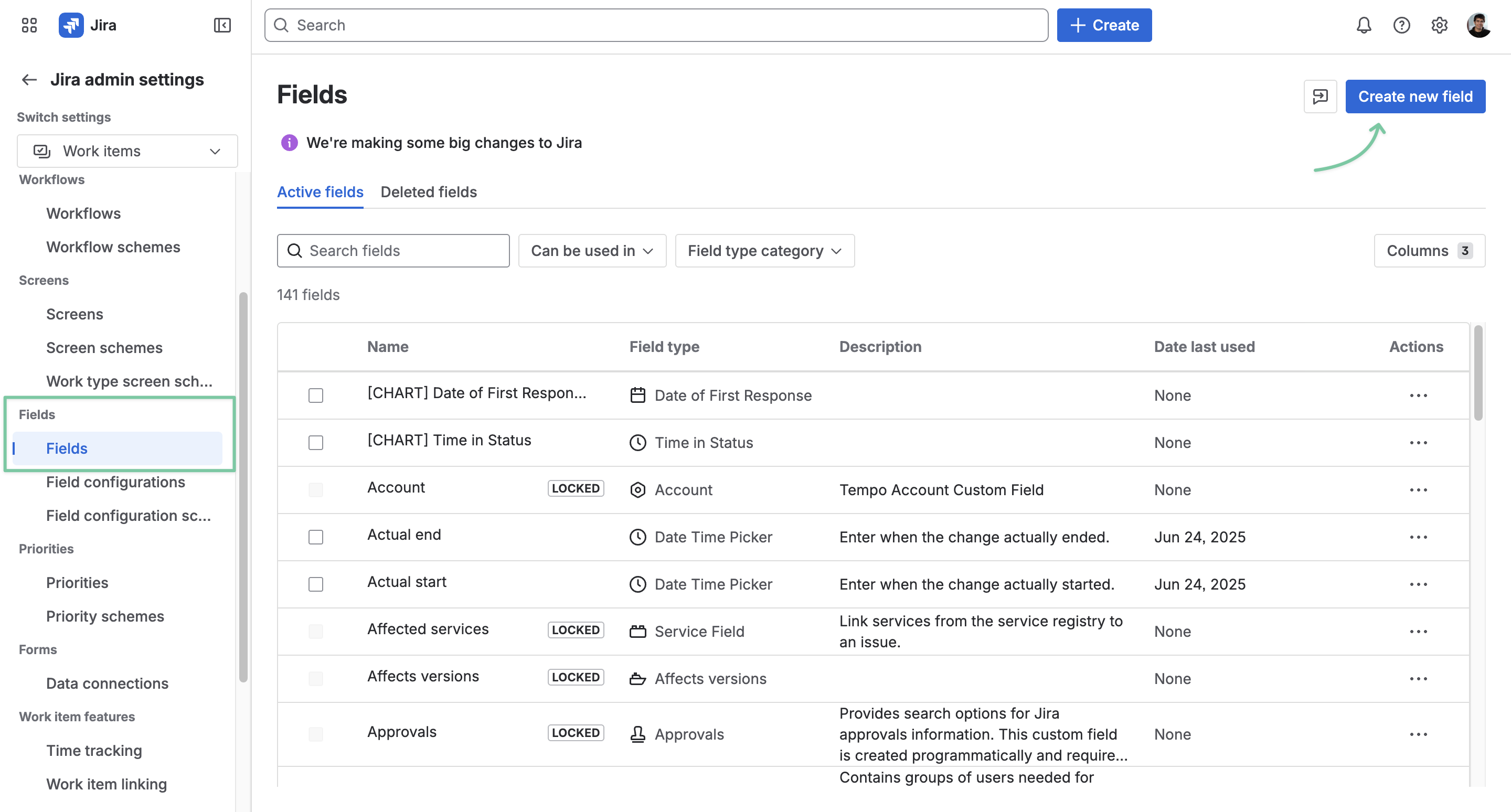
Once in the Jira admin settings page, locate the Fields tab and click Create new field.
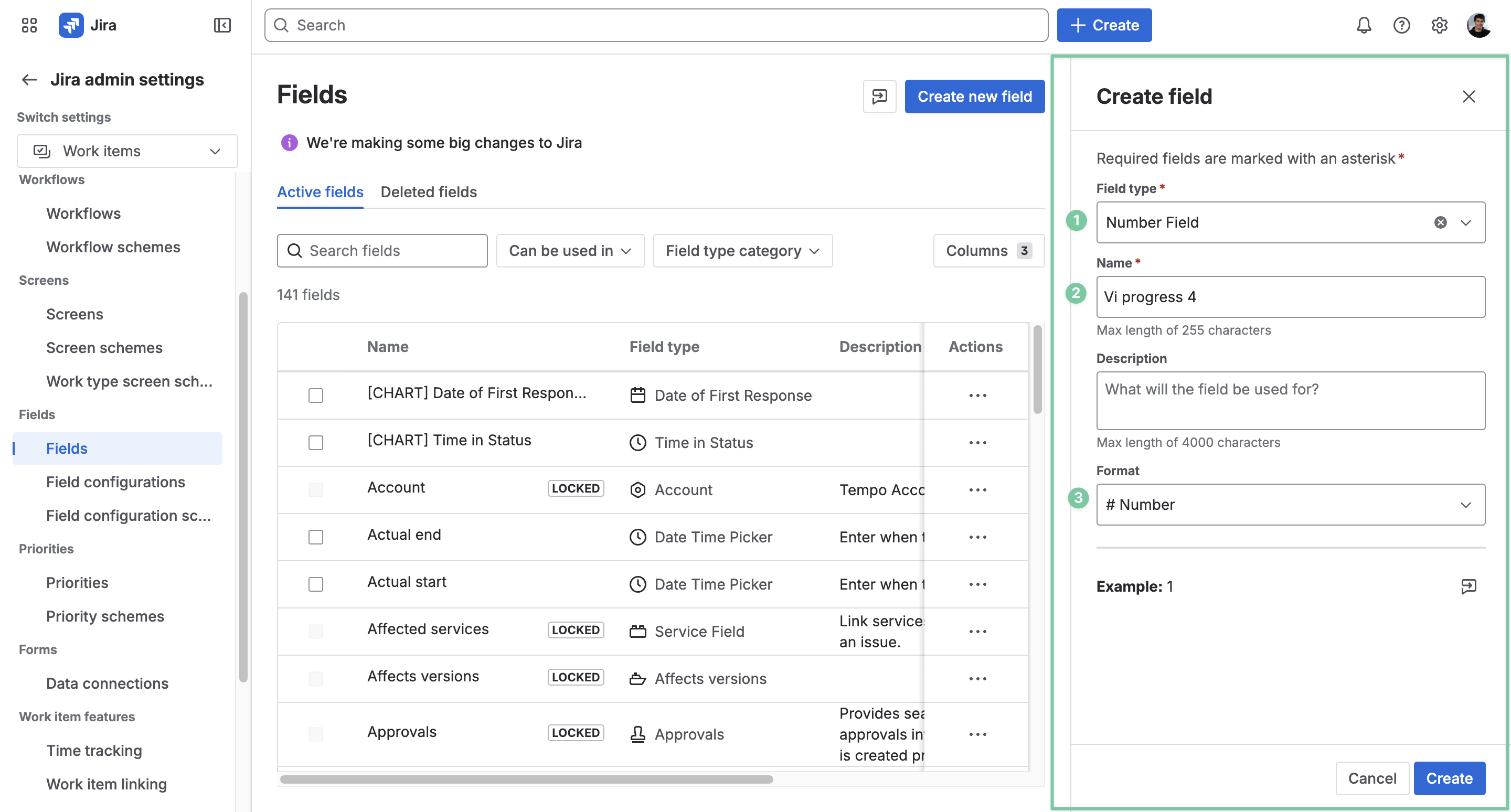
In the Create field section, choose the field type as Number Field, name this custom field, and select its format as # Number.
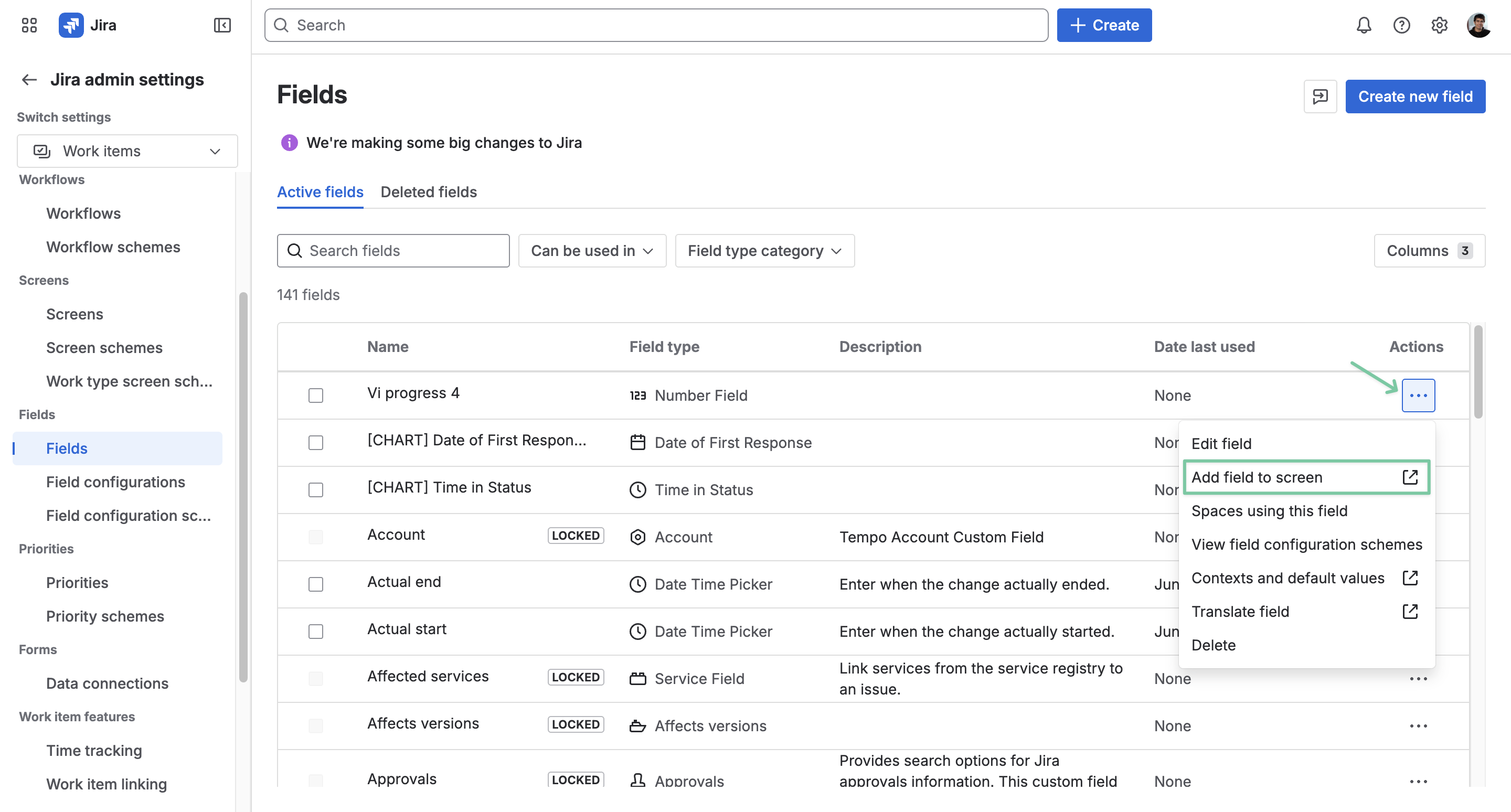
Once done, the new custom field will be added to the list. But to use it, users are required to add this field to screen for Company-managed and Team-managed projects.
For Company-managed spaces
To use this progress field for your Company-managed spaces, you need to add it to screen first.
On the Jira field list, locate the custom field you just created, click the three-dot symbol for more actions, and choose Add field to screen.
On this page, you can check the boxes to screen the custom progress field for different spaces. Or you can check the top box to screen it to all Jira spaces.
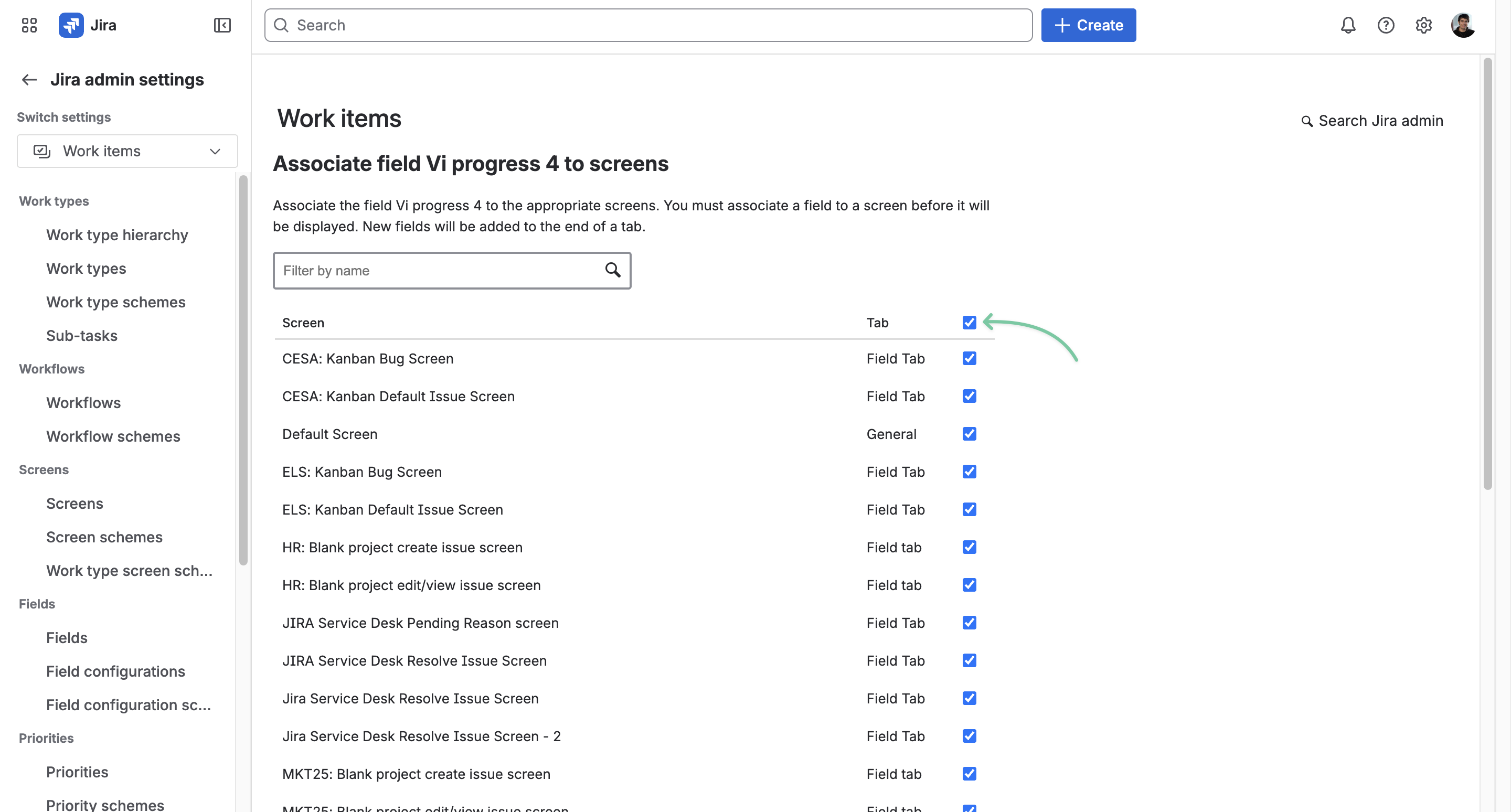
After that, click Update at the end of the page.
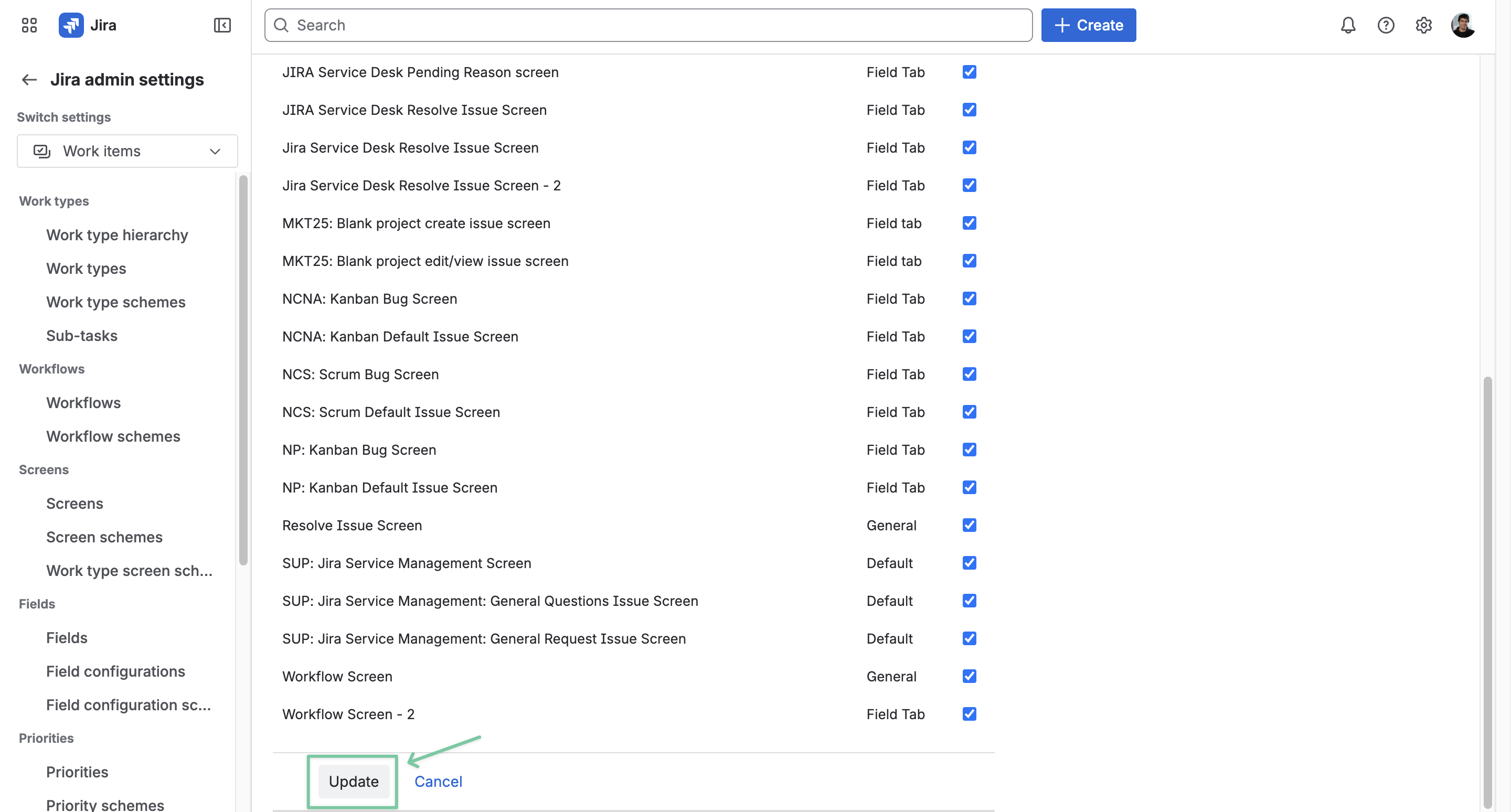
Now you can use the custom progress field for all your Company-managed spaces in your Jira instance.
For Team-managed spaces
For Team-managed spaces, users are required to add this custom progress field directly to the space settings.
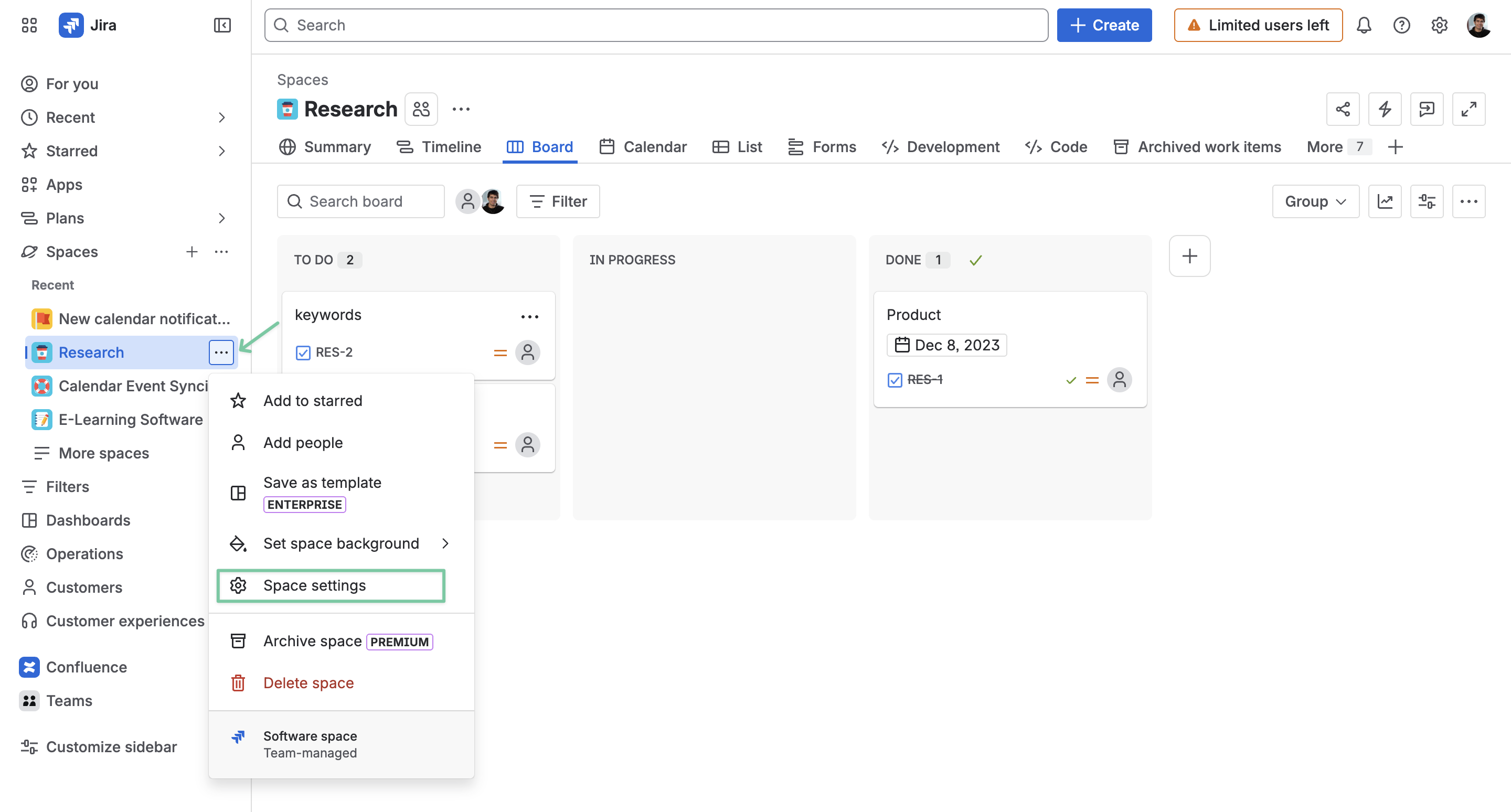
From your Team-managed board, locate the More actions option and choose Space settings on the left column.
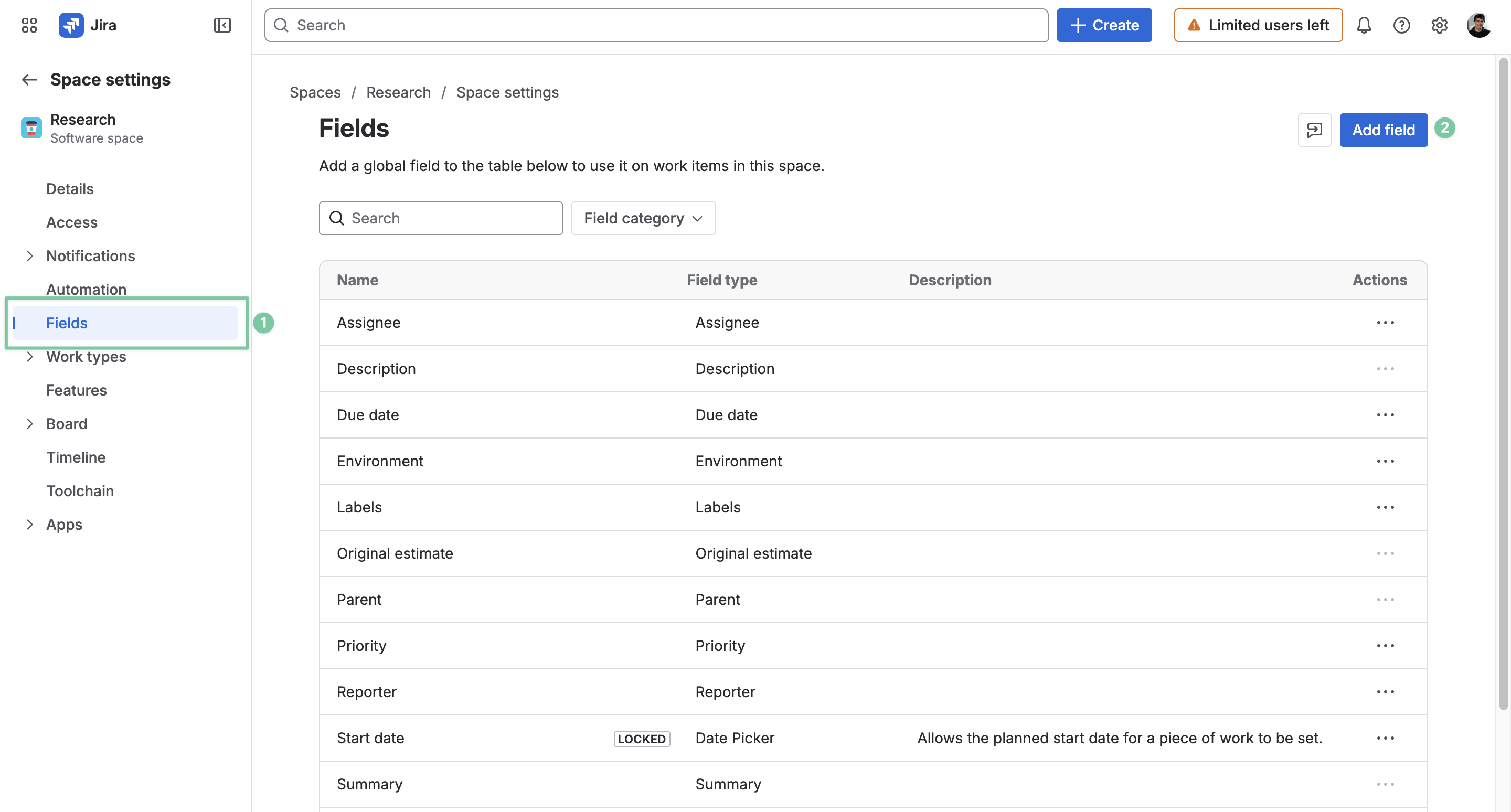
In the Space settings, choose the Fields tab and click Add field.
In the Add fields to [your Jira space], search for the custom progress field, select it, and click Add 1 field.
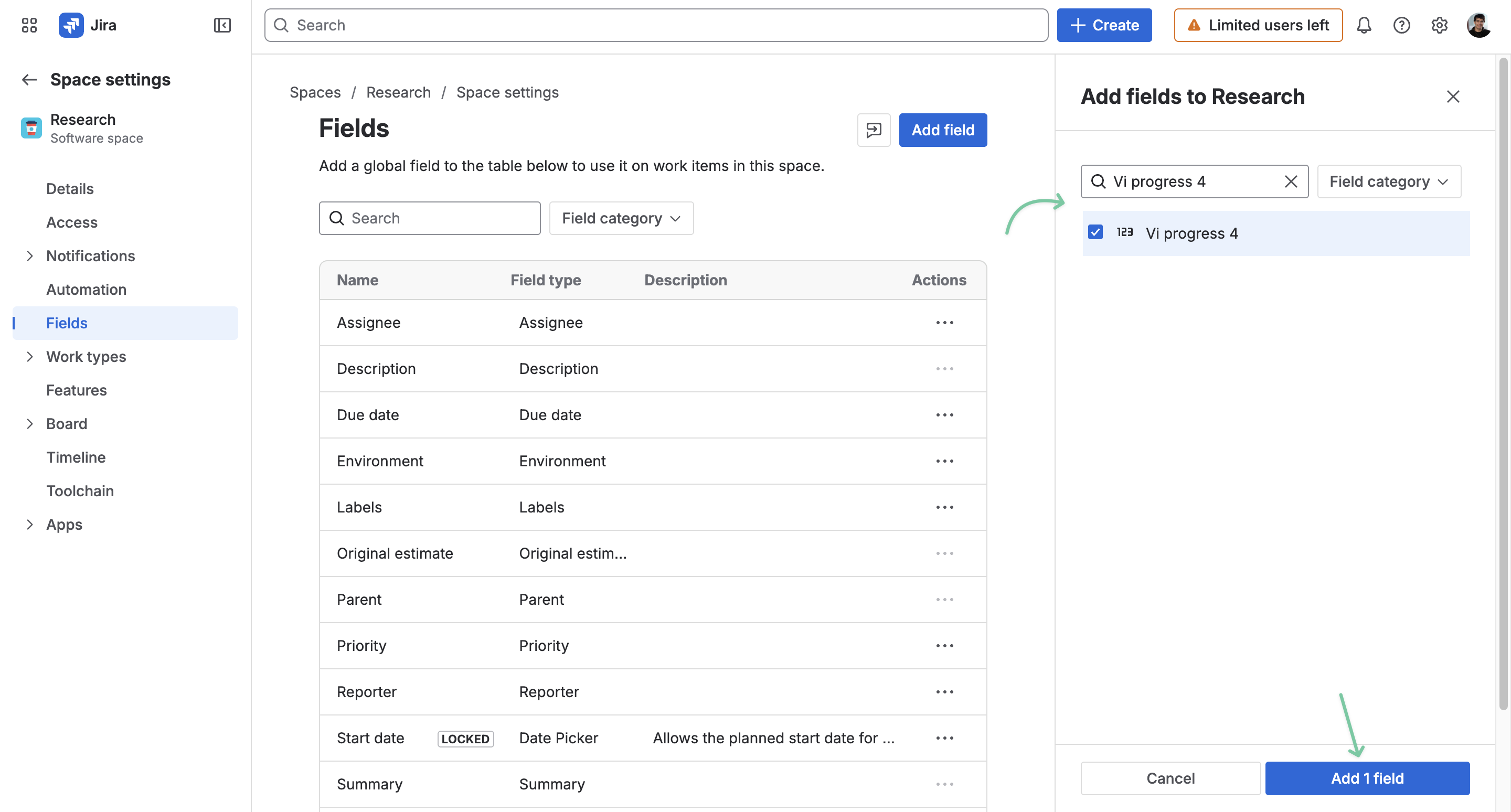
Next, you can decide where to show this field on your work items.
Find the Work types in the left column, and choose the specific work item type you want to make the adjustments to.
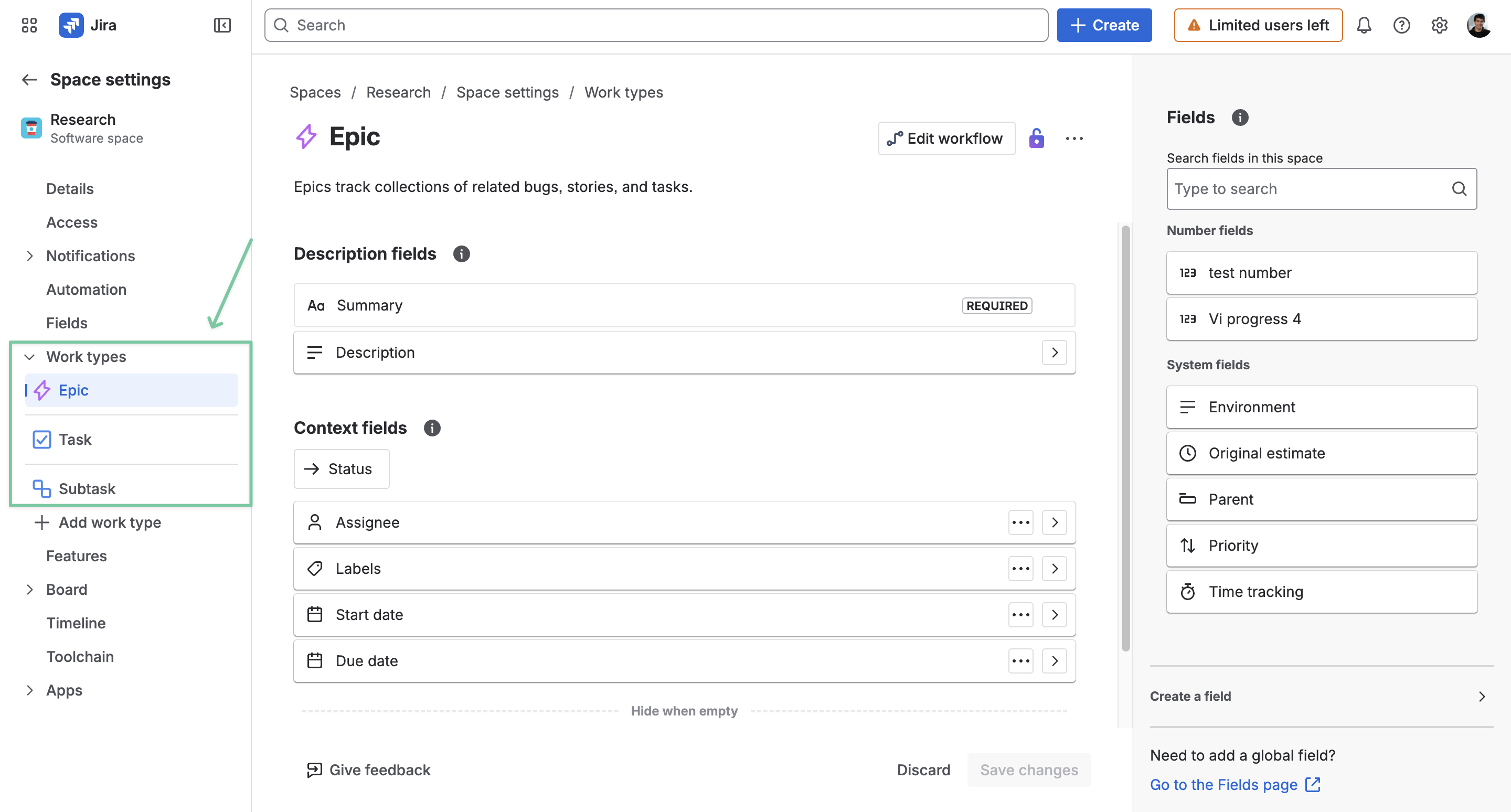
Next, simply drag the custom progress field to the location you want on the Jira work item.
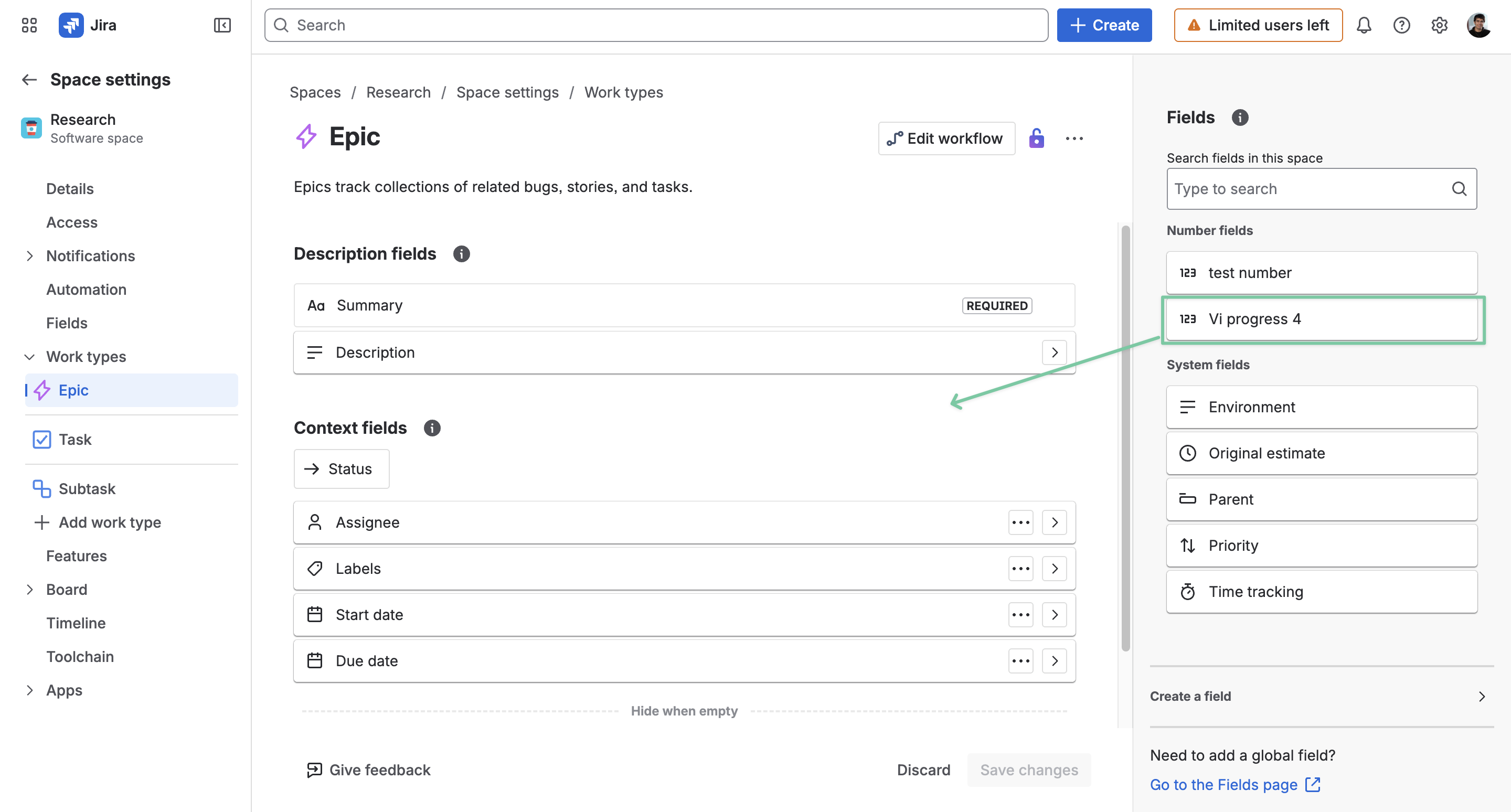
Once done, click Save changes.