.png)
Preparation steps
-
Open DevTools in the browser, then press F12 on Windows or fn + F12 on macOS.
-
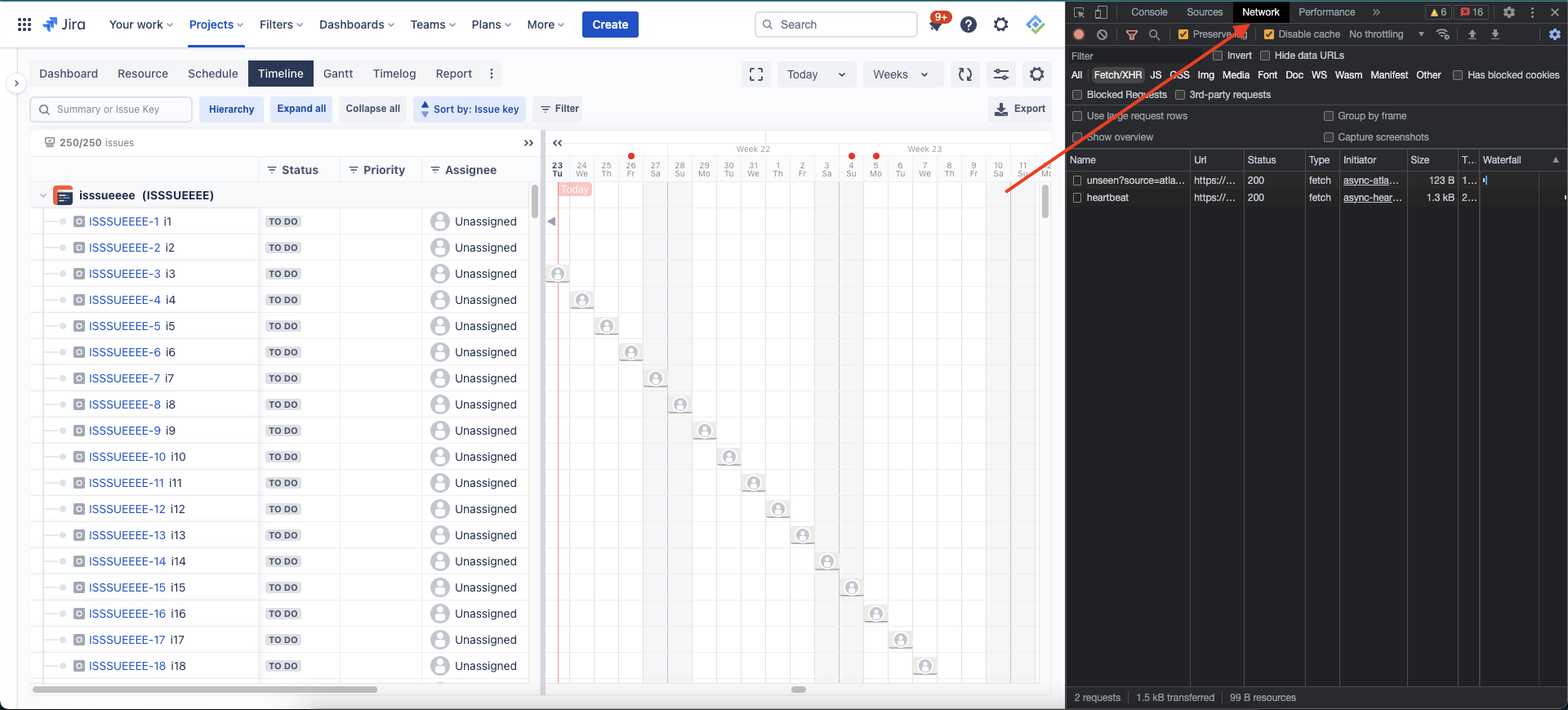
Open the Network tab. If you don’t see it, click the >> symbol at the end of the row.
-
Enable Preserve log & Disable cache
-
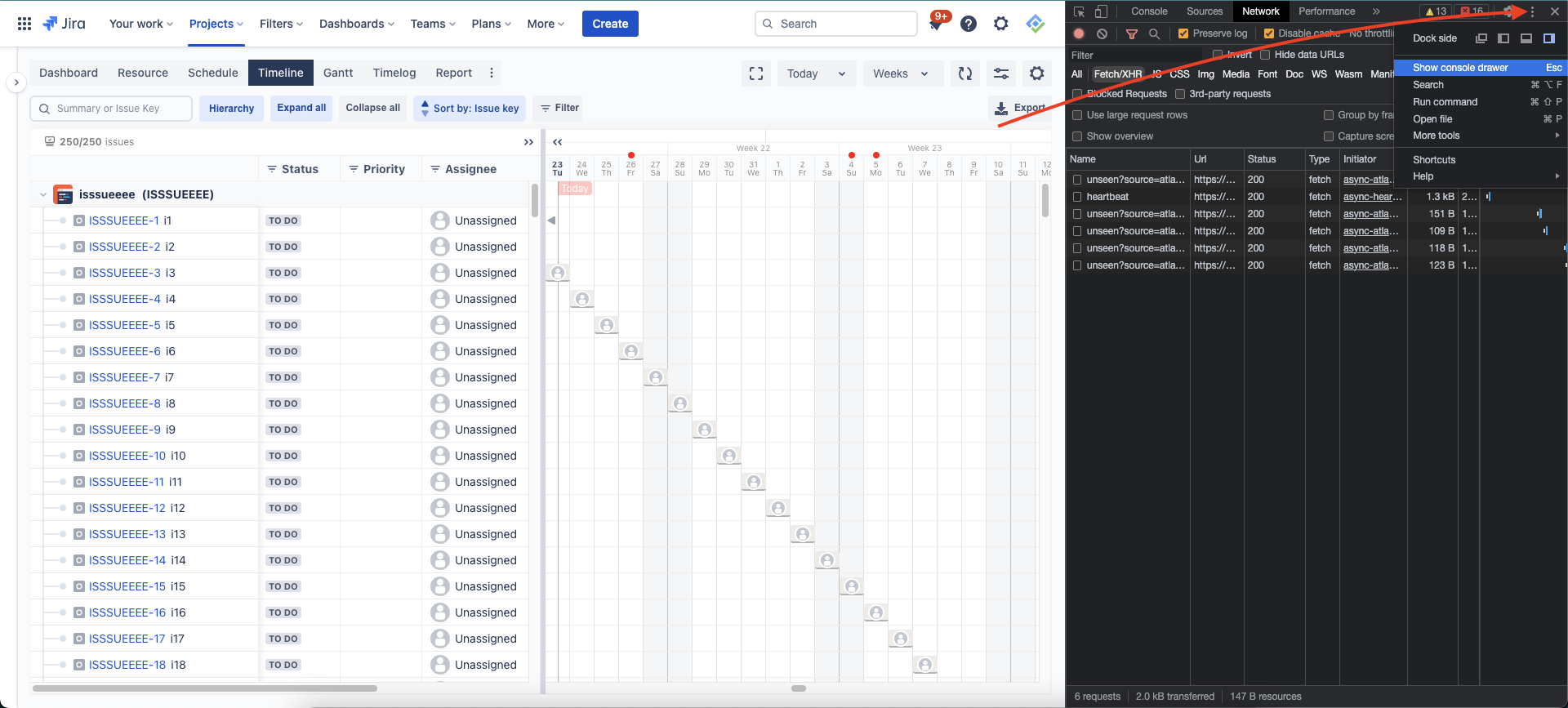
From within the devtools, open the console drawer. Click the vertical ellipsis symbol and choose Show console drawer
-
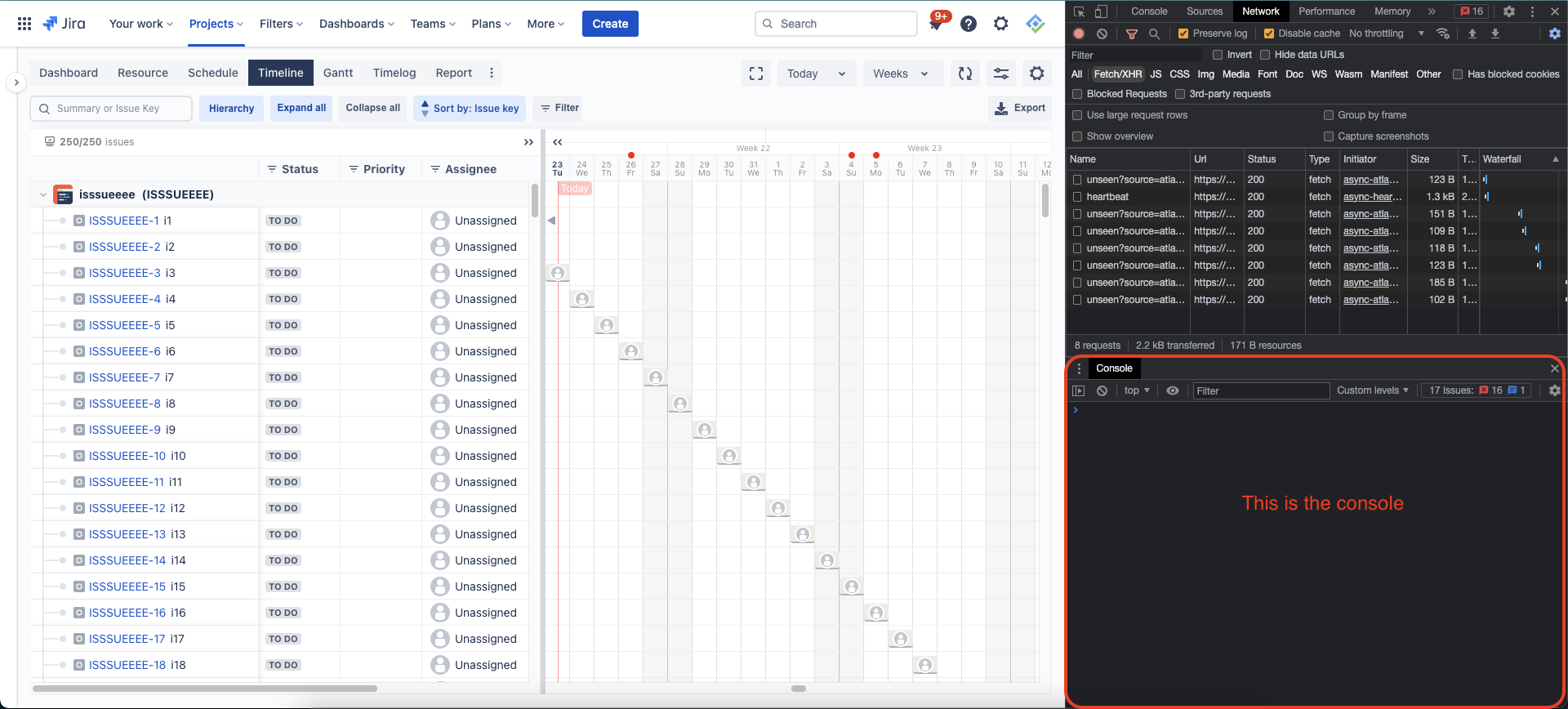
Your devtools should look like this
Reproducing steps & download files
-
After your devtools is ready, you can redo all steps you’d made to reproduce the issues/bugs.
-
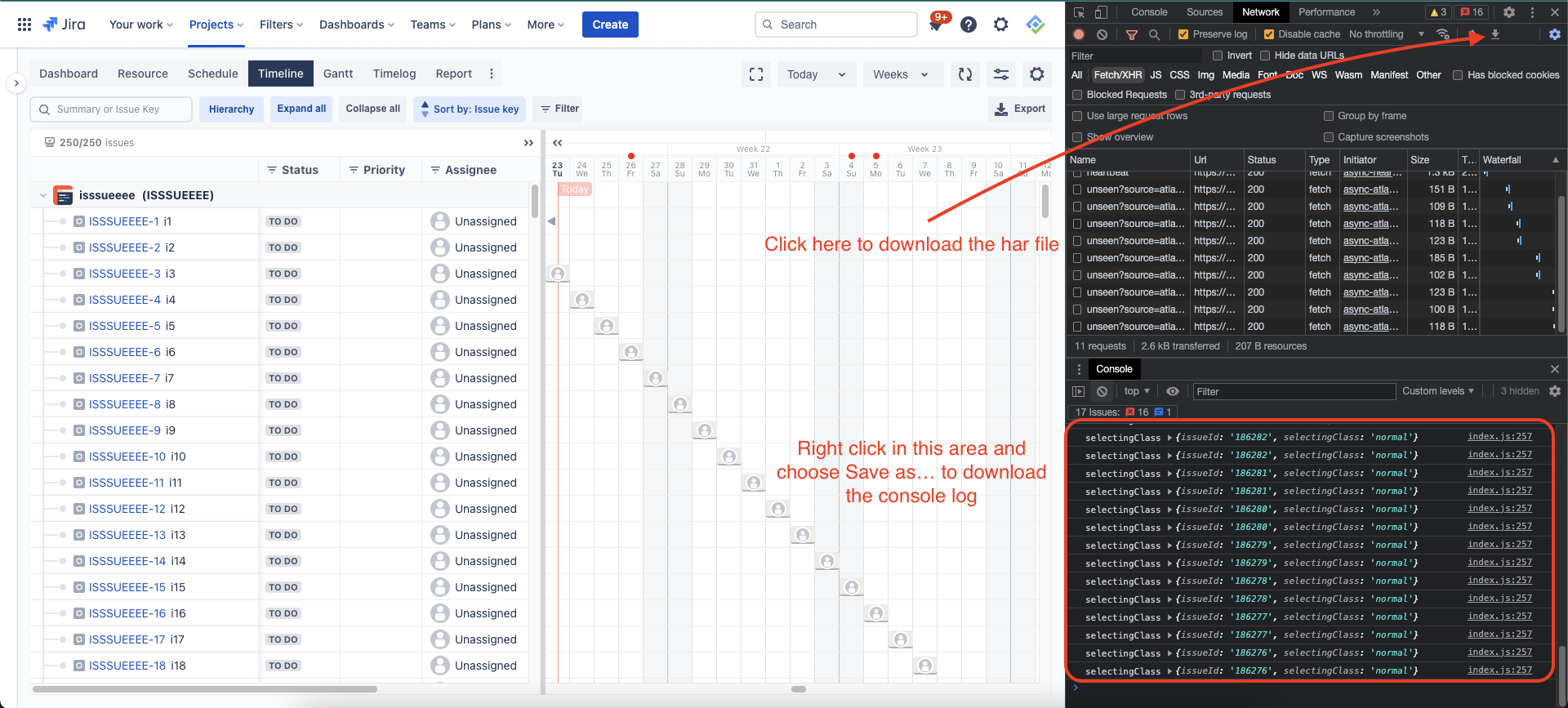
Then click the head-down arrow button to download the HAR file
-
Right-click in the console area and choose Save as… to save the log