GanttTable

How to set up permissions for creating, editing, and deleting in company-managed projects?

For Jira admins, you can go to the project you want to add permission and choose Project settings.
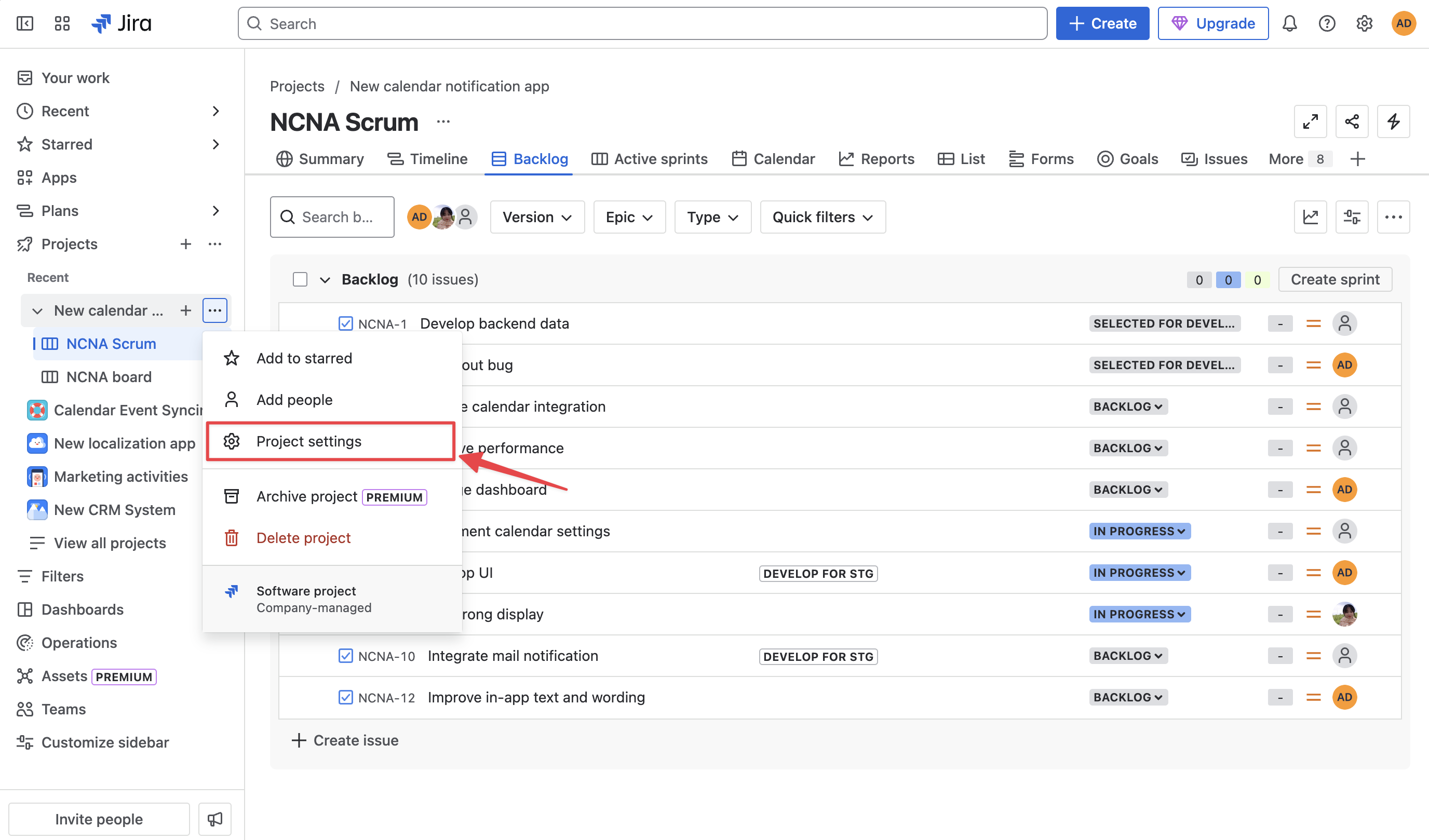
CleanShot 2025-03-13 at 13.13.02@2x-20250313-061359.png

Next, you can go on to choose the Permission tab on the left column, locate the Action button, and select Edit permissions.
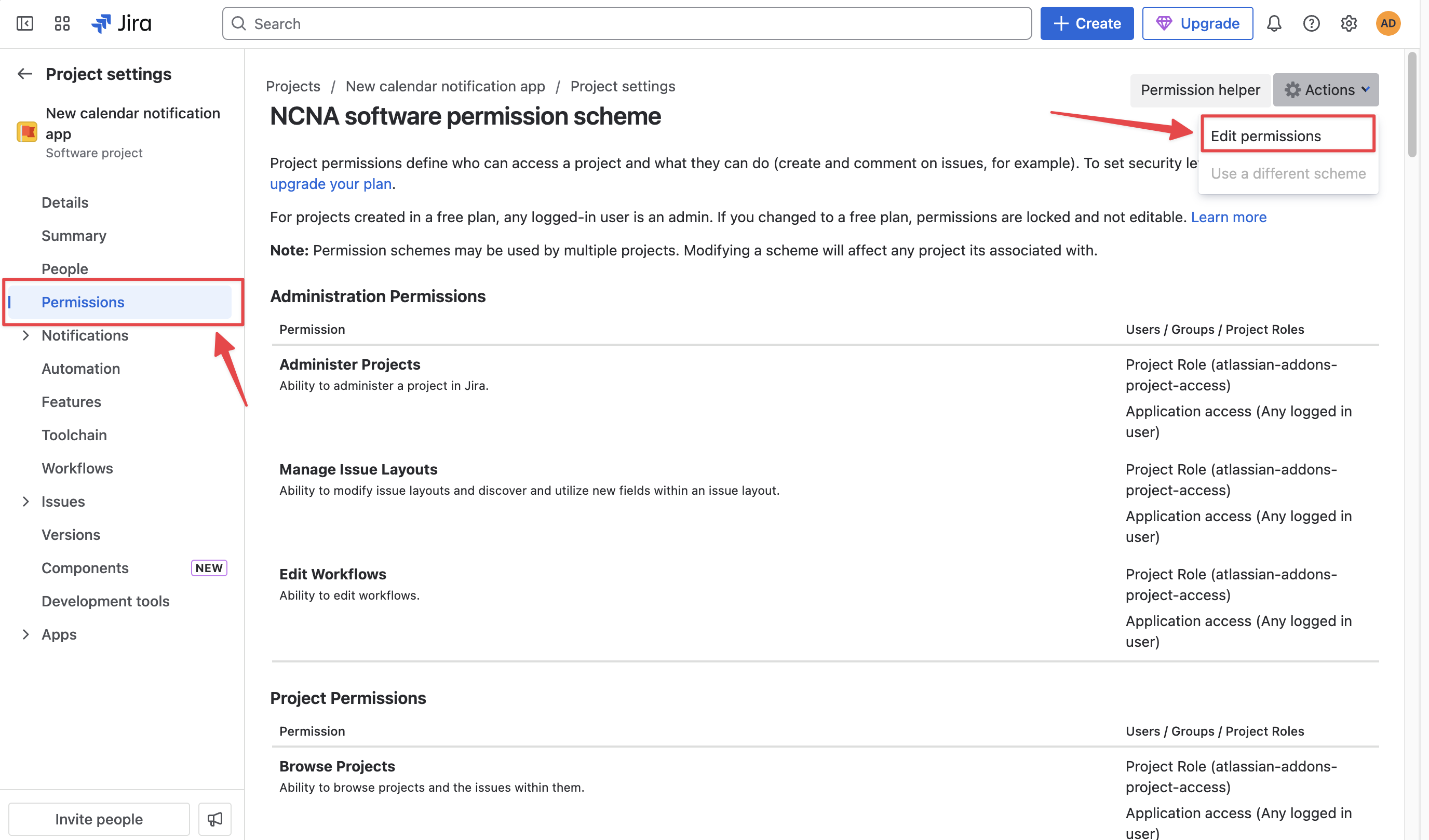
CleanShot 2025-03-13 at 13.17.39@2x-20250313-061806.png

Here, you can add permission to all users in your Jira instance by choosing Create/Delete/Edit Issues.
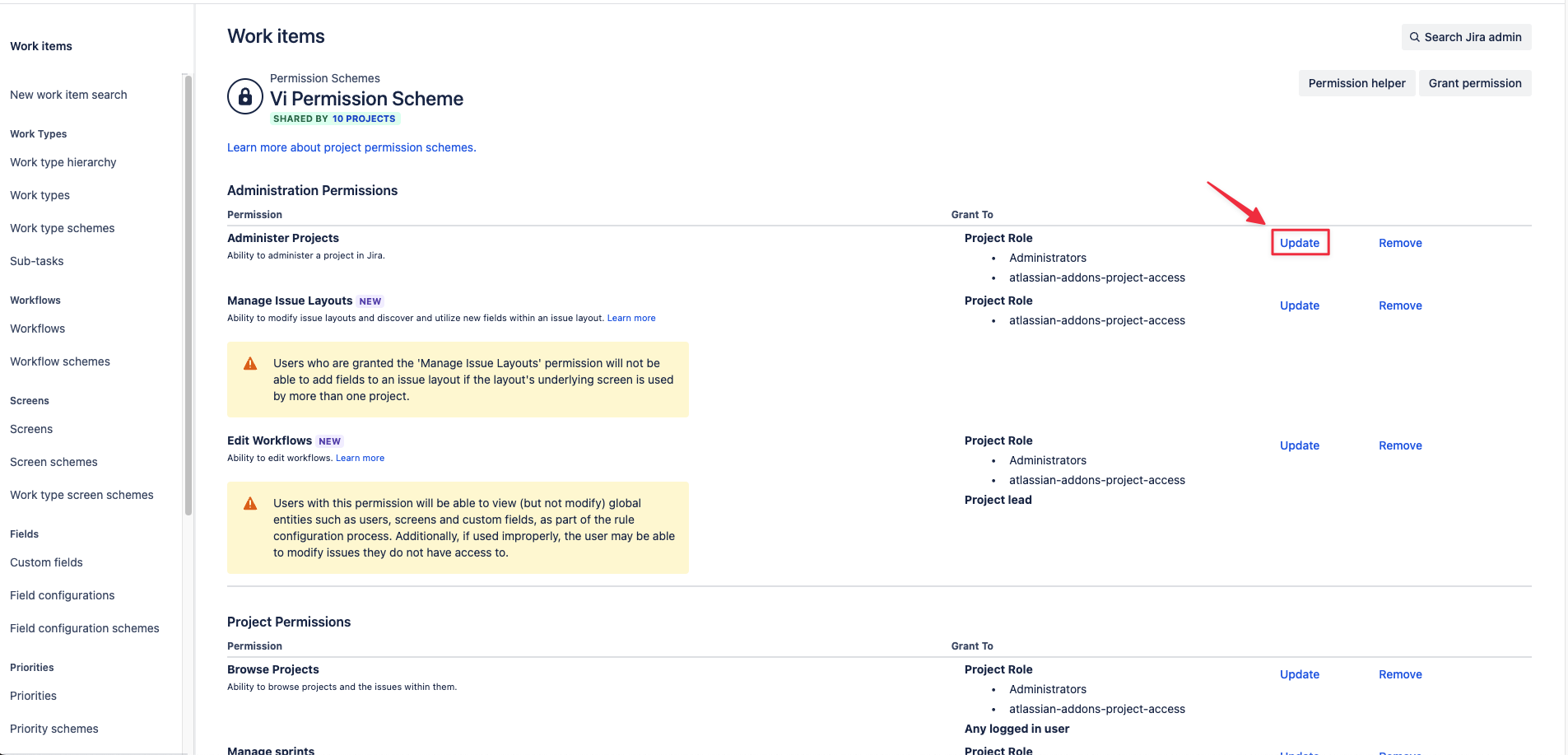
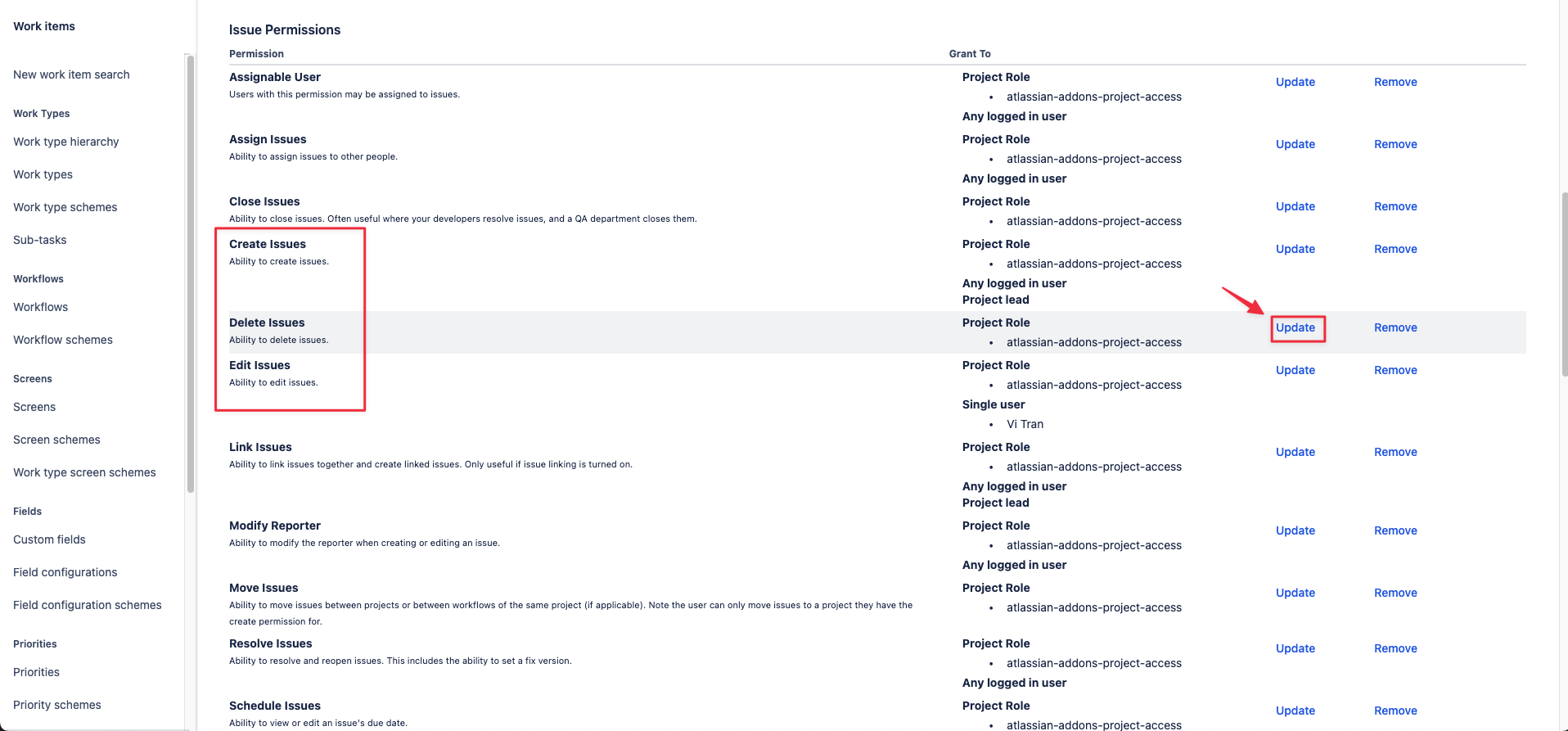
Screenshot 2025-05-14 at 17.02.16.png
Click Update in the Administration Projects
Screenshot 2025-05-14 at 17.02.42.png
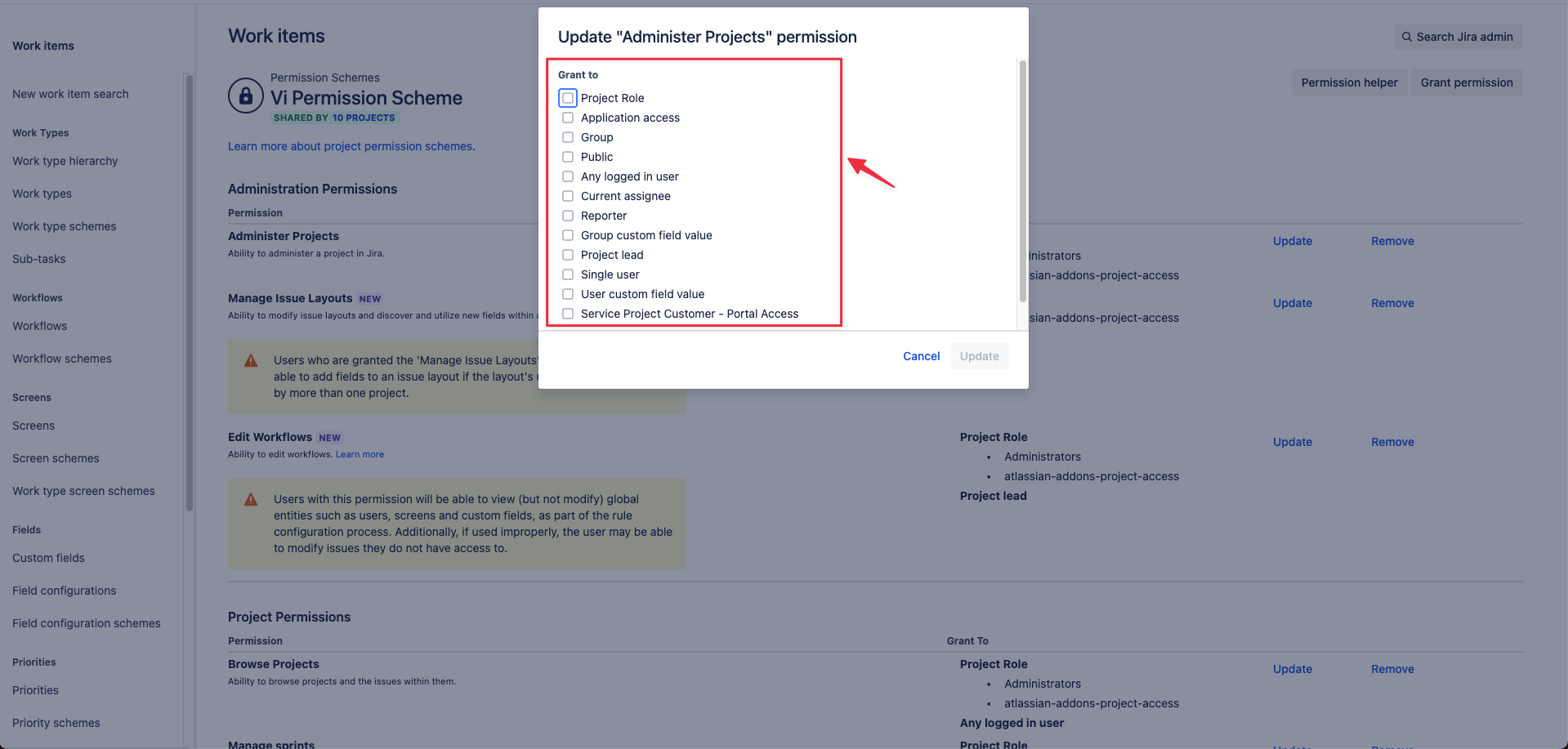
Choose Create/Delete/Edit Issues and click Update
Choose a box to grant permission.png
Choose a box to grant permission