Only users with App Admin permissions can enable or disable TimePlanner for projects
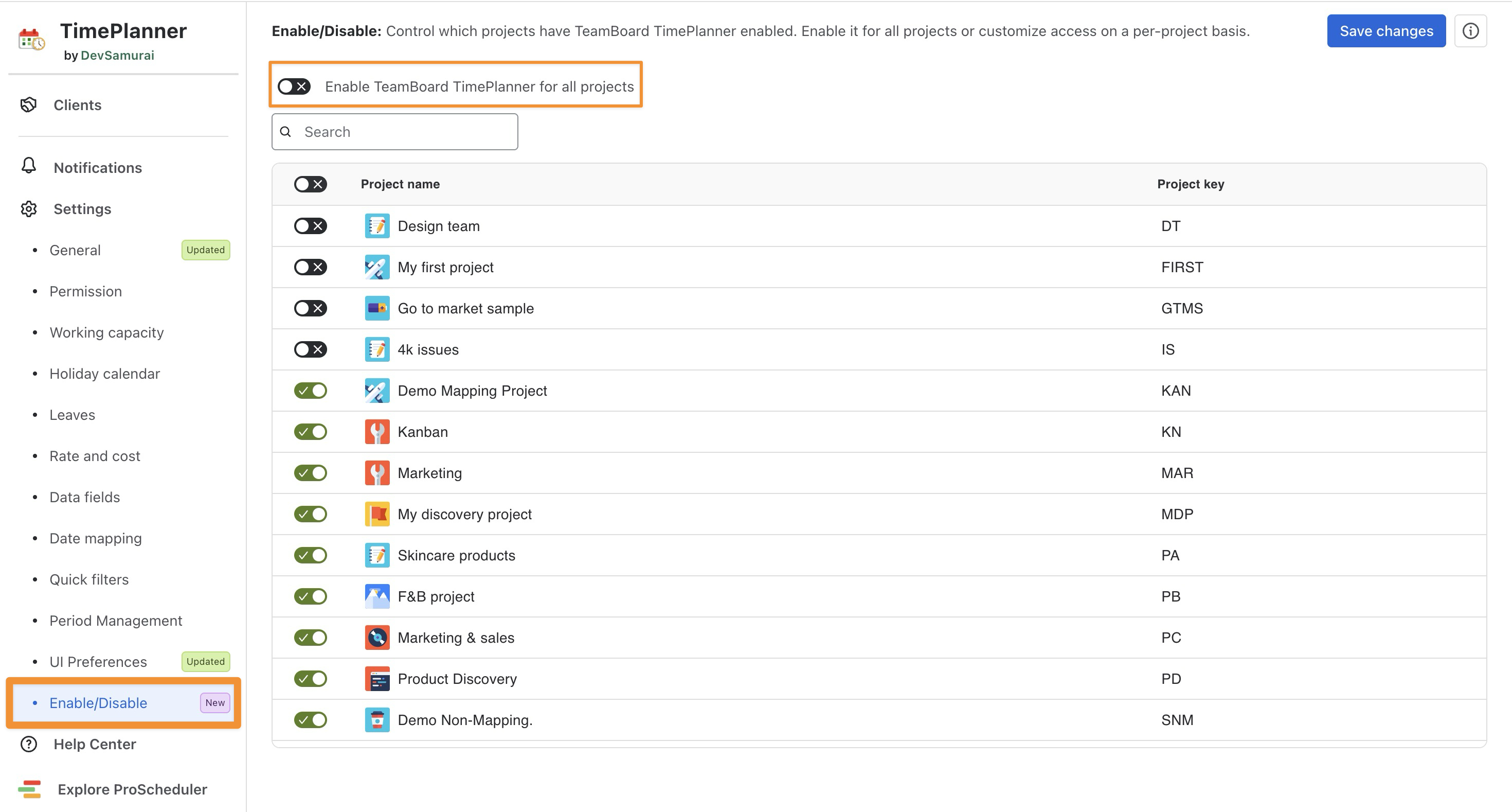
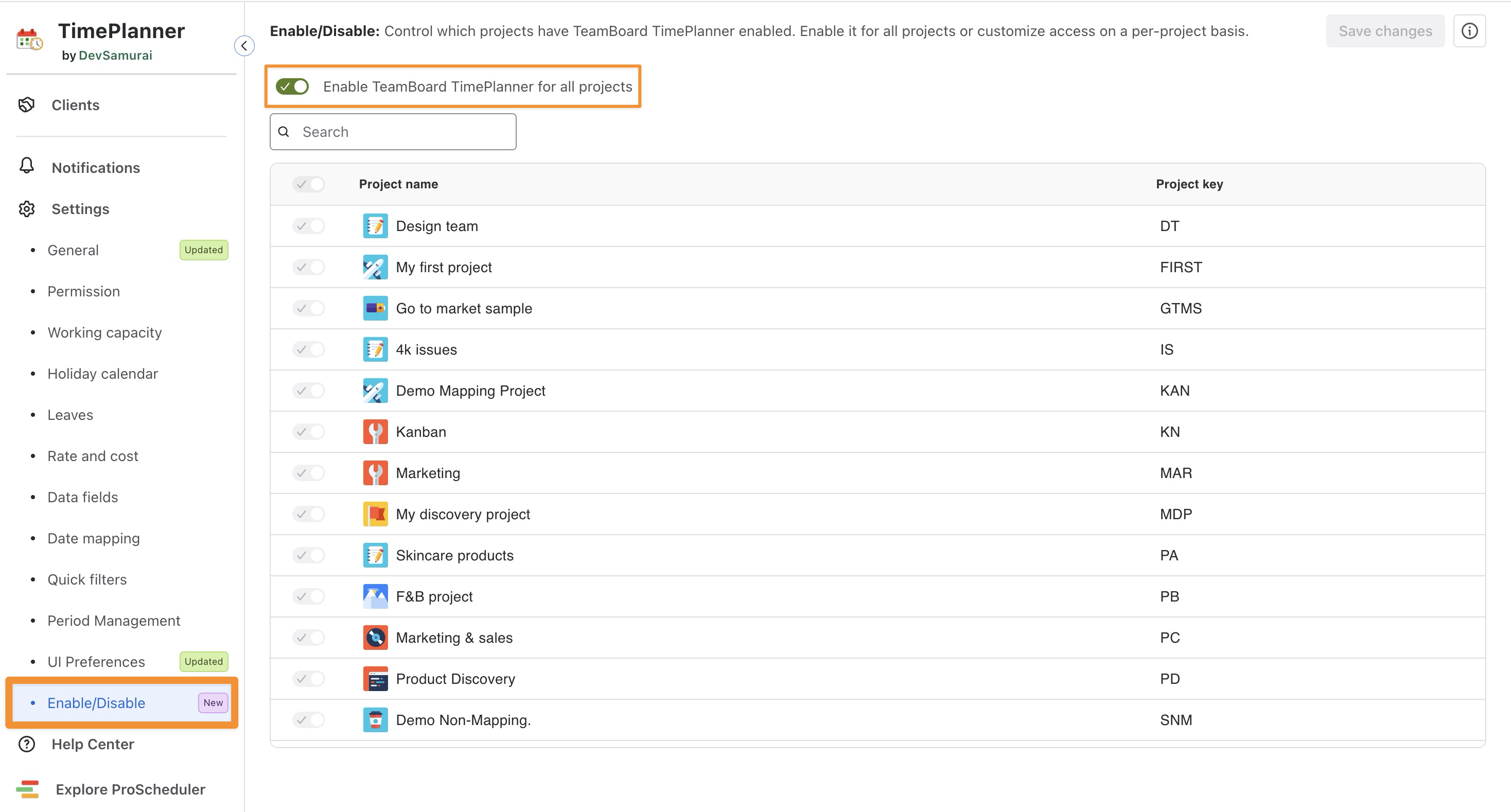
The Enable/Disable setting allows admins to control which Jira projects can use TeamBoard TimePlanner. By default, TimePlanner is enabled for all projects. Admins can turn off this option and enable it only for selected projects.
Enable TimePlanner for all projects
-
From the left-hand menu, navigate to ⚙️ Settings.
-
Go to Enable/Disable.
-
Turn on Enable TeamBoard TimePlanner for all projects.
Enable TimePlanner for selected projects
-
From the left-hand menu, navigate to ⚙️ Settings.
-
Go to Enable/Disable.
-
Turn off Enable TeamBoard TimePlanner for all projects. A project list appears.
-
Select the projects where you want to enable TimePlanner. Clear the checkboxes for projects where you want to disable it.
Note: You can use the toggle at the top of the project list to turn all projects on or off, then change the toggle for any individual project.