.png)
May 2026: Forge Migration & Jira modules Update
The May 2026 release introduces the migration of AgileTest modules from Atlassian Connect to Forge modules. In addition, we also made some UI changes inside Jira work items as part of the migration in this new release.
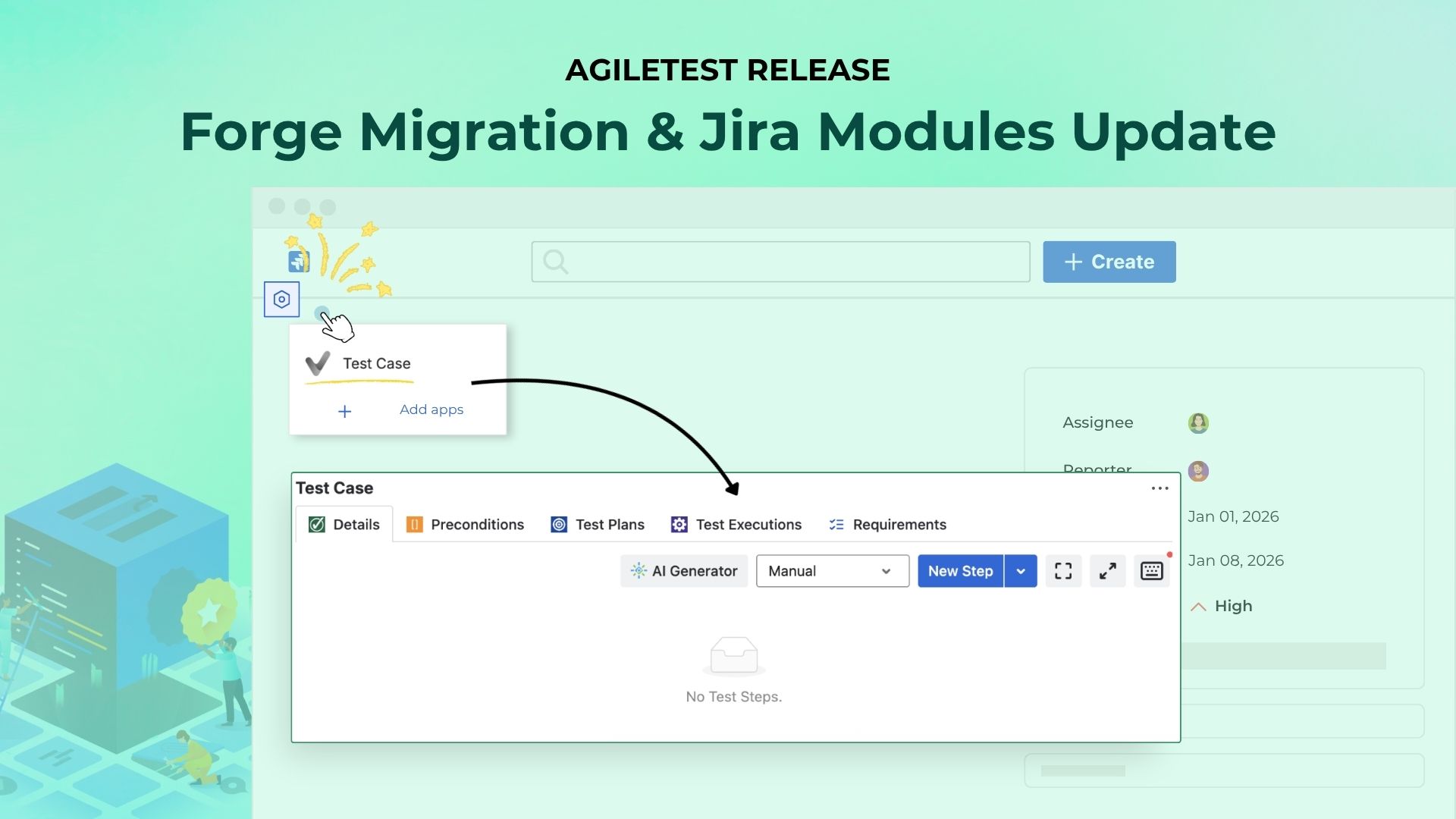
About the Forge Migration
This migration is required to align AgileTest with Atlassian’s latest platform standards and improve long-term reliability, security, and compatibility.
Jira Work Item UI Changes
After upgrading to the latest version, the AgileTest widget location inside the Jira work item has changed. It is no longer displayed automatically inside the work item view.
To access it:
-
Open a Jira work item (for example, a Test Case item)
-
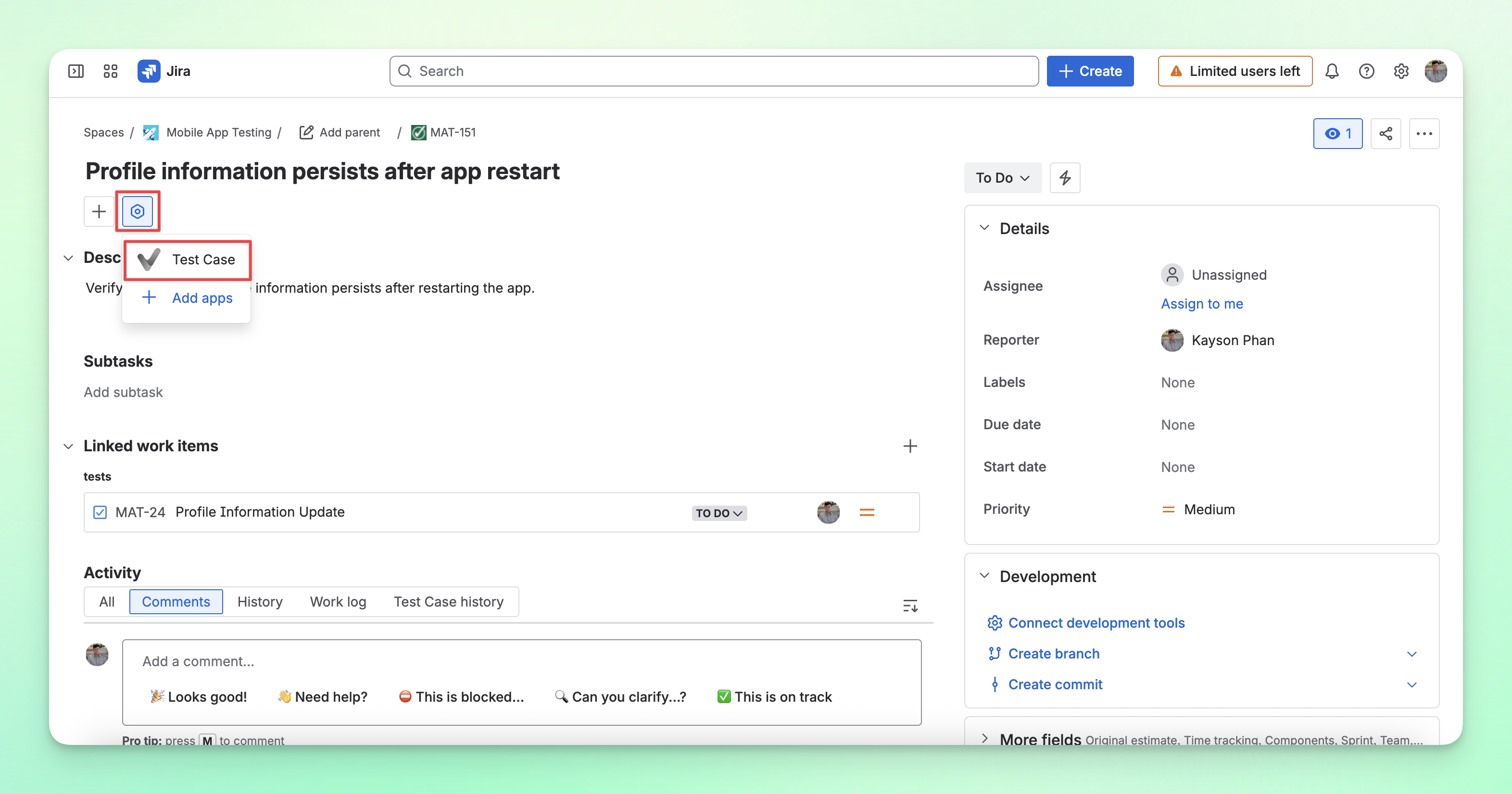
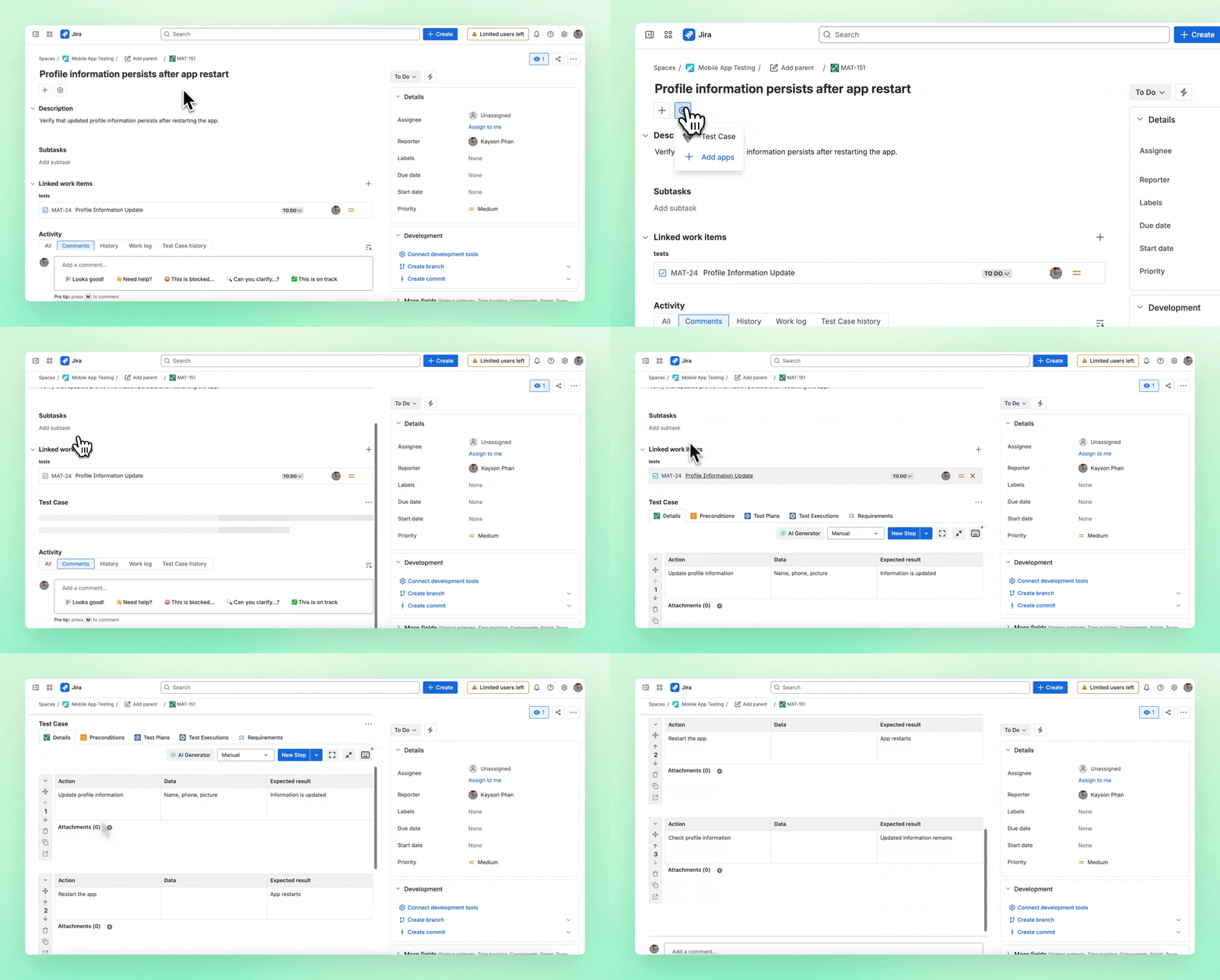
Click the ⚙️ icon for the View apps action next to the Jira work item summary
-
Select Test Case with the AgileTest icon. The widget UI should now appear below the work item content.
-
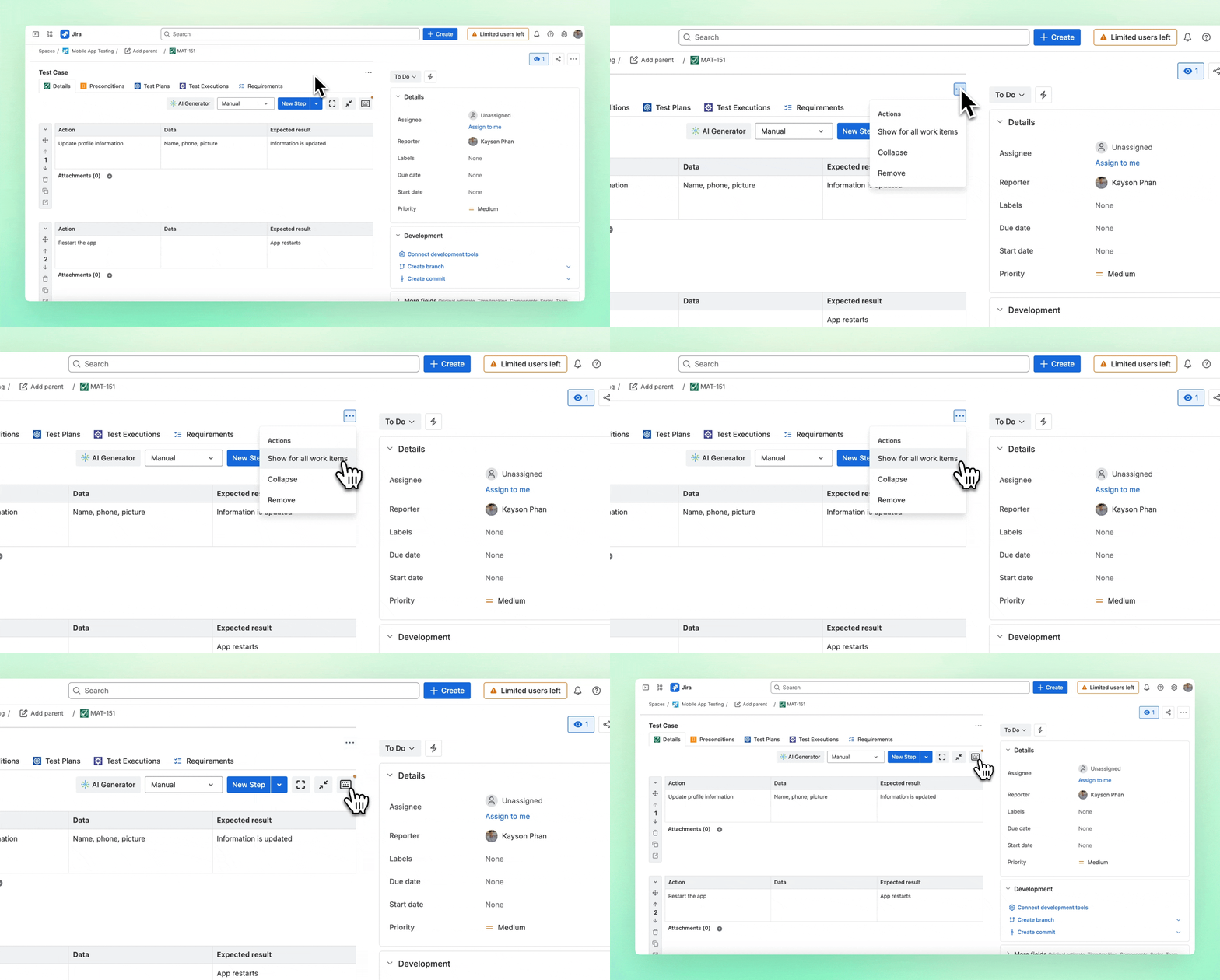
(Recommended) You can display the widget automatically for all work items of the same type (such as Test Case, Requirement, etc.) by clicking the 3-dot menu in the widget UI, then selecting the Show for all work items option.
Minor Bug Fixes
We’ve also resolved several minor issues and made general improvements to ensure a smoother and more reliable AgileTest experience.
This update is all about helping you move faster, see clearer, and test smarter. Let us know what you think and how we can keep improving your testing experience.
Need assistance? Visit our Support Desk now.