.png)
This section explains how to configure Bitbucket in AgileTest to trigger CI/CD pipelines remotely. Once configured, AgileTest can connect to your Bitbucket repository and allow QA teams to run automated tests directly from a Test Execution issue without switching to Bitbucket.
Firstly, click the New Bitbucket Configuration button to reveal the configuration dialog.
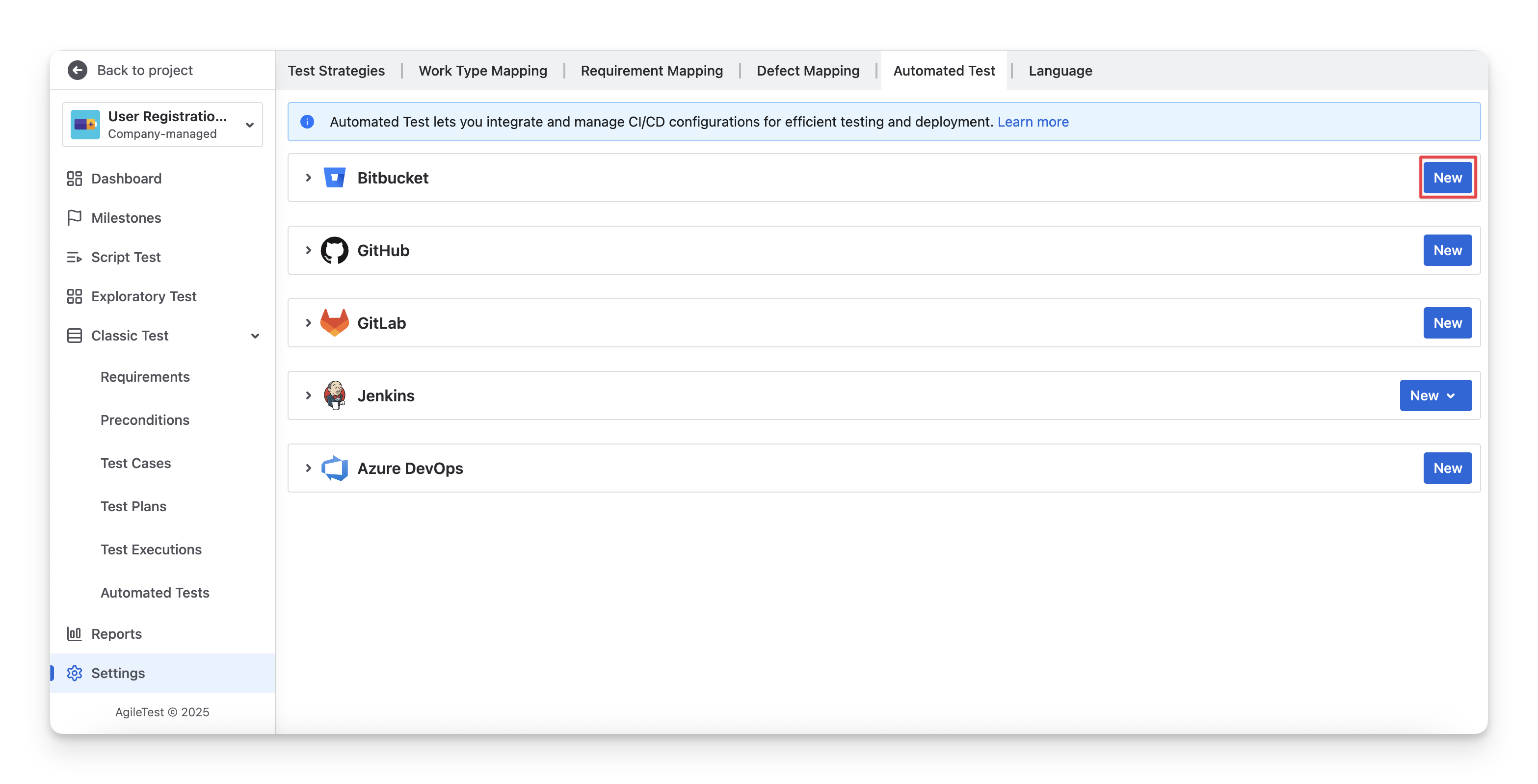
A dialog will open for you to enter details.
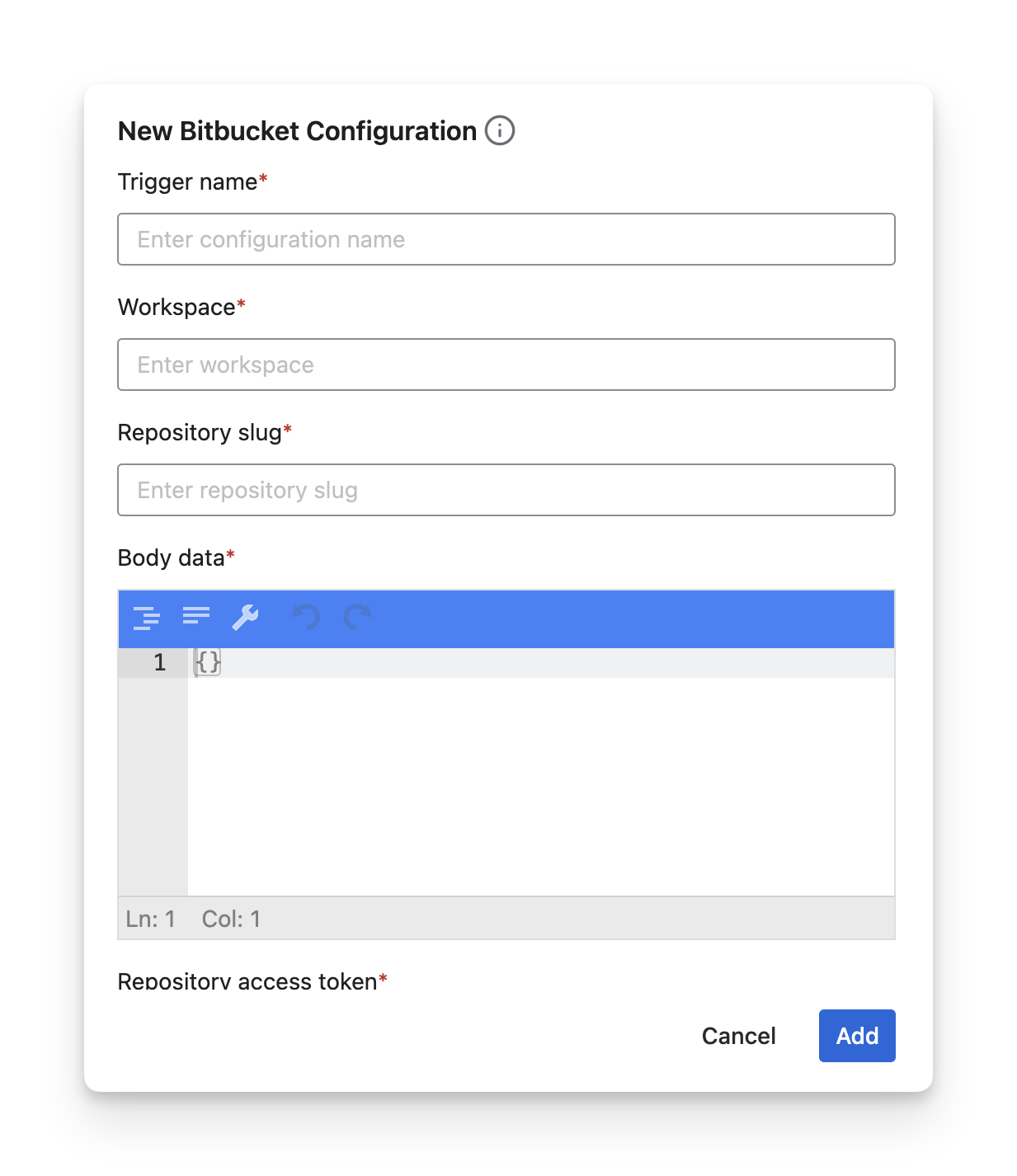
You are required to fill in the details as follows.
-
Trigger Name: New trigger name for this configuration.
-
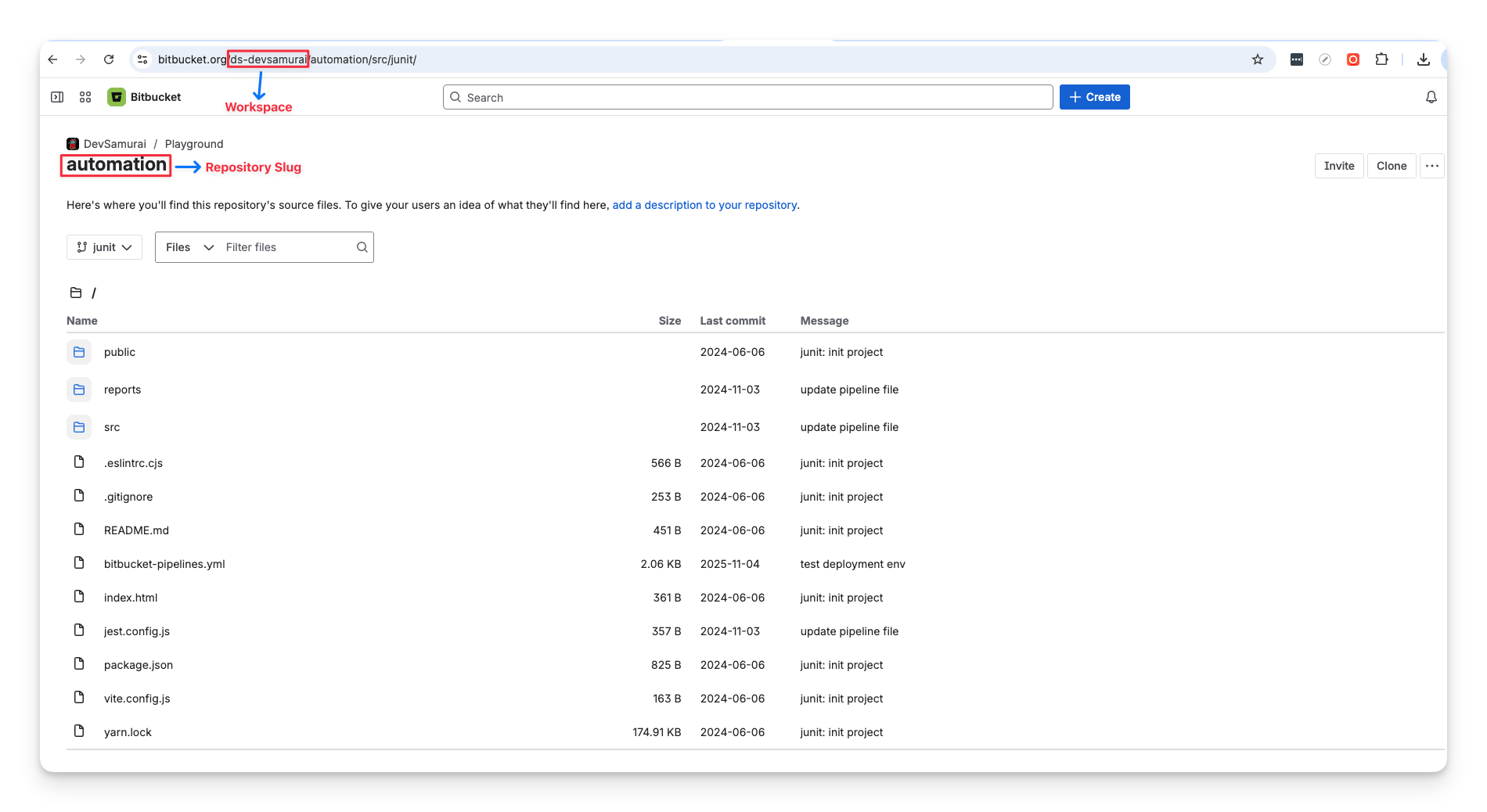
Workspace: Your Bitbucket workspace.
-
Repository Slug: or simply called repo-slug, you can find it in your repository URL
https://bitbucket.org/ <workspace-id>/<repo-slug>
-
Body Data: We support Bitbucket parameters. For example:
{
    "target": {
      "commit": {
        "type": "commit",
        "hash": "32fe523af85fe828ab97c70eb816ae1c9956d7b4"
      },
      "ref_type": "branch",
      "type": "pipeline_ref_target",
      "ref_name": "nunit"
    }
}
You can customize the Body Data with the Bitbucket Rest API docs here.
-
Repository Access Token: the access token of the current repository. To get one, please refer to this document from Jira Create a Repository Access Token.
You need to grant the “Write” pipelines permission.
-
Additional Parameters: Additionally, we support extra parameters to map between your tools with AgileTest. They include:
|
Additional Params |
Description |
|
FixVersion |
Fix Version linked with the test execution |
|
Milestone id |
The id number of a milestone. |
|
Revision |
Source code version used in the test execution |
|
Test environment |
A string contains a list of Test environments separated by “,” |
|
Test plan key |
Test plan issue key |
Should you need any assistance or further AgileTest inquiries, contact our 24/7 Support Desk!