.png)
This section explains how to configure Jenkins in AgileTest to trigger CI/CD pipelines remotely. Once configured, AgileTest can connect to your Jenkins projects and allow QA teams to run automated tests directly from a Test Execution issue without switching to Jenkins.
Firstly, click the New Jenkins Configuration button to reveal the configuration dialog.
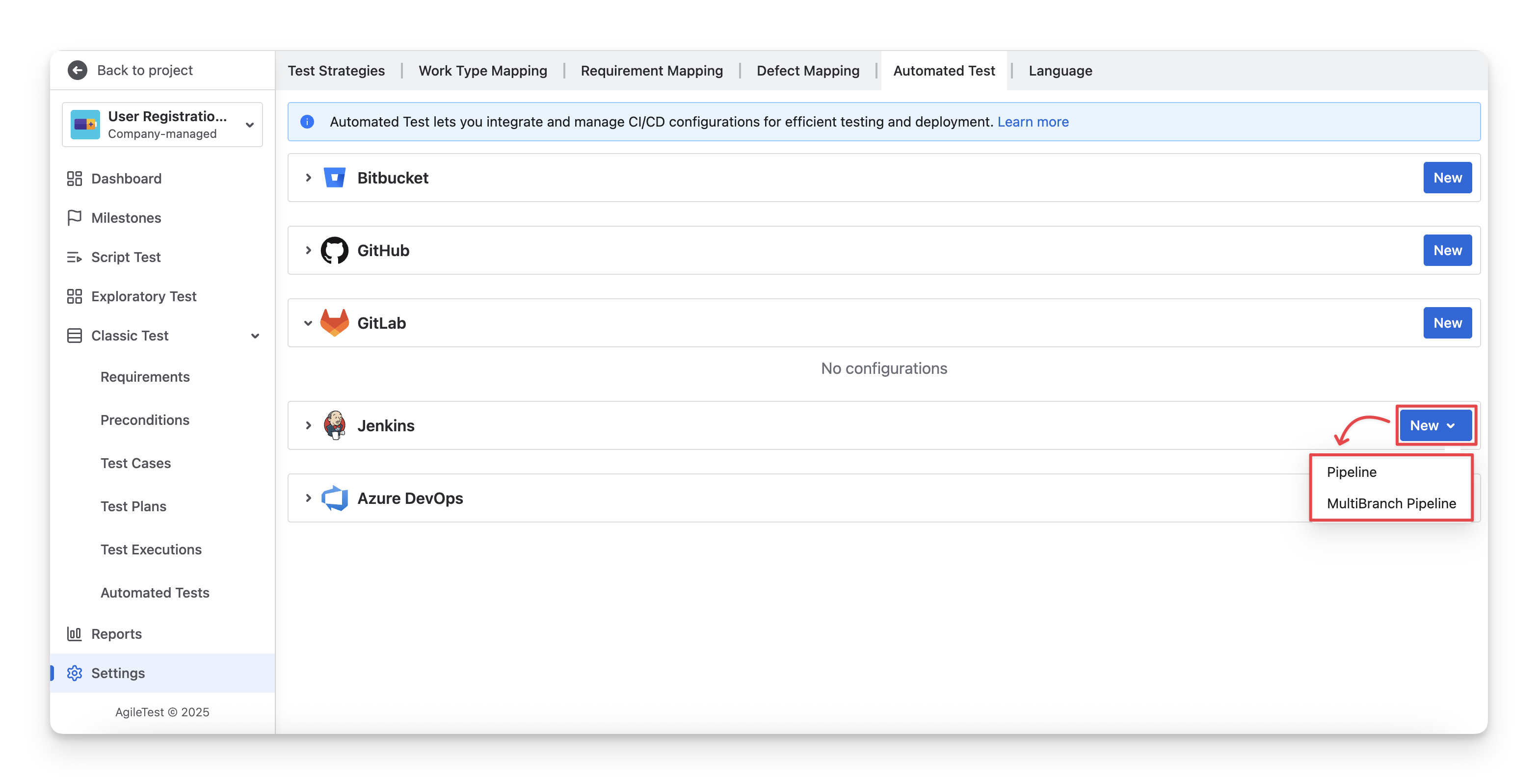
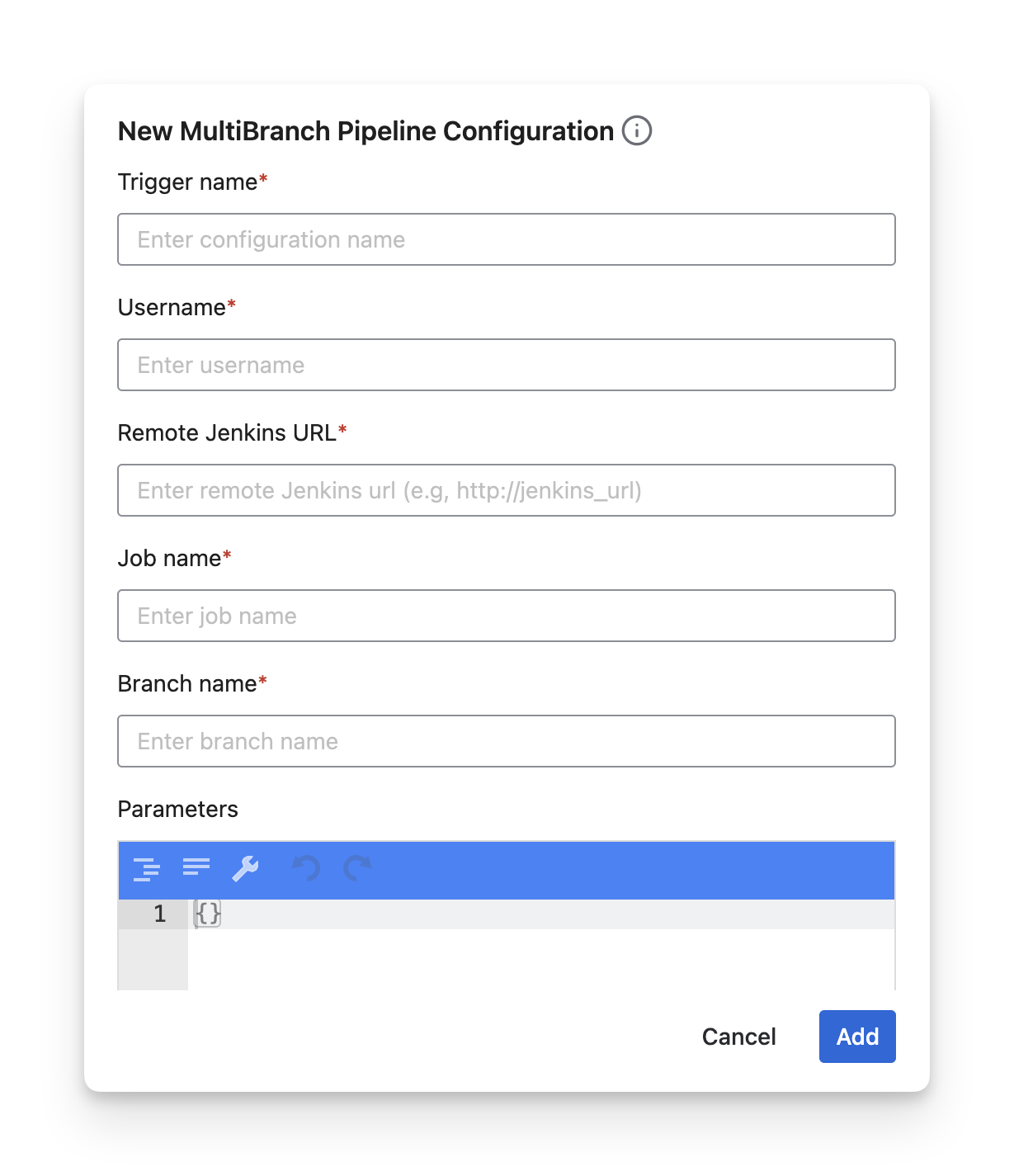
In Agile Test, we support 2 types of Jenkins jobs: Pipeline and MultiBranch. You are required to fill in the details as follows.
-
Trigger Name: New trigger name for this configuration.
-
Jenkins Username: A string of your Jenkins username.
-
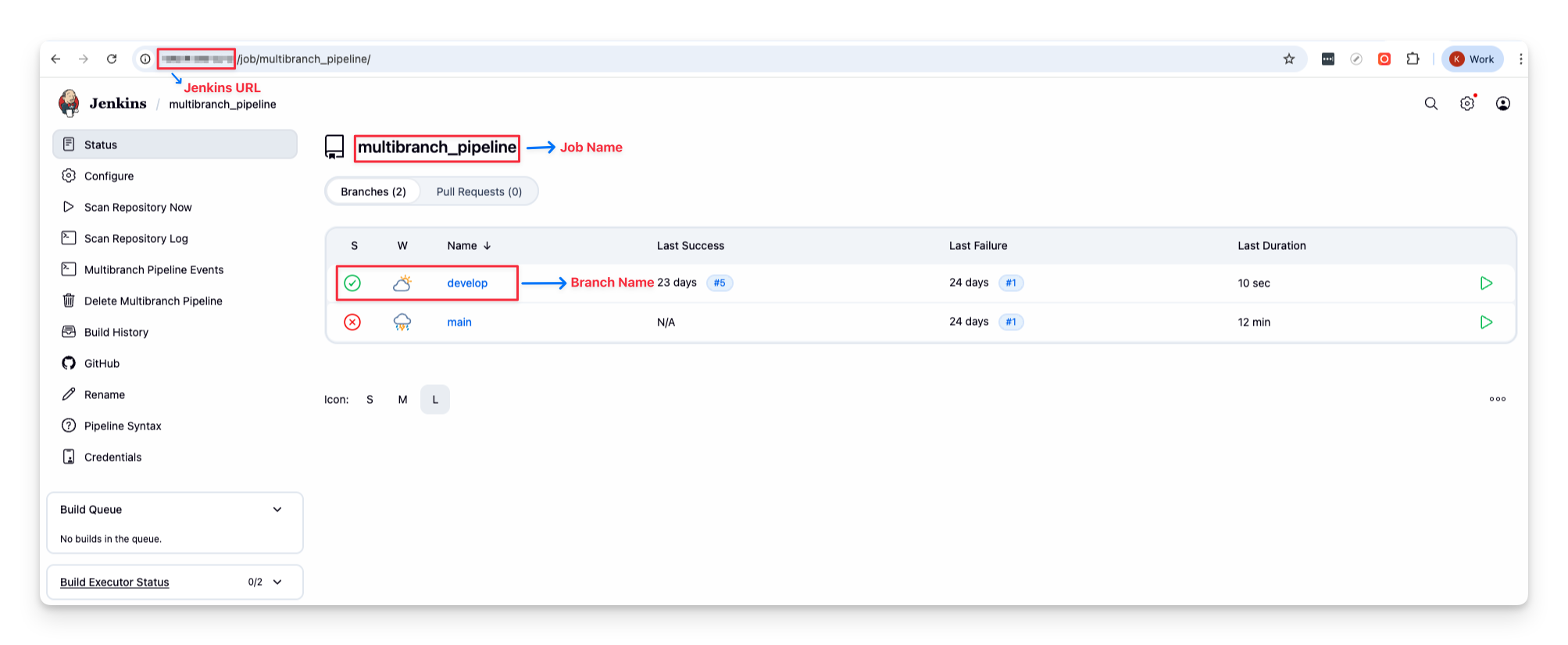
Remote Jenkins URL: The URL to your Jenkins server, where you will run builds, e.g.,
http://jenkins_url. -
Job Name: A string of the job that we are going to trigger.
-
Branch Name (only available for MultiBranch setting): Name of the branch on which we are going to trigger the pipeline.
-
Parameters: This field allows you to add custom variables when triggering a request. It's generally not required, but in some special cases, it can be useful for additional setups in your Jenkins jobs.
You can customize the Parameters with the Jenkins Rest API docs here.
-
API Token: A string of your Jenkins API token. You need to grant the “Write” pipelines permission. To create a new API Token in your Jenkins instance, please follow these steps:
-
Log in to Jenkins.
-
Click your name (upper-right corner).
-
Click Configure (left-side menu).
-
Click Add API Token.
-
Additional Parameters: Additionally, we support extra parameters to map between your tools with AgileTest. They include:
|
Additional Params |
Description |
|
FixVersion |
Fix Version linked with the test execution |
|
Milestone id |
The id number of a milestone. |
|
Revision |
Source code version used in the test execution |
|
Test environment |
A string contains a list of Test environments separated by “,” |
|
Test plan key |
Test plan issue key |
Should you need any assistance or further AgileTest inquiries, contact our 24/7 Support Desk!