.png)
Only App Admins and Billing Admins have permission to configure or update the Project Rate. To grant these permissions, please visit here.
A Project Rate is a billing rate applied to all tasks within a specific project. It ensures that all tasks under the project are billed at the same rate when you assign resources to those tasks.
Creating a Project Rate
-
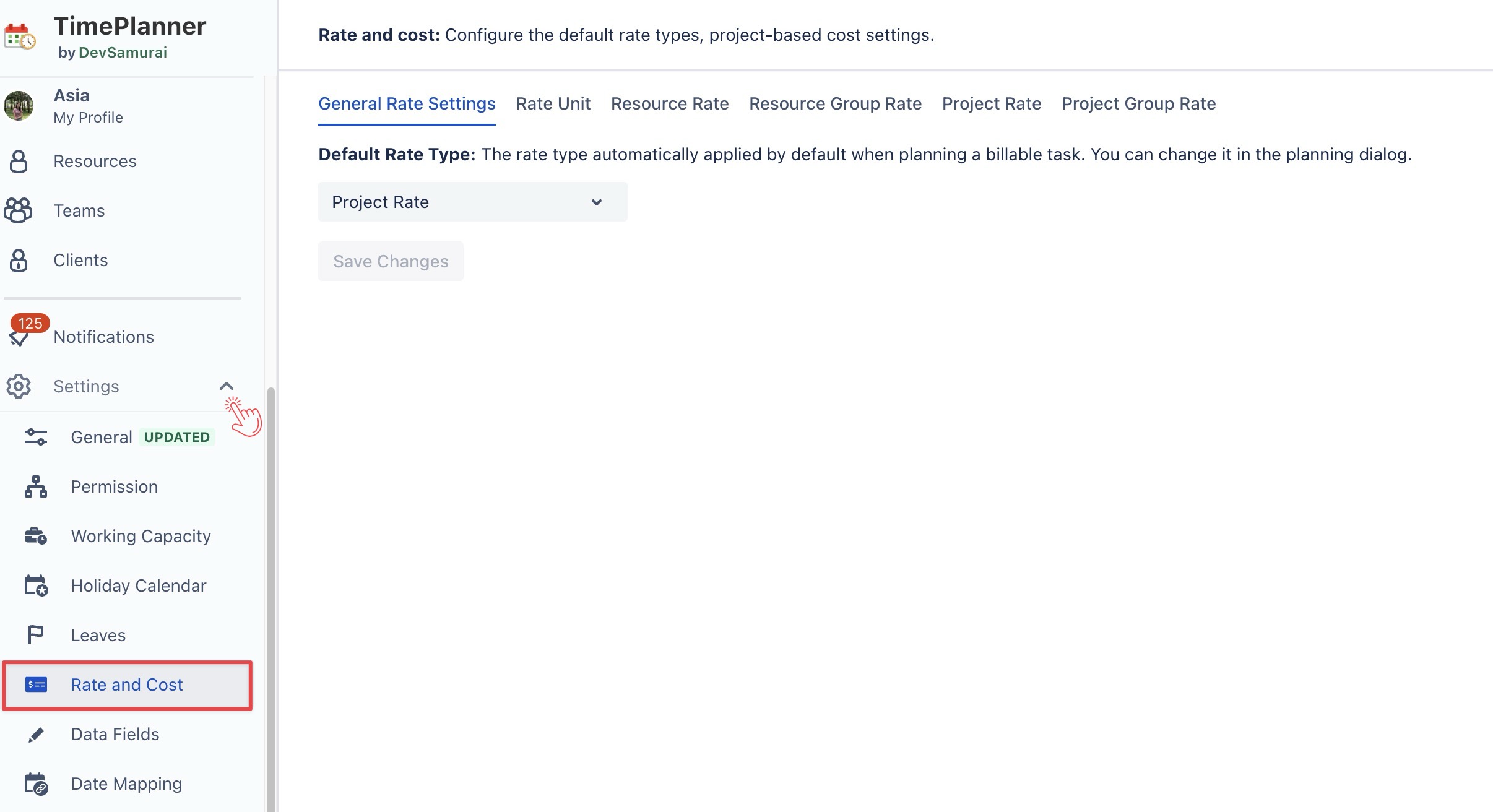
Navigate to ⚙️ Settings from the left sidebar > Select

-
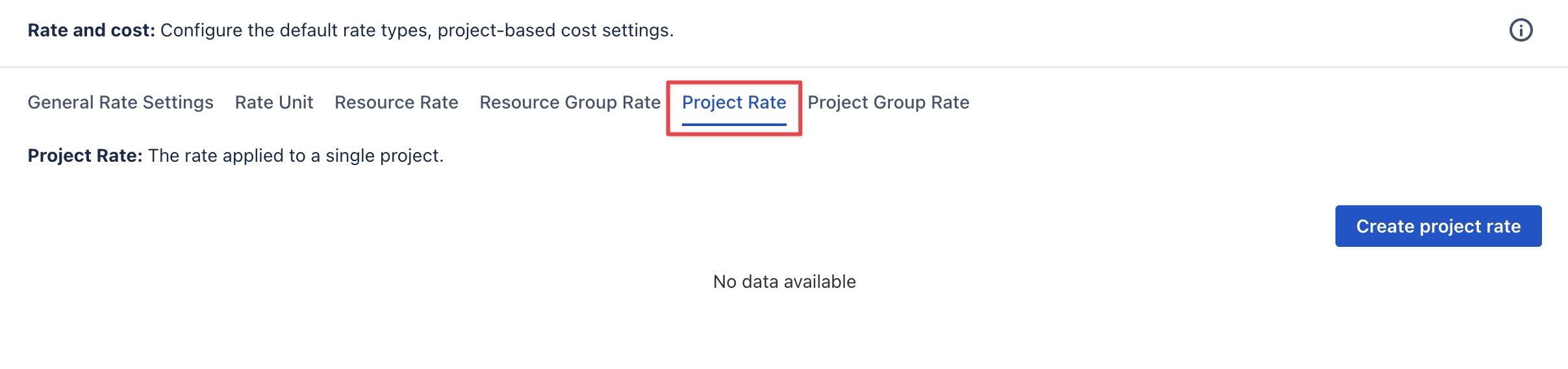
Choose the Project Rate tab > Click

-
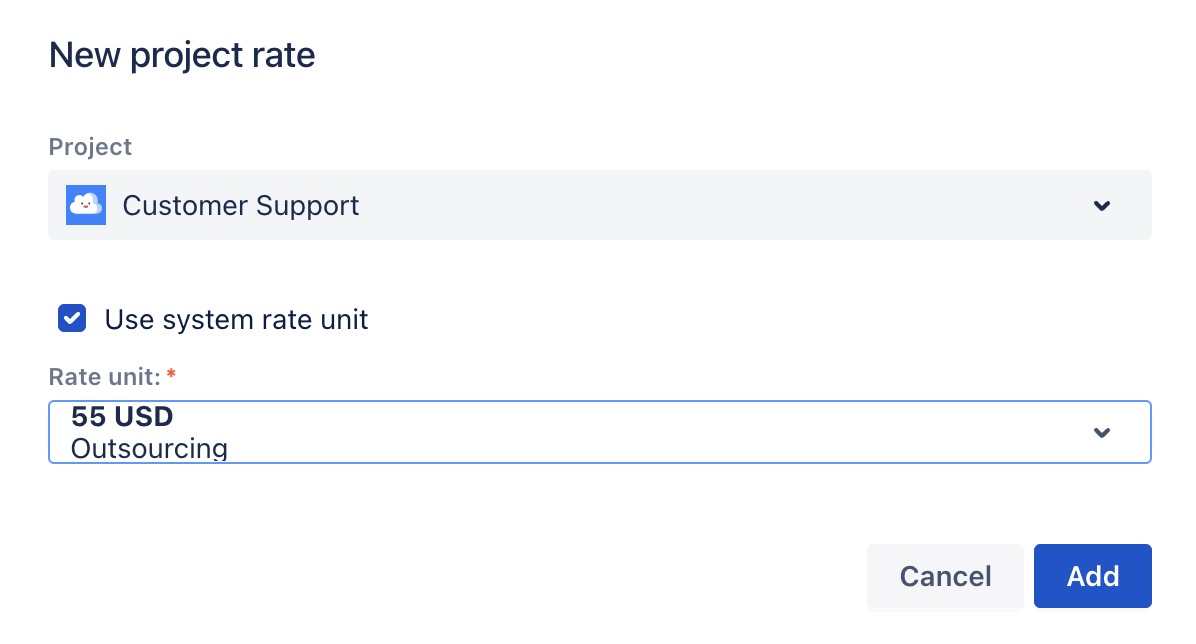
In the form, fill in the following details:
-
Project: Choose the project for which you want to create a rate from the drop-down list.
-
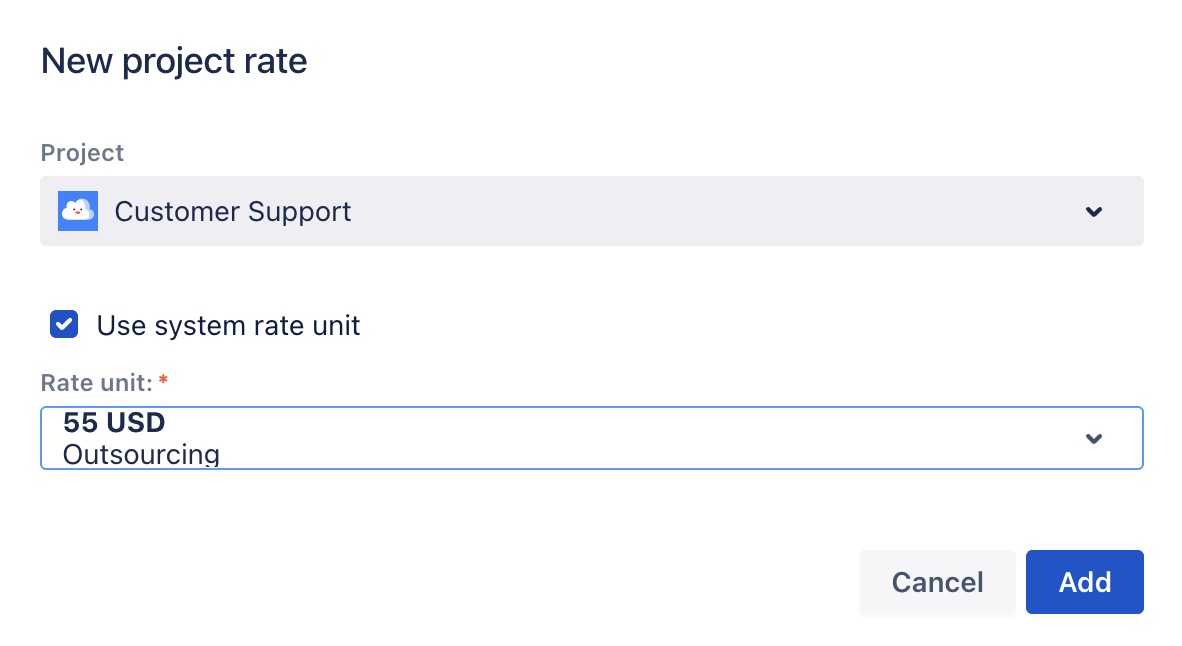
Check/uncheck the

✅ Use system rate unit:
Select a rate from the Rate unit dropdown to assign to this project; else, select 
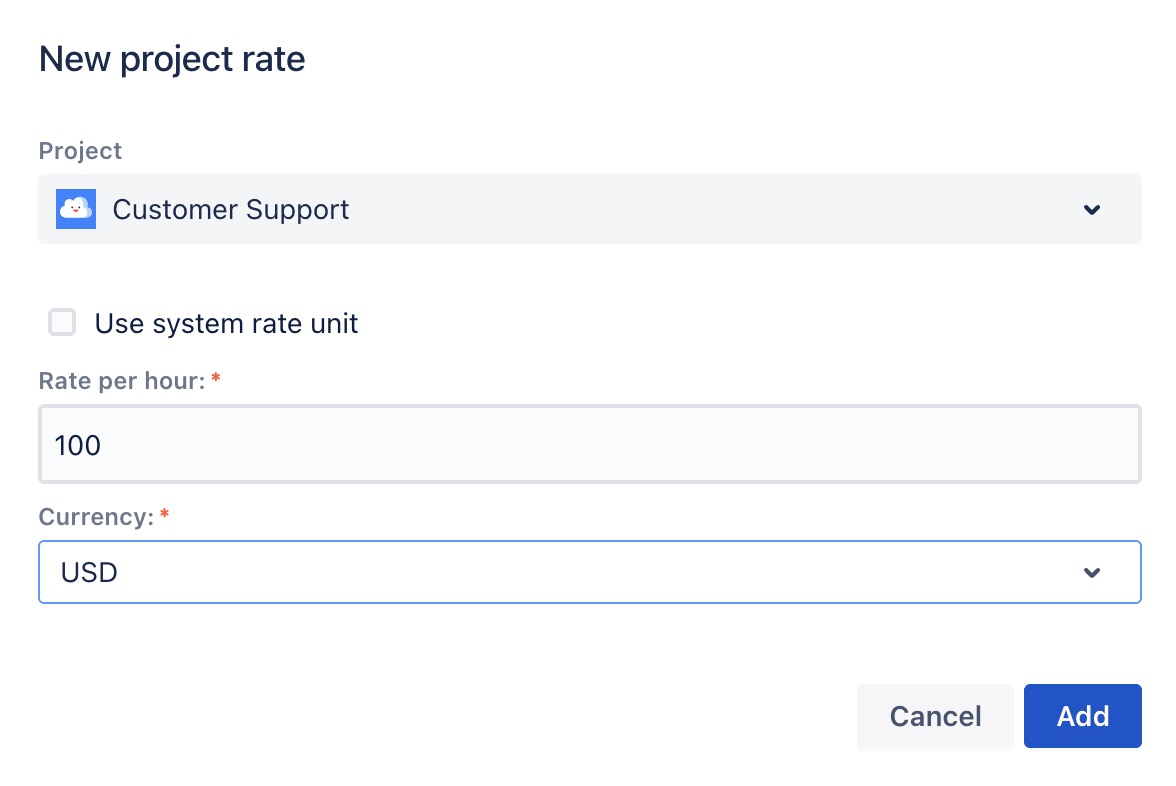
⬜ Don’t use system rate unit:
-
Enter the rate manually in Rate per Hour.
-
Select a Currency from the dropdown.
-
Click

Editing a Project Rate
To edit an existing Project Rate, follow these steps:
-
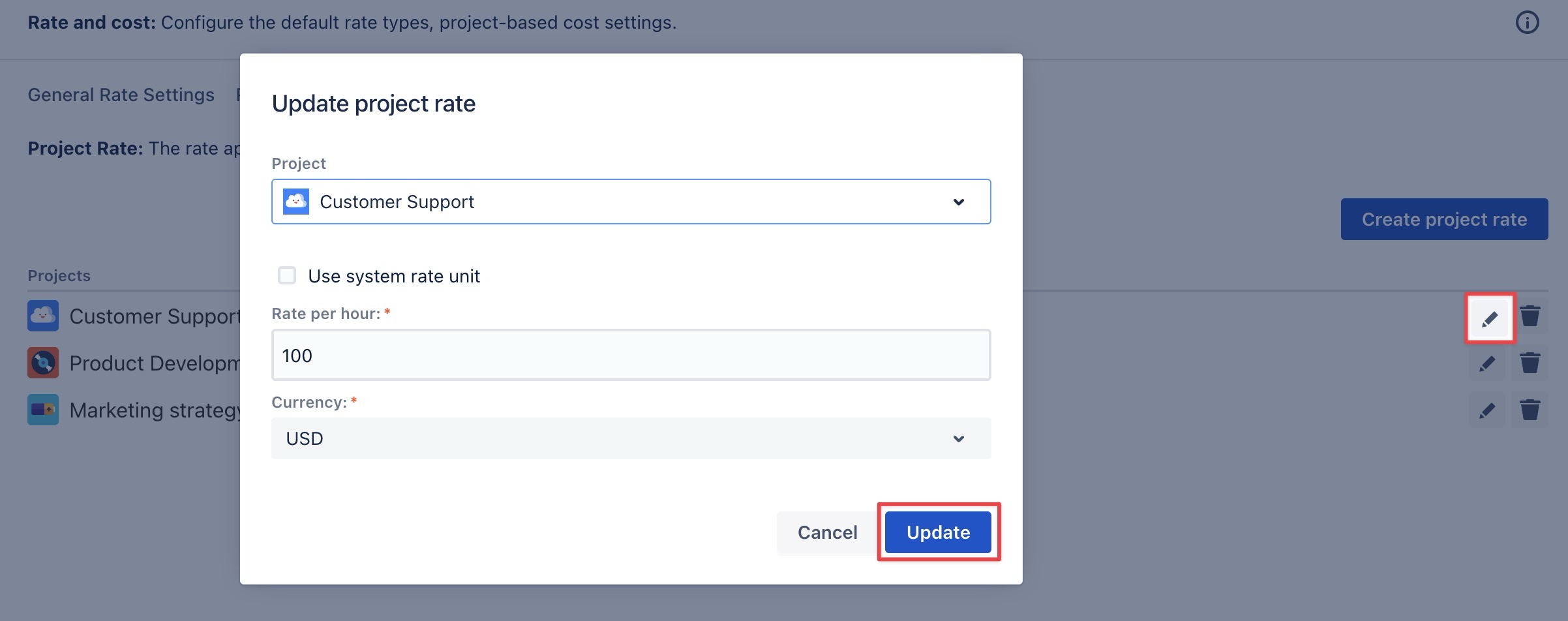
On the Project Rate page, locate the rate you want to edit.
-
Click

-
In the pop-up window, modify the Project and Rate unit as needed.
-
Click

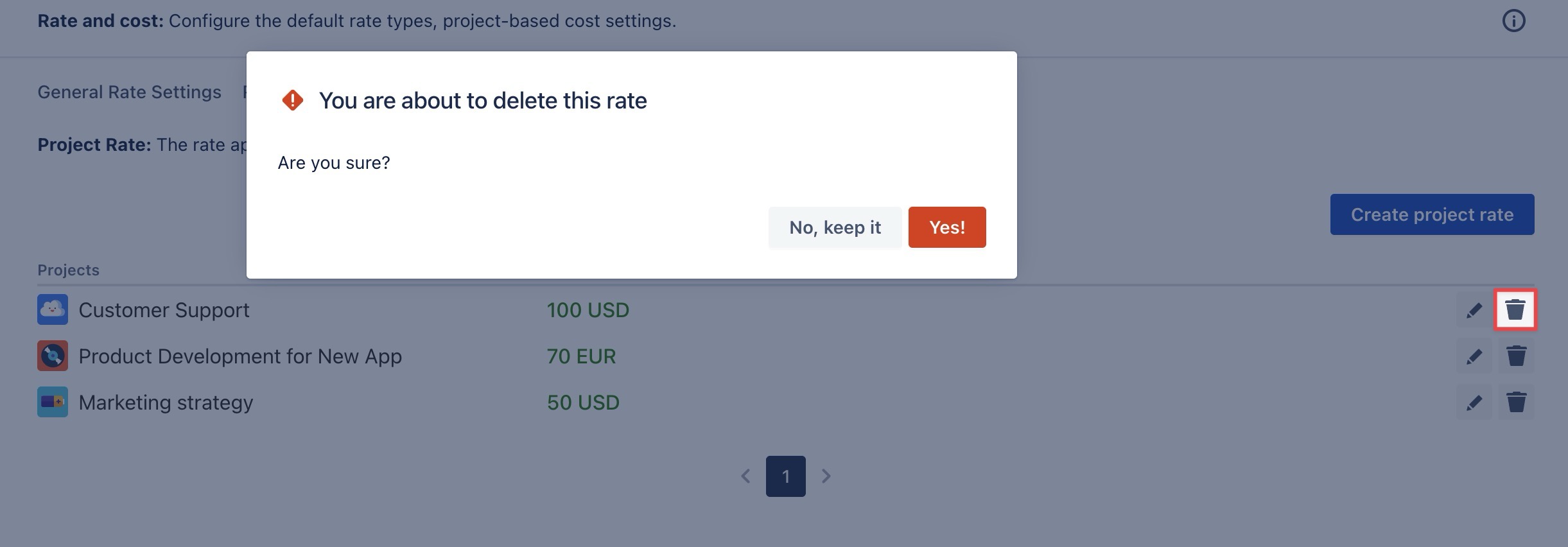
Deleting a Project Rate
To delete a Project rate, follow these steps:
-
On the Project Rate page, find the rate you want to delete.
-
Click

-
Confirm the deletion when prompted.