.png)
Prerequisites:
-
Rovo must be activated on the instance (Available for Cloud plans - Standard, Premium, Enterprise.
-
AgileTest must be installed on the instance → Learn how to install AgileTest.
A Daily Test Execution Summary shows today's testing activities, helping teams assess progress, track results, and identify issues.
Read more about Test Execution.
AgileTest Agent summarizes today's test execution data for all users and specific members.
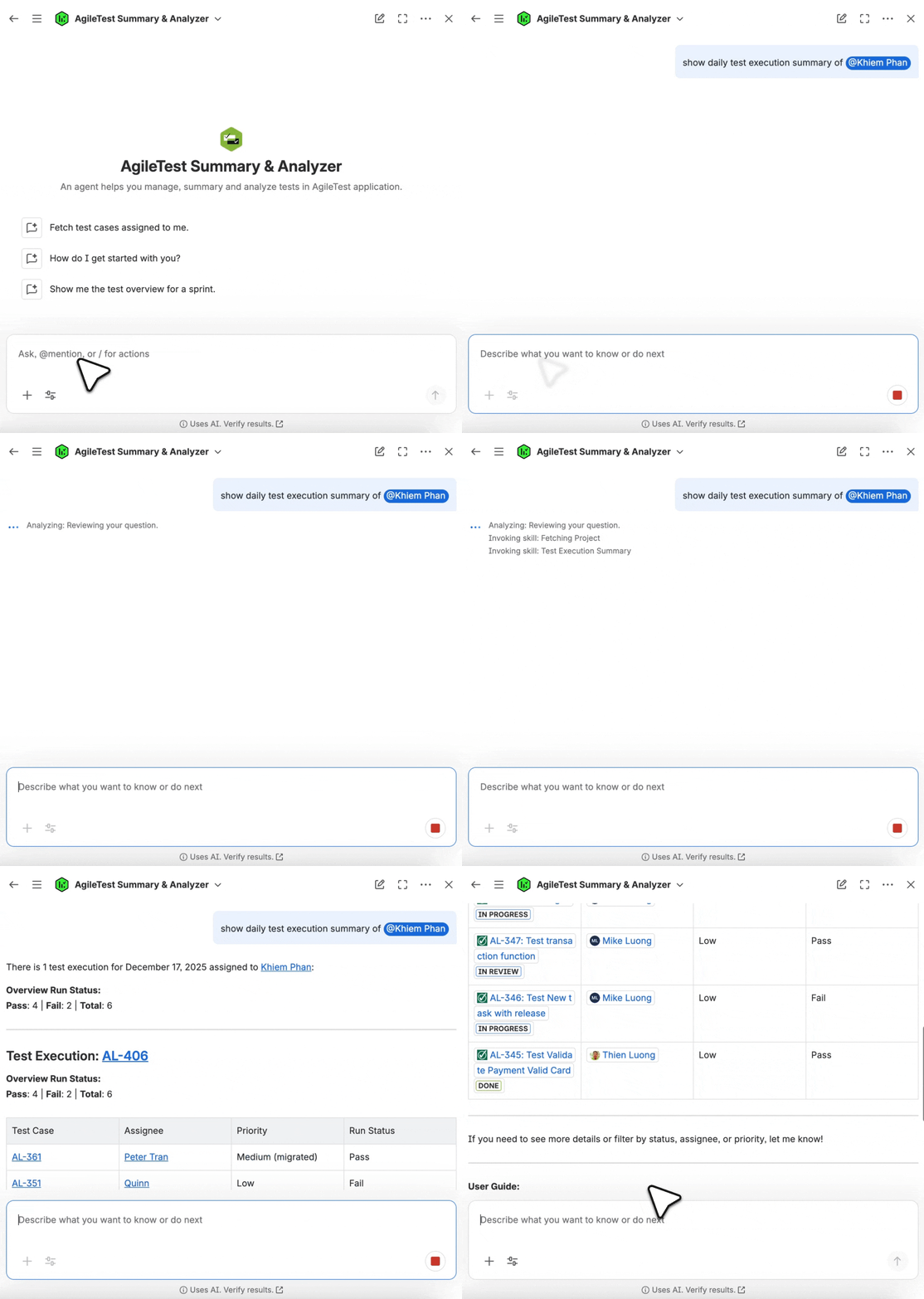
Scenario 1: Provide with No User Name
To view overall test execution results for all users, ask the AgileTest Agent with the following request. Then, AgileTest Agent will display today's test execution report for all users.
-
show daily test execution summary,summarize daily test summary
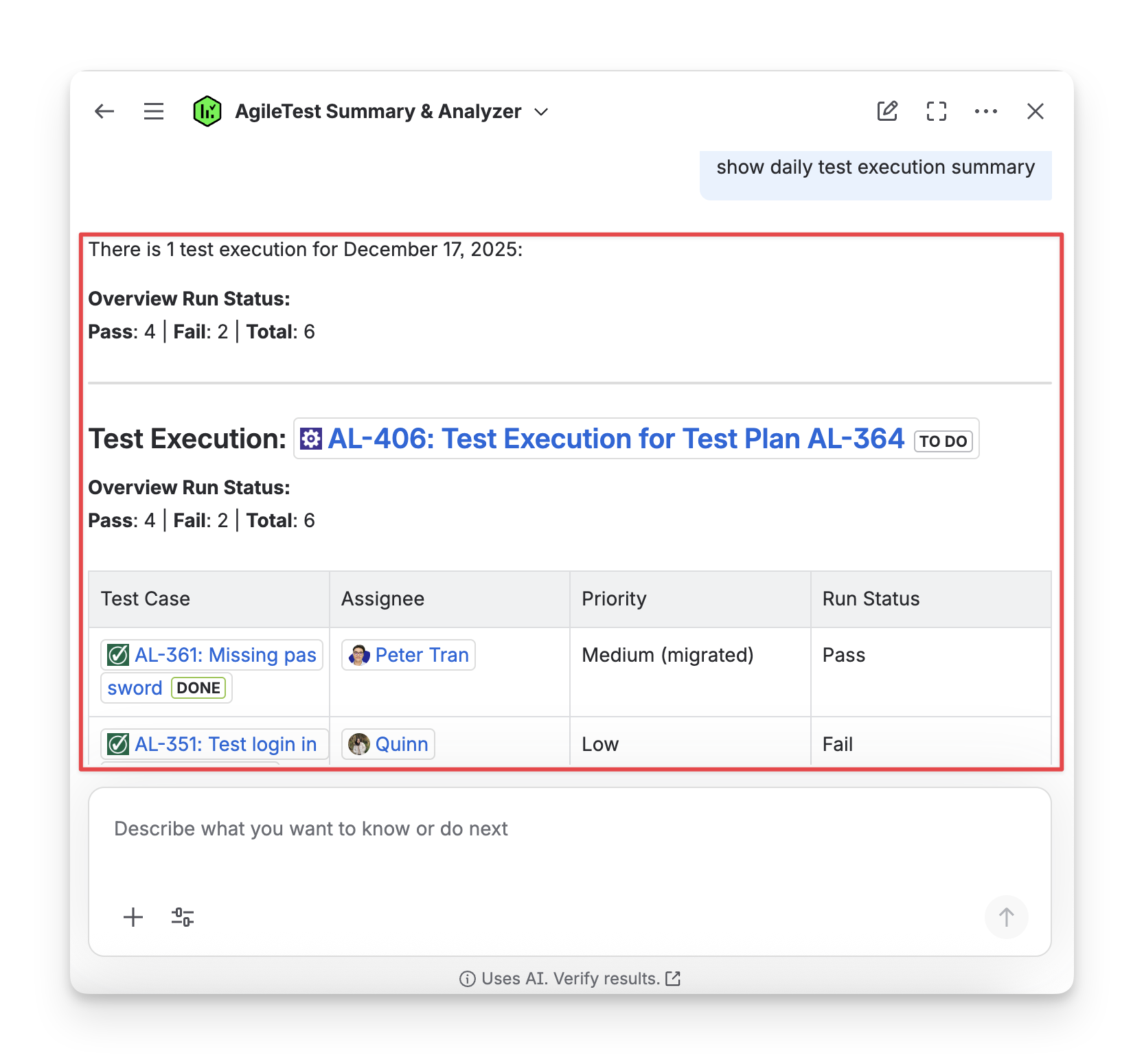
Scenario 2: Provide with A Specific User Name
To display test executions for a specific member, modify the command as follows:
-
show daily test execution summary+@ user name
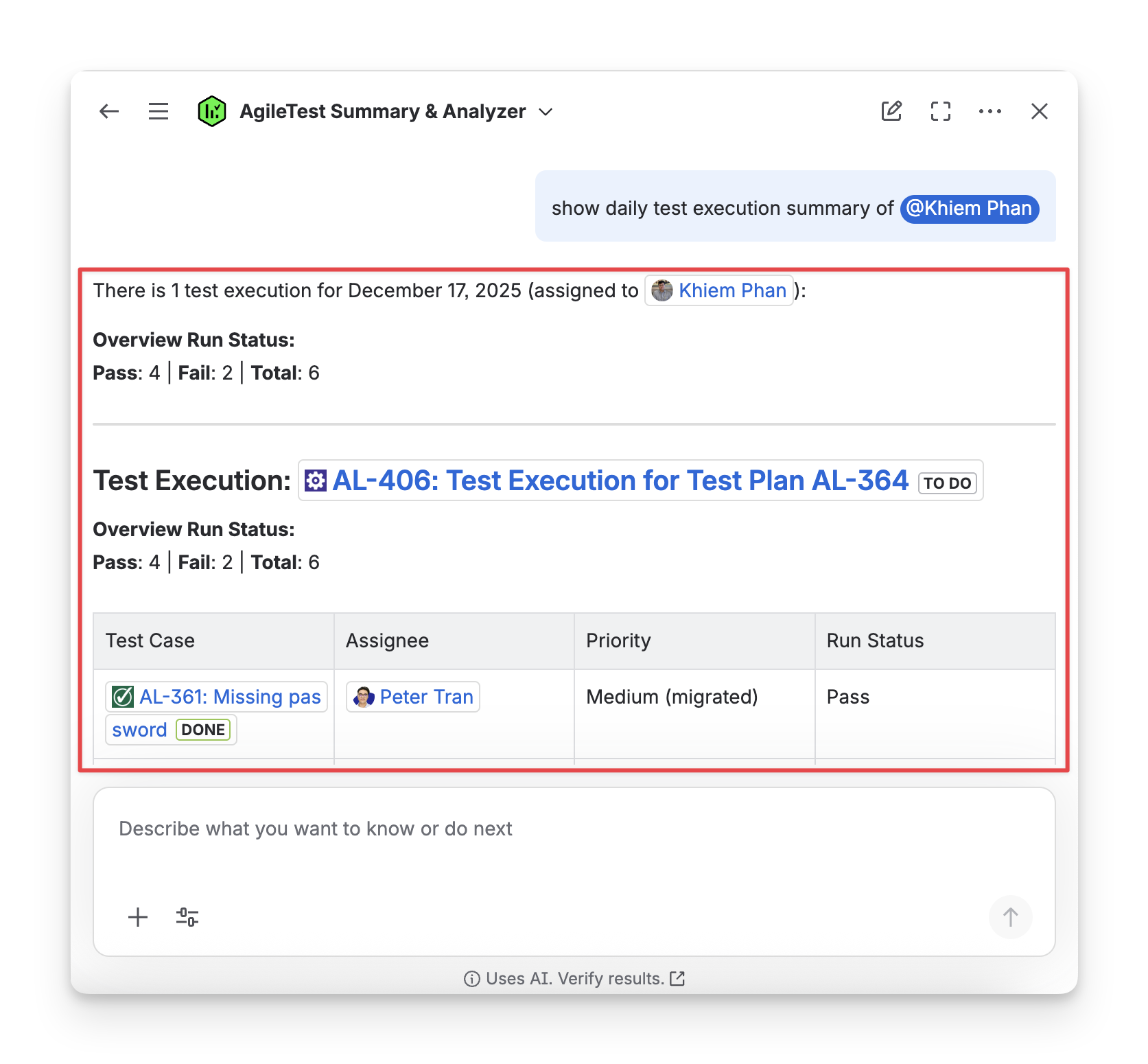
The AgileTest Agent will show the test executions conducted today for the specific members.
AgileTest Agent Answer Format:
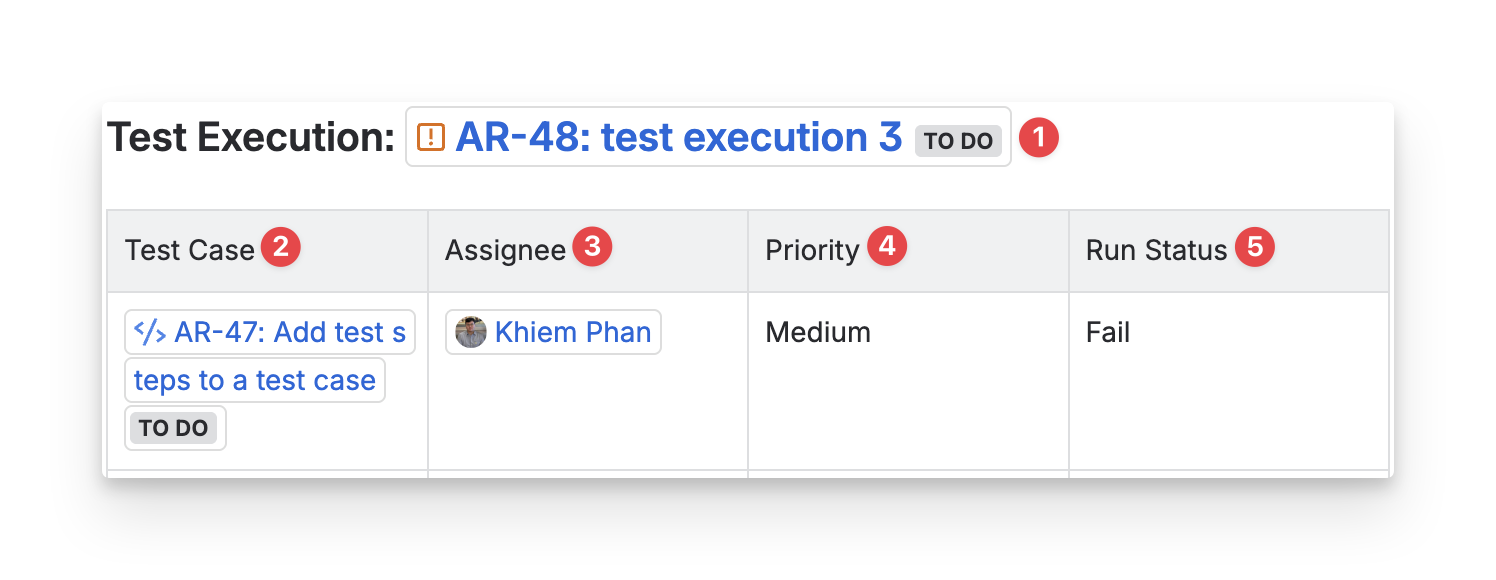
The answer from AgileTest Agent will include:
-
Test Execution Key: the ID of your test execution, used to track the overall execution process of a particular test.
-
Test Case Key: the ID of each test case in the test execution, used to reference individual test cases and their results within the execution.
-
Assignee: the individual or team member responsible for executing the test case. This person is the one performing the testing or reviewing the results.
-
Priority: the priority level assigned to the test case, which indicates its importance or urgency. (High, Medium, or Low).
-
Status: the current status of the test case. (Passed, Failed, In Progress, Blocked, or Not Run).
Should you need any assistance or further AgileTest inquiries, contact our 24/7 Support Desk!