.png)
Prerequisites:
-
Rovo must be activated on the instance (Available for Cloud plans - Standard, Premium, Enterprise.
-
AgileTest must be installed on the instance → Learn how to install AgileTest.
Sprint Test Progress Overview summarizes the status and progress of testing activities within a sprint, including executed test cases, results (pass, fail, blocked), and related information. This helps teams track testing progress and ensure alignment with sprint goals and timelines.
Read more about the Sprint feature.
AgileTest Agent displays only test items linked to at least one sprint. These sprints are connected to the AgileTest Milestone.
AgileTest Agent can gather all test cases, even without a sprint name, or by providing a sprint name and username.
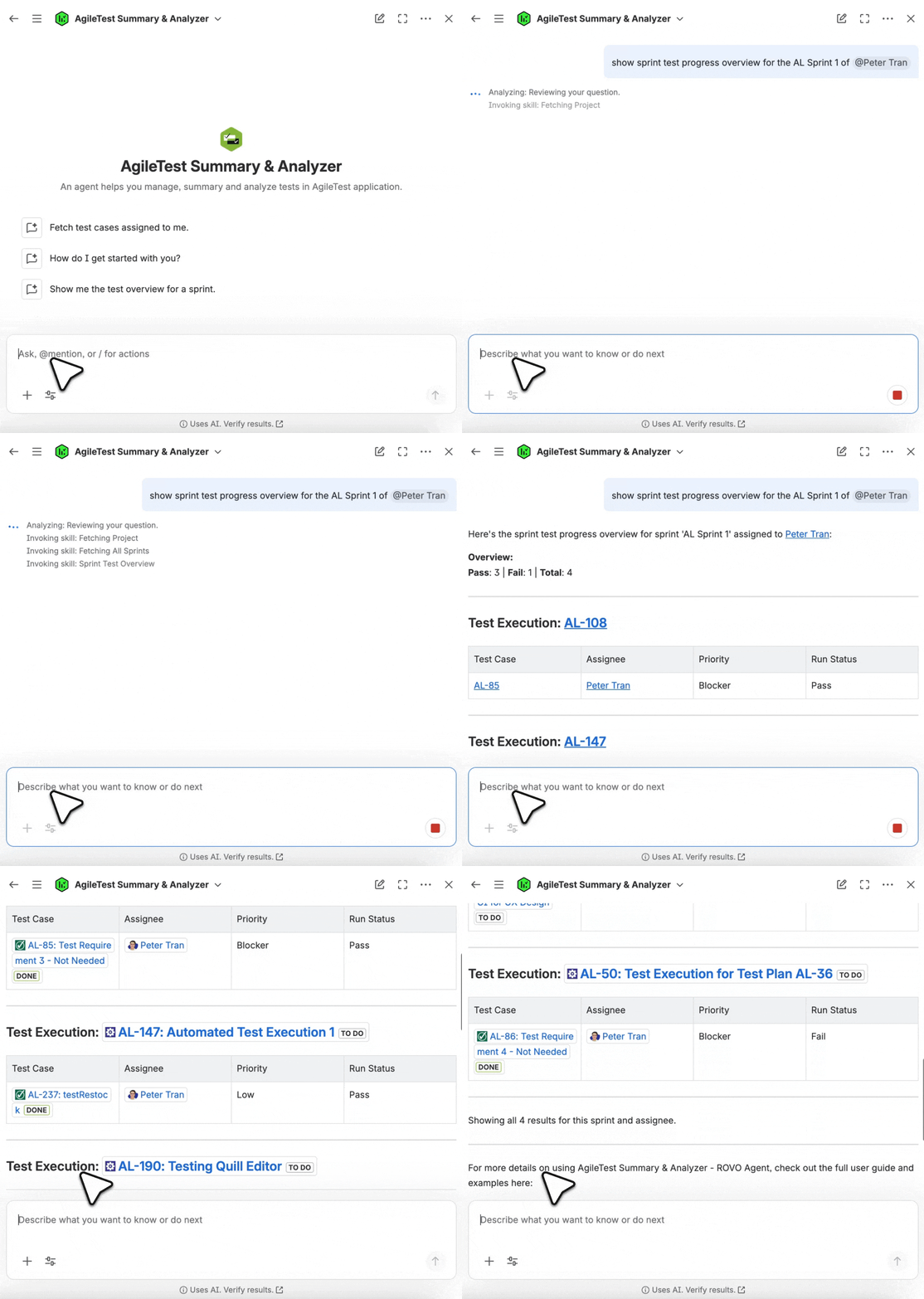
Scenario 1: Provide with No Sprint Name
If you're unsure how many sprints your projects currently have, you can ask AgileTest Agent questions with the general command: Show sprint test progress overview.
The Agent will list out all current active sprints for you to choose from.
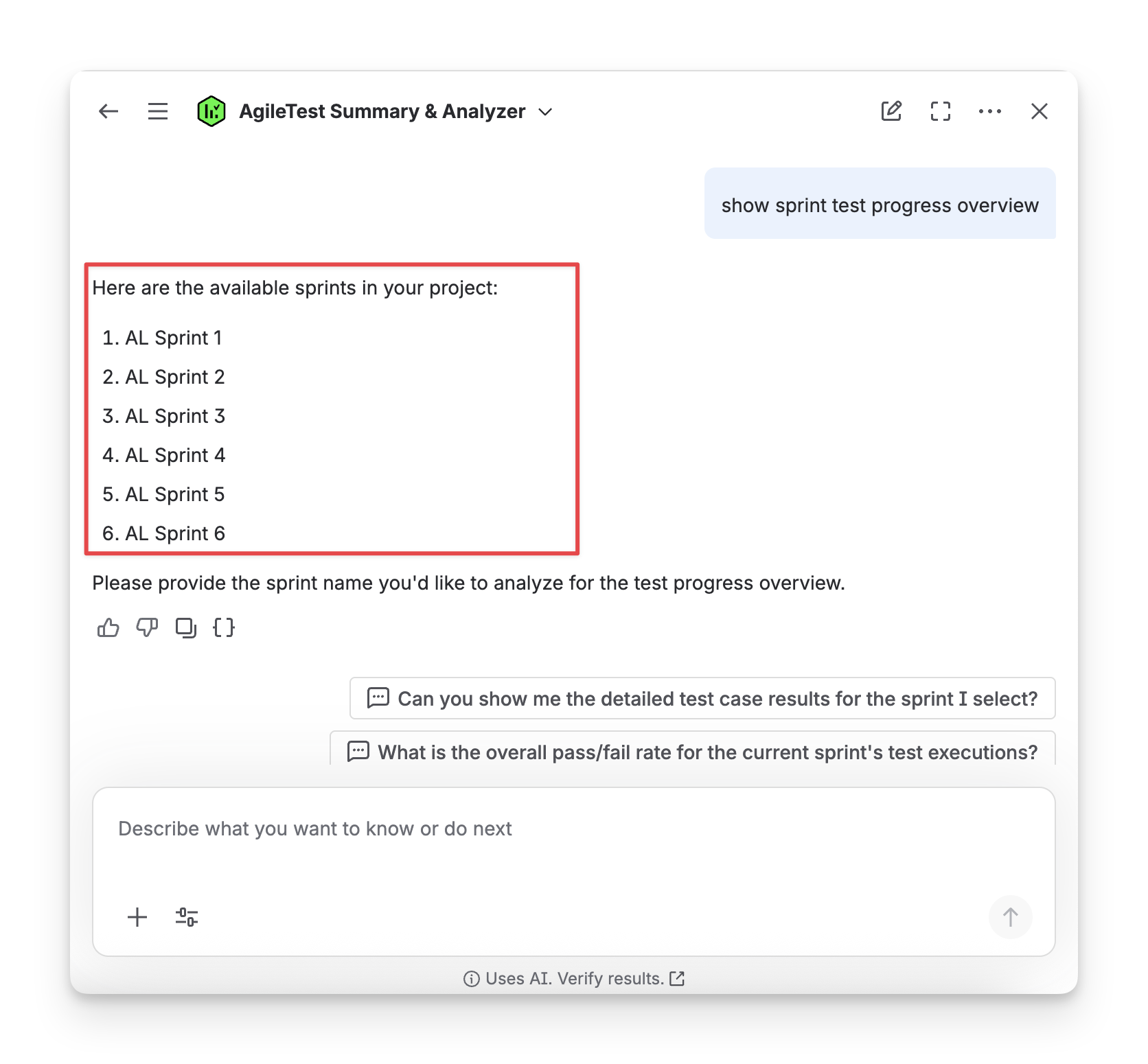
You can select one Sprint and ask the AgileTest Agent to summarize all executed test cases in this sprint.
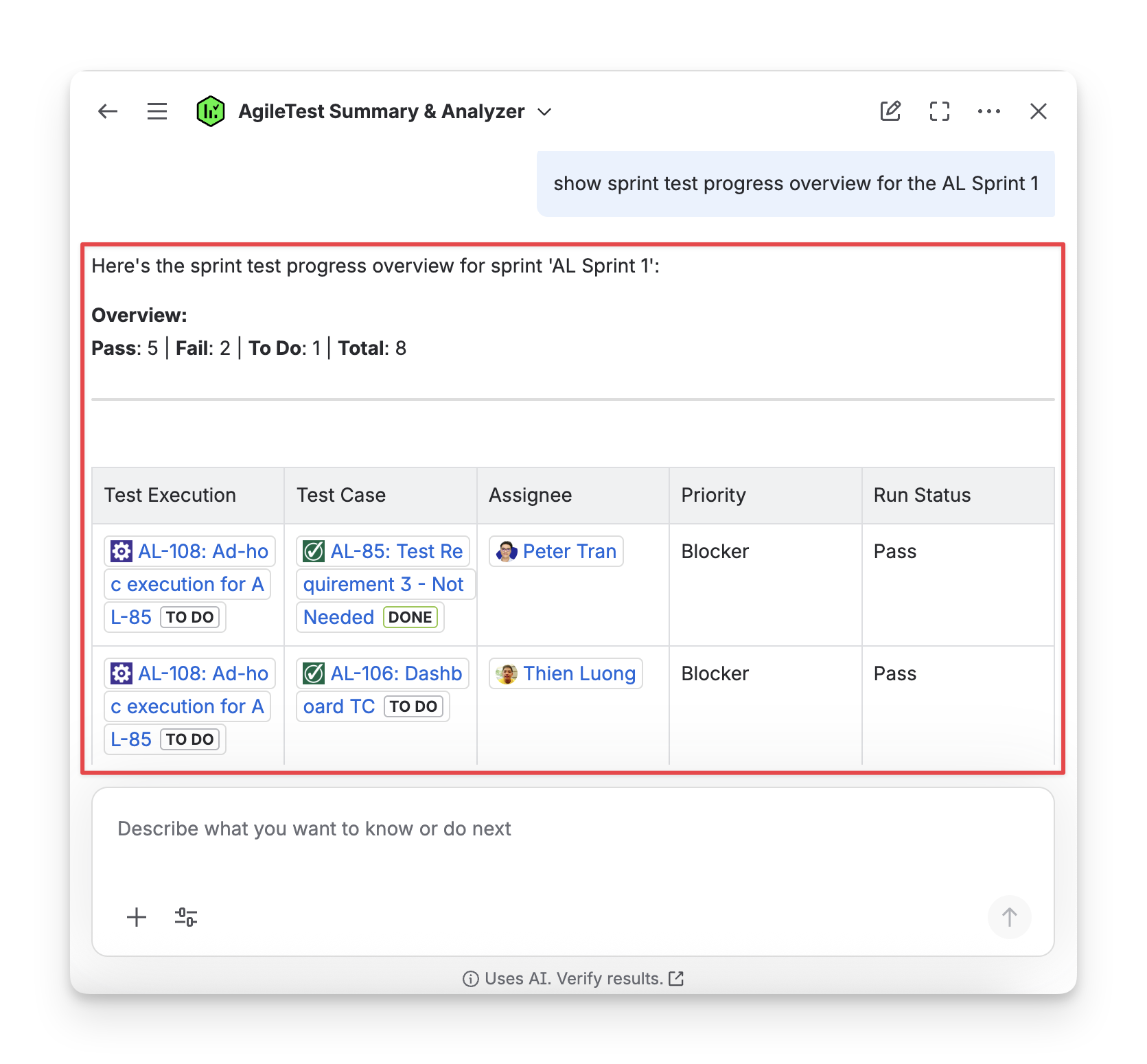
Scenario 2: Provide with a Specific Sprint Name
Once you know which sprint to view, you can ask AgileTest Agent directly using questions such as Show sprint test progress overview of sprint 1.
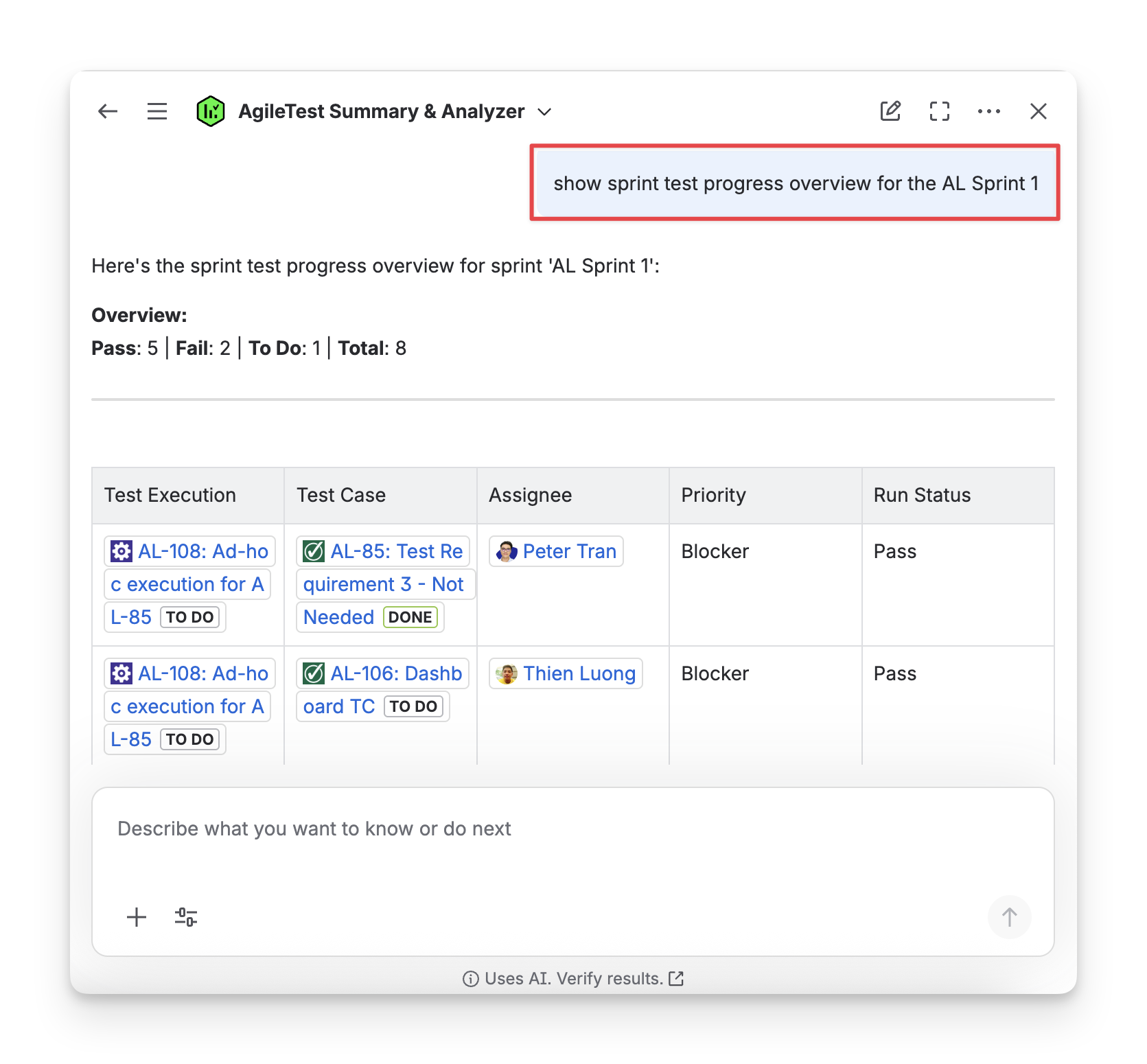
You will receive a list of executed test cases of the specific sprint you have requested.
Scenario 3: Provide with a Specific Sprint Name + Assignee
If you need to display the executed test cases for a specific assignee in a particular sprint, you can refine your command, for example: Show sprint test progress overview + sprint name + @user name
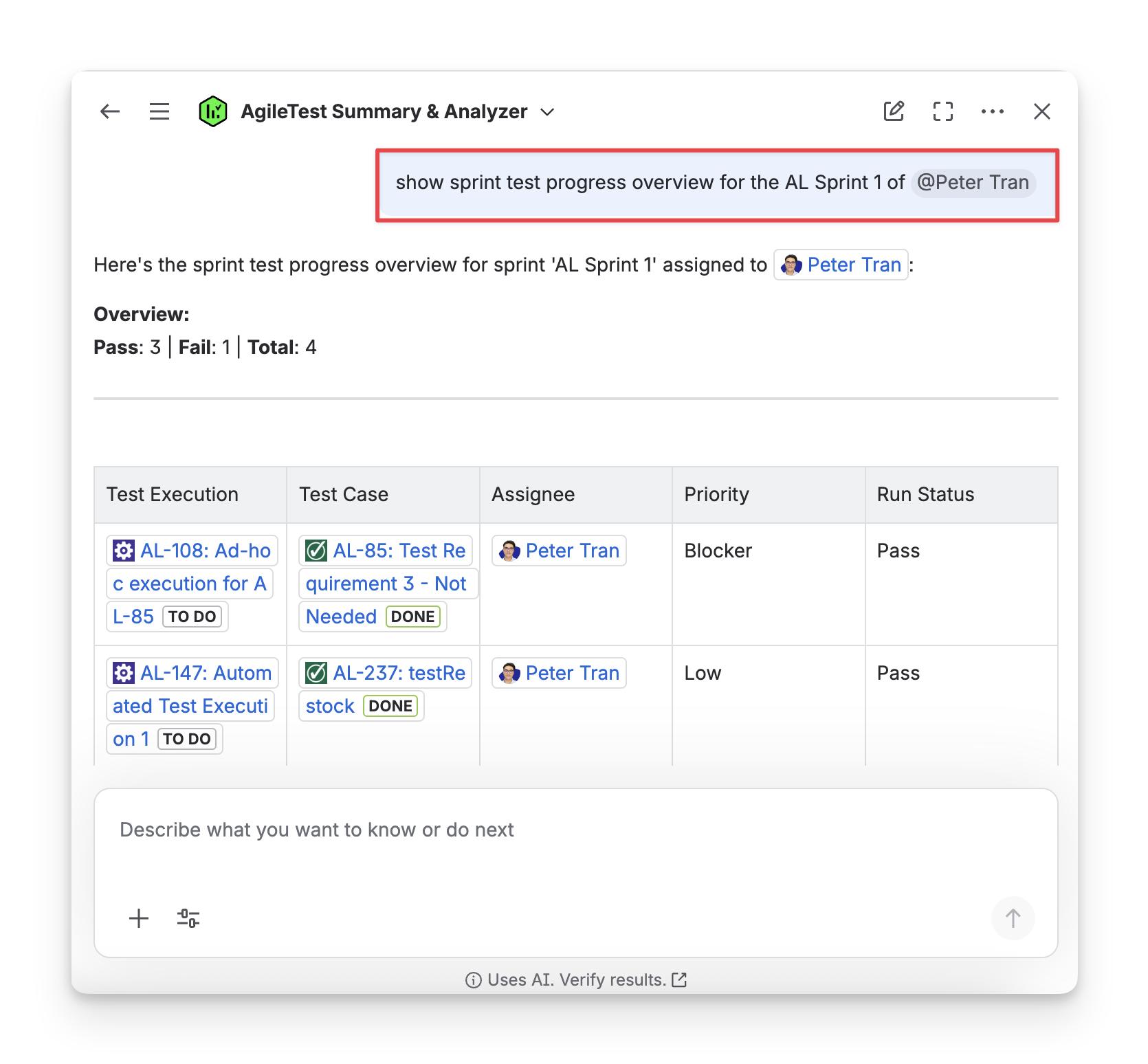
AgileTest Agent Answer Format:
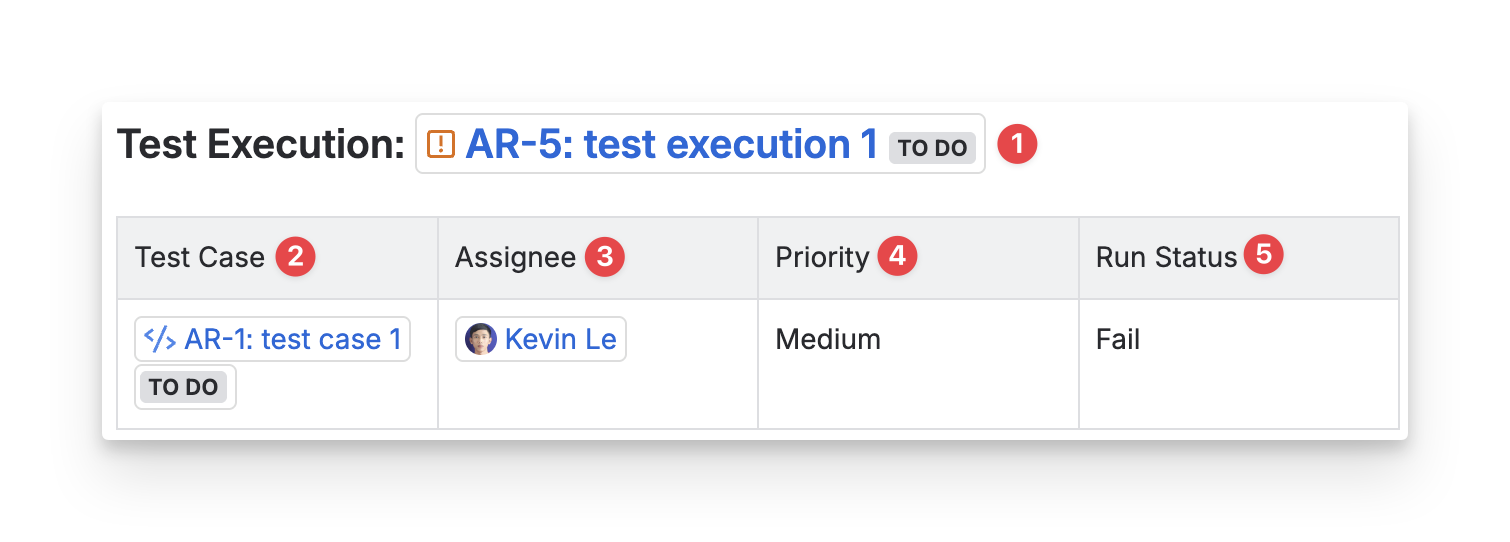
The answer from AgileTest Agent will include:
-
Test Execution Key: the ID of your test execution, used to track the overall execution process of a particular test.
-
Test Case Key: the ID of each test case in the test execution, used to reference individual test cases and their results within the execution.
-
Assignee: the individual or team member responsible for executing the test case. This person is the one performing the testing or reviewing the results.
-
Priority: the priority level assigned to the test case, which indicates its importance or urgency. (High, Medium, or Low).
-
Status: the current status of the test case. (Passed, Failed, In Progress, Blocked, or Not Run).
Should you need any assistance or further AgileTest inquiries, contact our 24/7 Support Desk!