.png)
Welcome back! We’ve made a few updates to improve how you manage, filter, and review assets in AssetIT. Here’s what’s new in this version:
Asset Management
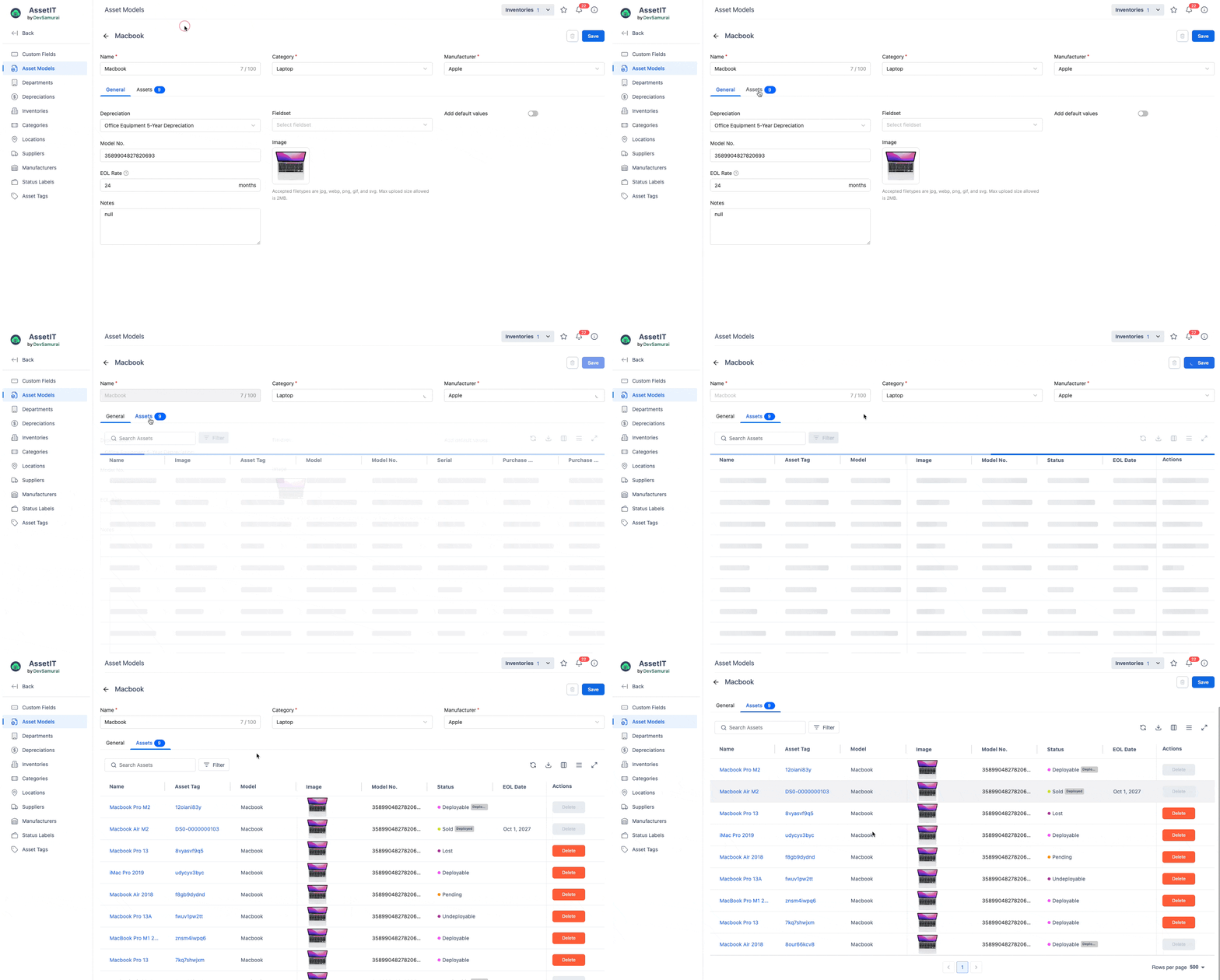
Use the asset model’s image when the asset image is missing
Assets without their own image now display the model’s image. This helps keep listings and reports more consistent and prevents blank image spaces when assets share the same model.
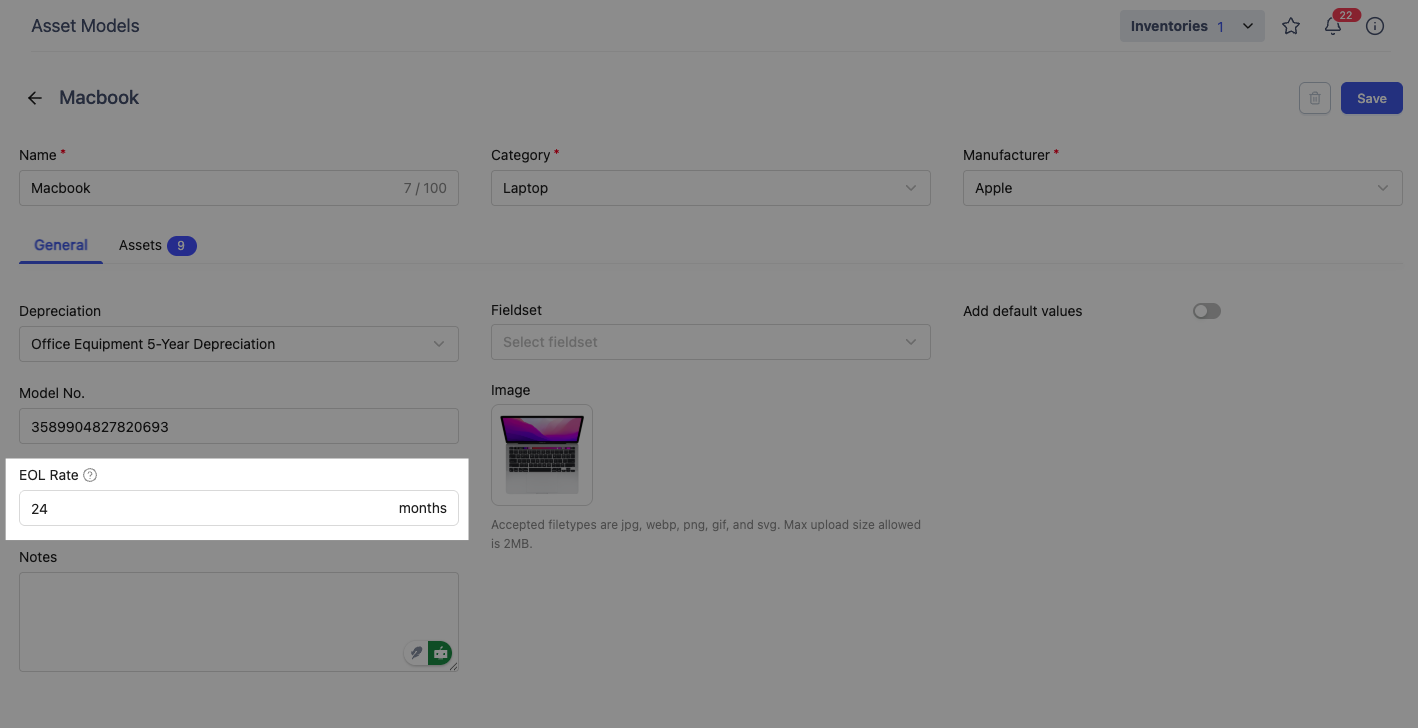
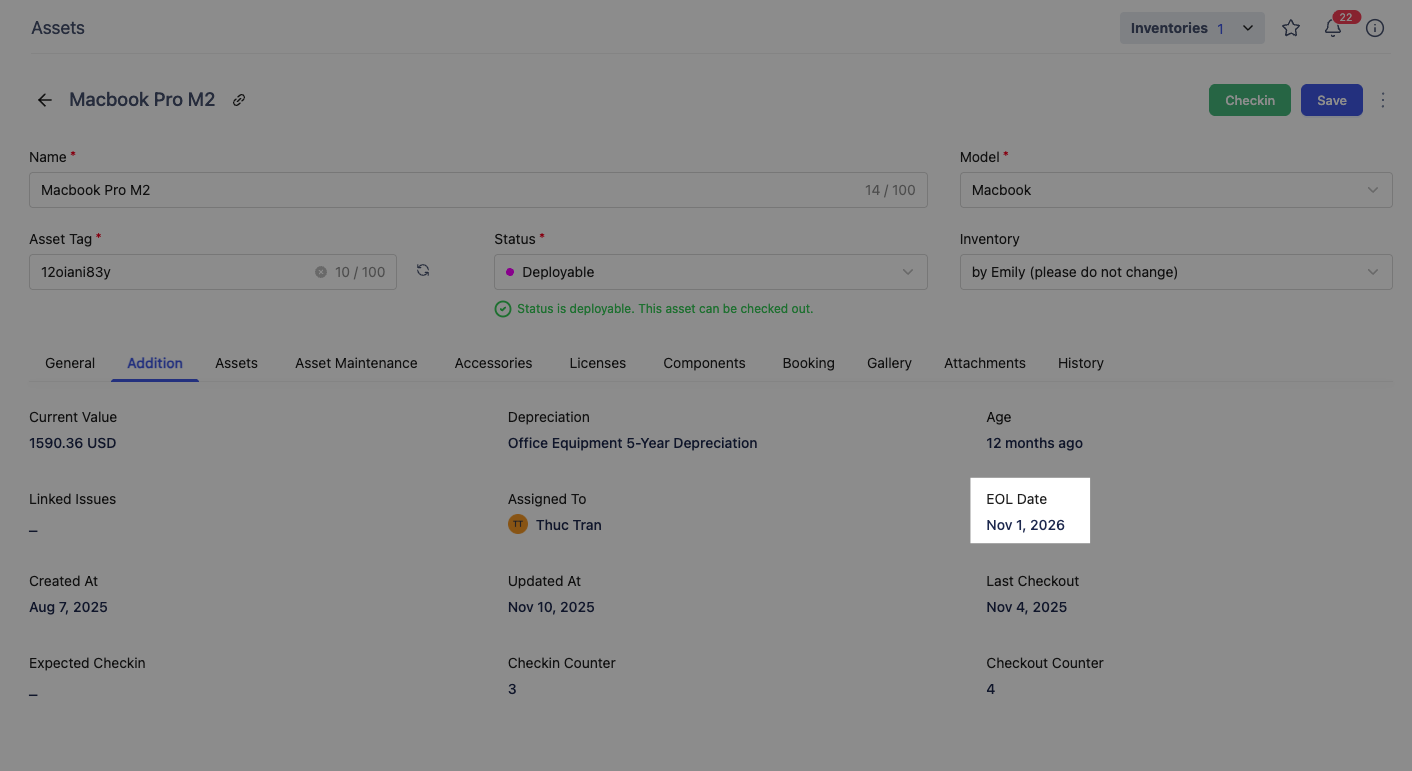
Calculate the EOL date based on the EOL rate in an asset model
EOL dates are now calculated automatically from the rate defined in the asset model. This ensures assets follow consistent lifecycle rules and removes the need to set EOL dates manually for each one.
Asset Filter & Export
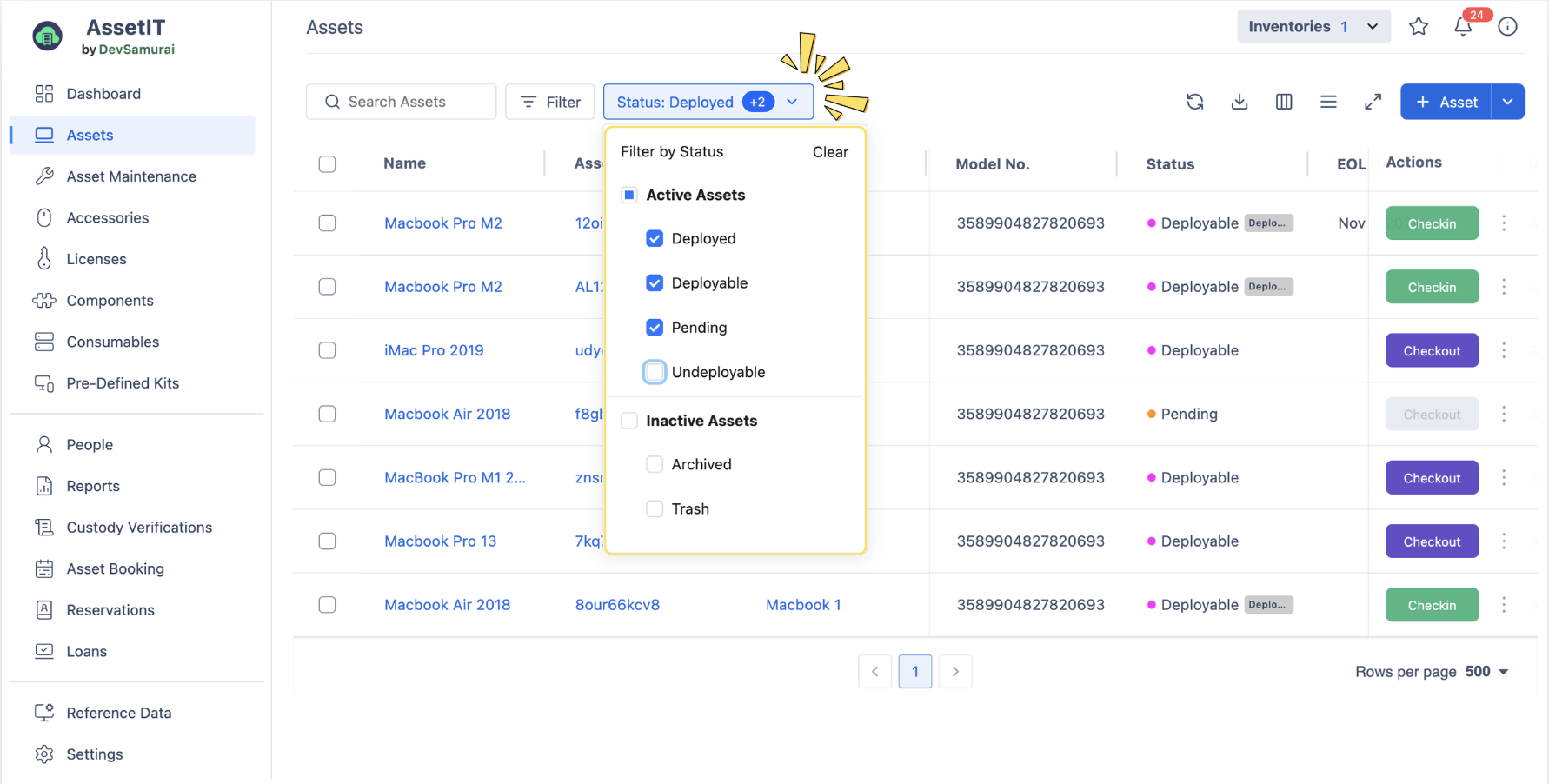
Enhanced Asset Filter (filter by Status)
A new filter at the Asset List lets you view assets based on their statuses, whether they are ready to checkout, or archived due to supervision.
Allow searching columns by name in Column Display
You can now search by column name when showing or hiding columns. It’s a small change that helps find columns faster, especially in large lists.
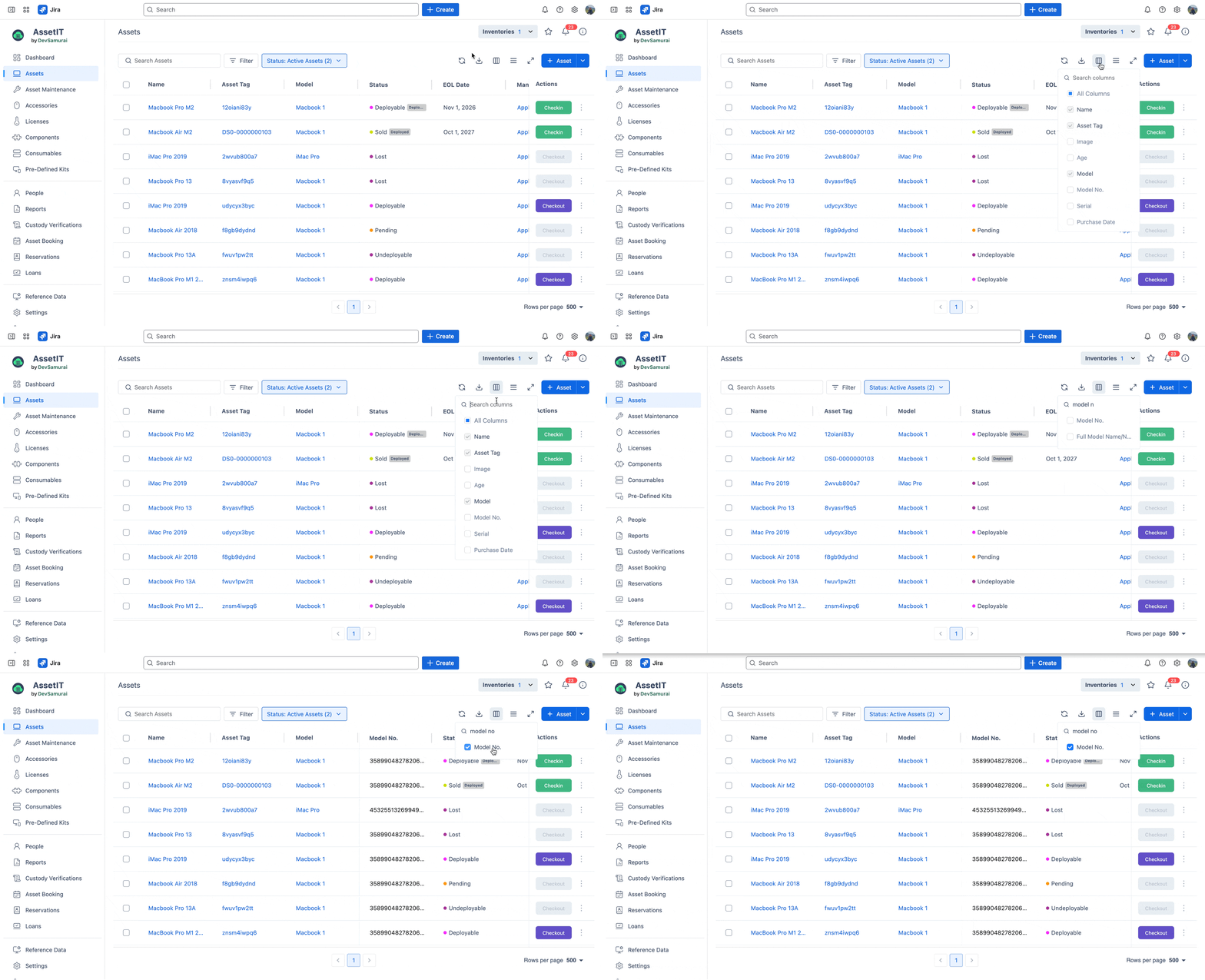
Export only visible columns from the Asset List
Exports now include only the columns currently displayed. This keeps exported data cleaner and focused on what you actually need.
Asset Booking & Custody
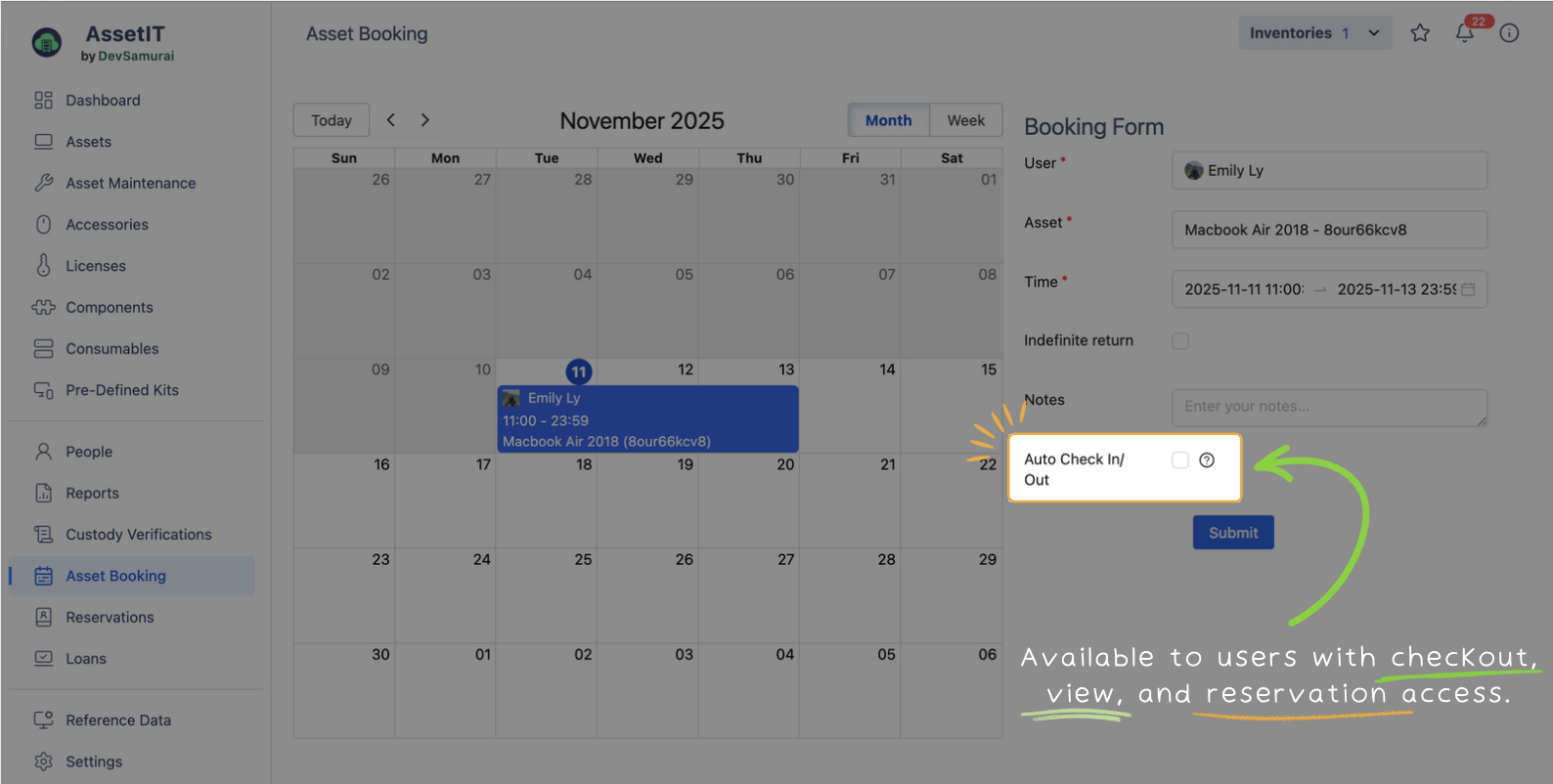
Allow non-admin users to enable or disable auto check-in/out
Users with checkout permission in Reservation now manage auto check-in/out settings when booking assets. This gives teams more flexibility without needing admin help for routine bookings.
Add option to resend custody from the Asset List
You can now resend custody directly from the Asset List. This saves time if a user misses the custody confirmation email.
License Management
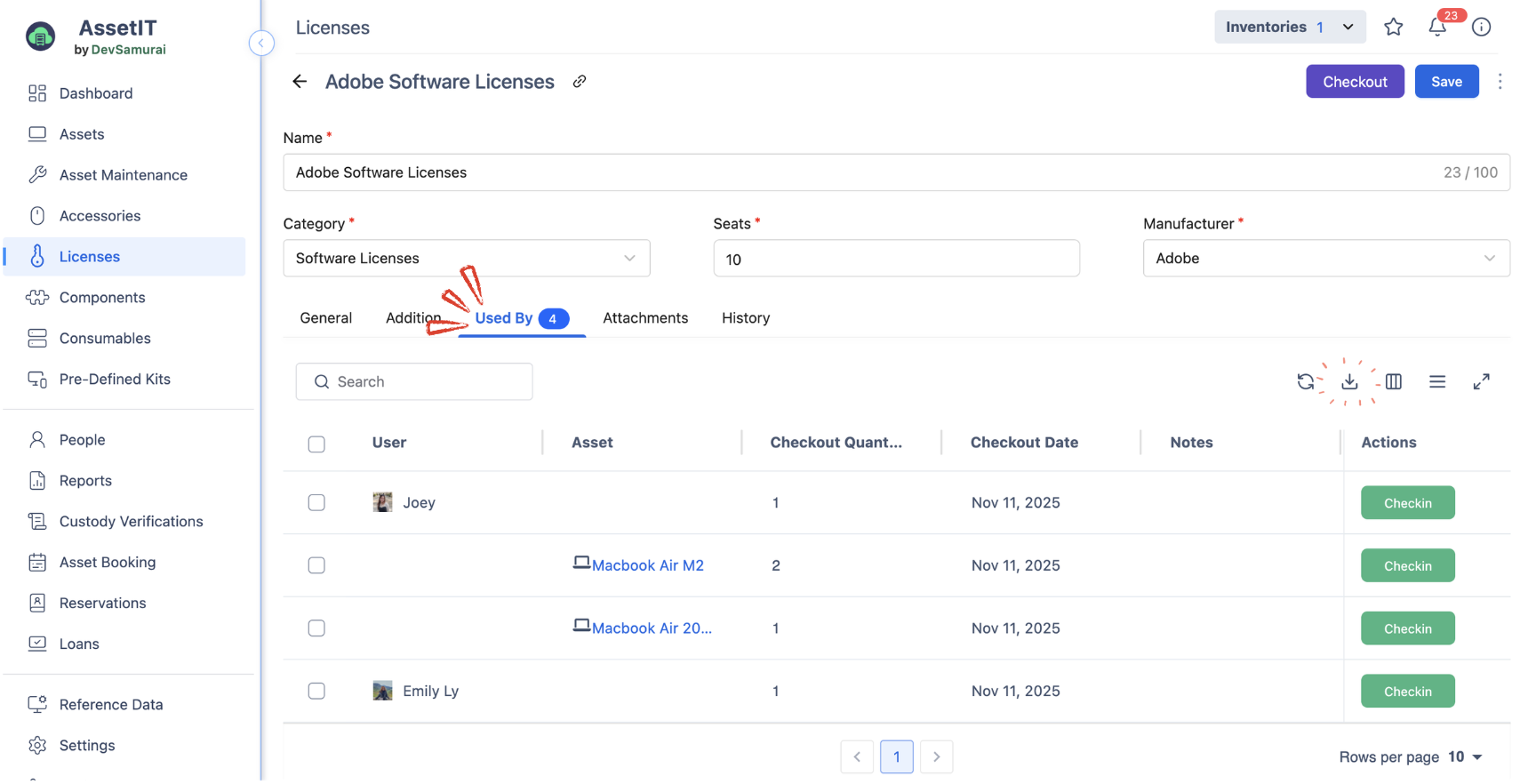
Export “Used By” list in License Details
You can now export the “Used By” list for each license.
User Management
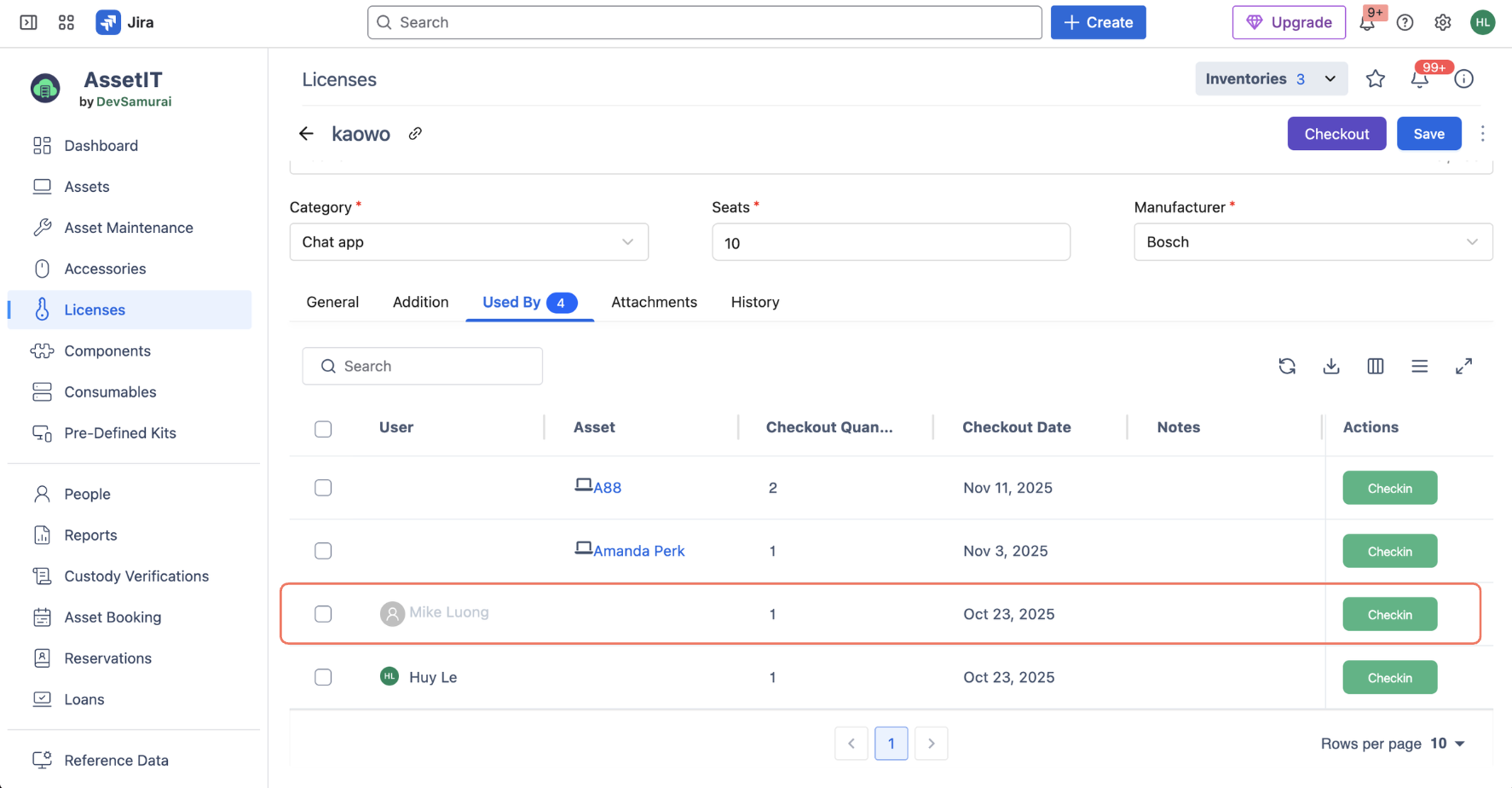
Display deactivated users in checkout history
Deactivated users now appear in the activity logs, including Checkout History, Used By, People, etc. This keeps historical records accurate and complete, even after users are removed. Note that the deactivated account history feature is available only from this version onward.
UI improvements
Some pages have been adjusted for a clearer layout and smoother navigation.
Need assistance? Please reach out to us at our Support Desk.
Have ideas to enhance our app? Visit our Idea Portal and share your thoughts with us—we’d love to hear from you!