.png)
Release Date:
Improved Inactive User Visibility and Milestone Auto- Rescheduling
This release introduces guided onboarding, better visibility into inactive user data, greater control over milestone scheduling, and bug fixes that improve the Schedule board experience.
✨ Improvements
Improved inactive user visibility
Improved how inactive users are handled across ProScheduler for clearer visibility and more consistent user management.
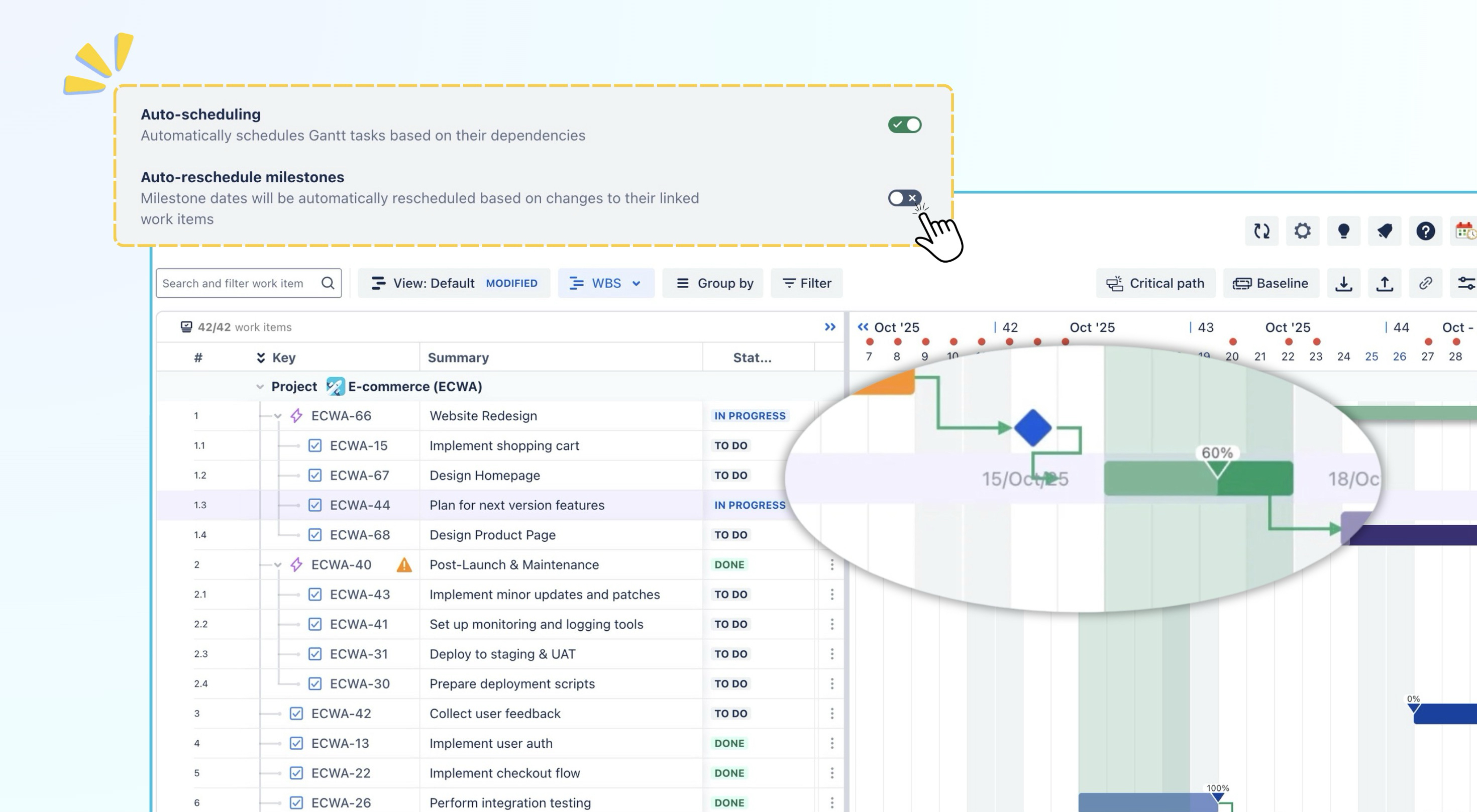
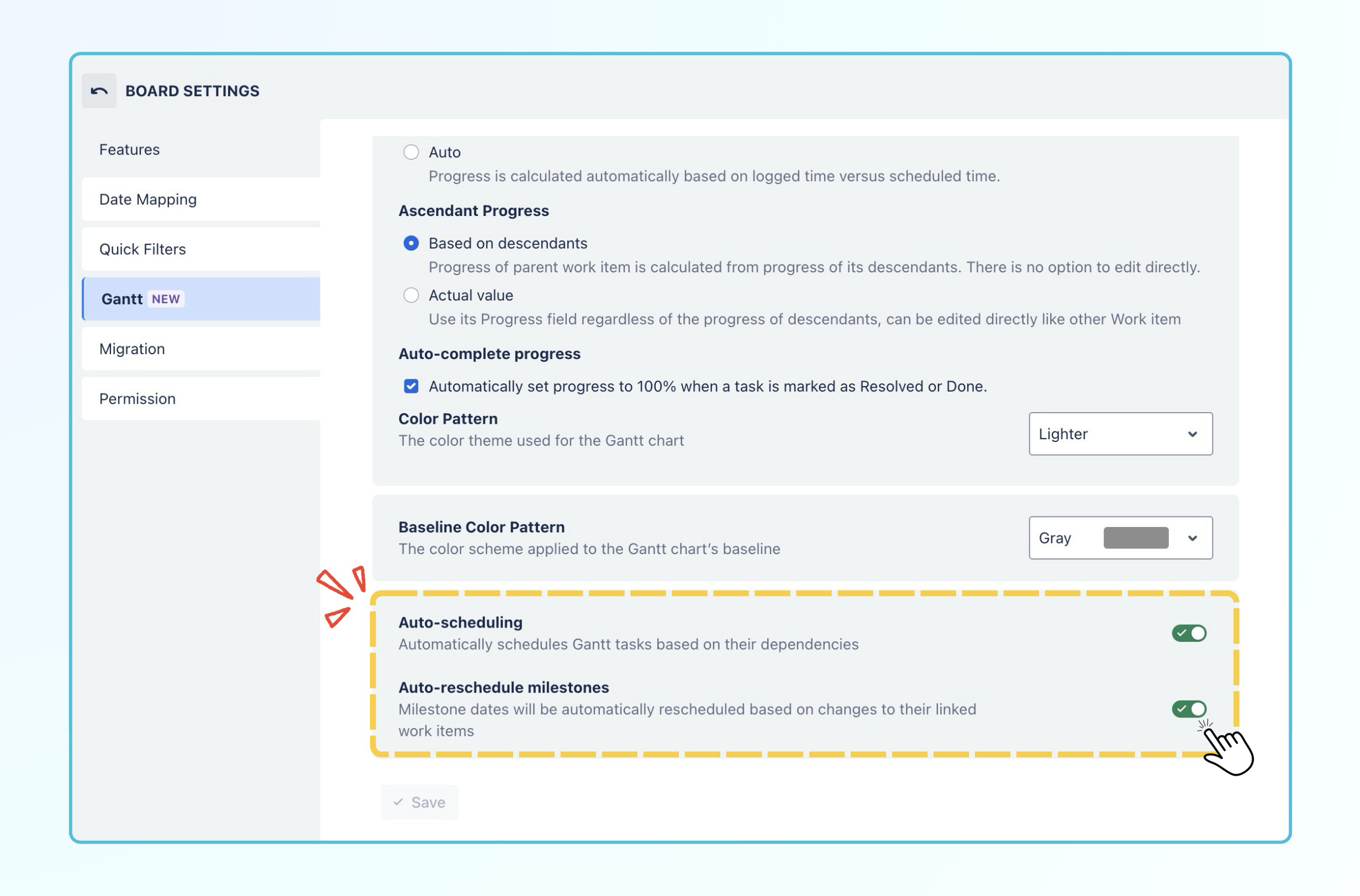
Auto-reschedule milestones
Added a new Auto-reschedule milestones setting to give users more control over milestone dates when auto-scheduling is enabled.
-
When the setting is OFF, milestone dates remain fixed and are not affected by changes to linked tasks.
-
When the setting is ON, milestone dates are automatically rescheduled based on changes to their linked tasks or descendants.
Onboarding experience
Added an onboarding process that includes initial setup guidance and a product tour, helping new users configure ProScheduler and become familiar with its key features.
🐞 Bug Fixes
-
Fixed an issue where enabling Show completed tasks did not display completed tasks in the Schedule tab.
-
Fixed an issue where the weekend-related notification remained visible after Show weekend days was turned off.
Help Center
If you're enjoying our app, we'd appreciate it if you could leave us a review. However, if you are experiencing any troubles, please contact us via the support portal before submitting a review. We are committed to working carefully and quickly to resolve any issues you may have.
Your feedback is valuable and appreciated!