.png)
Release Date:
Bulk WBS Editing and Workload Planning for Non-Working Days
This release adds scheduled/capacity utilization indicator, bulk WBS editing, and workload planning for non-working days, along with usability improvements and bug fixes.
🚀 What's New
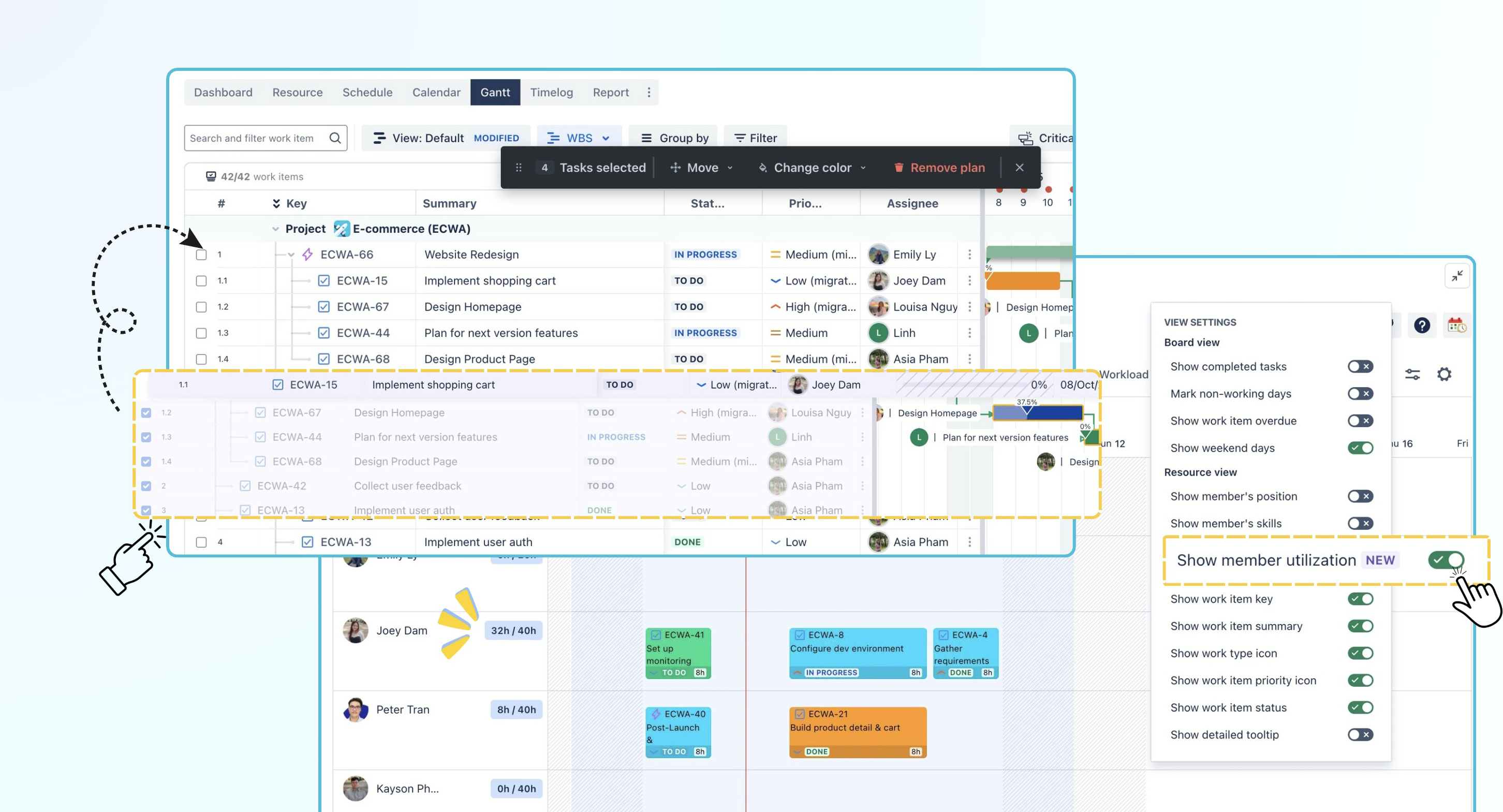
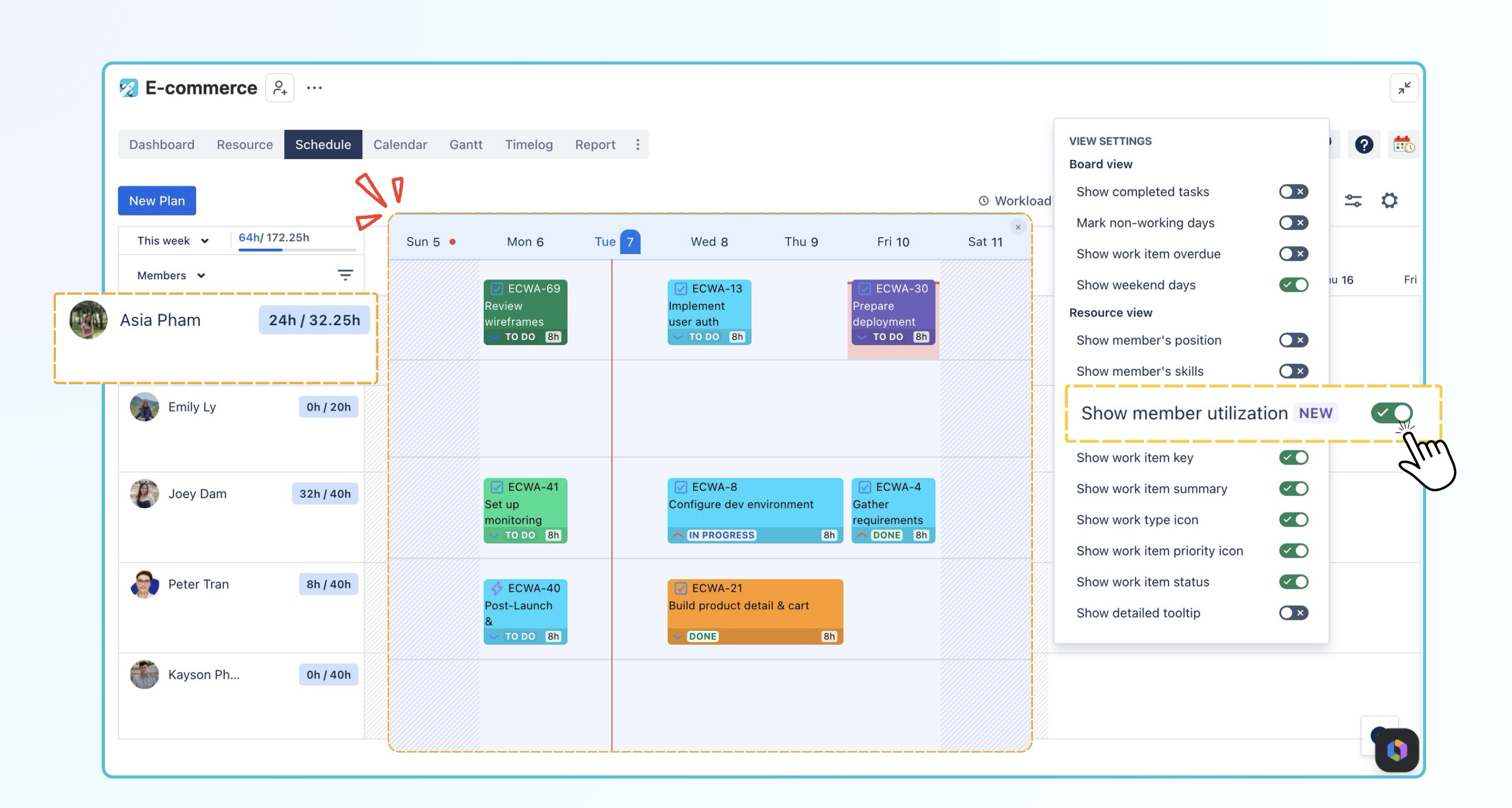
Scheduled/Capacity Utilization Indicator on Schedule Board
We’ve added a new scheduled/capacity utilization indicator to the Schedule board.
When you turn on ‘Show member utilization’, the selected period is highlighted, and each member’s scheduled hours are shown next to their name compared with their total capacity for that timeframe.
This helps you quickly identify who is underbooked, fully booked, or over capacity without opening additional reports, so you can plan and balance team workloads more effectively.
Drag & Drop Multiple Work Items in WBS Gantt Mode
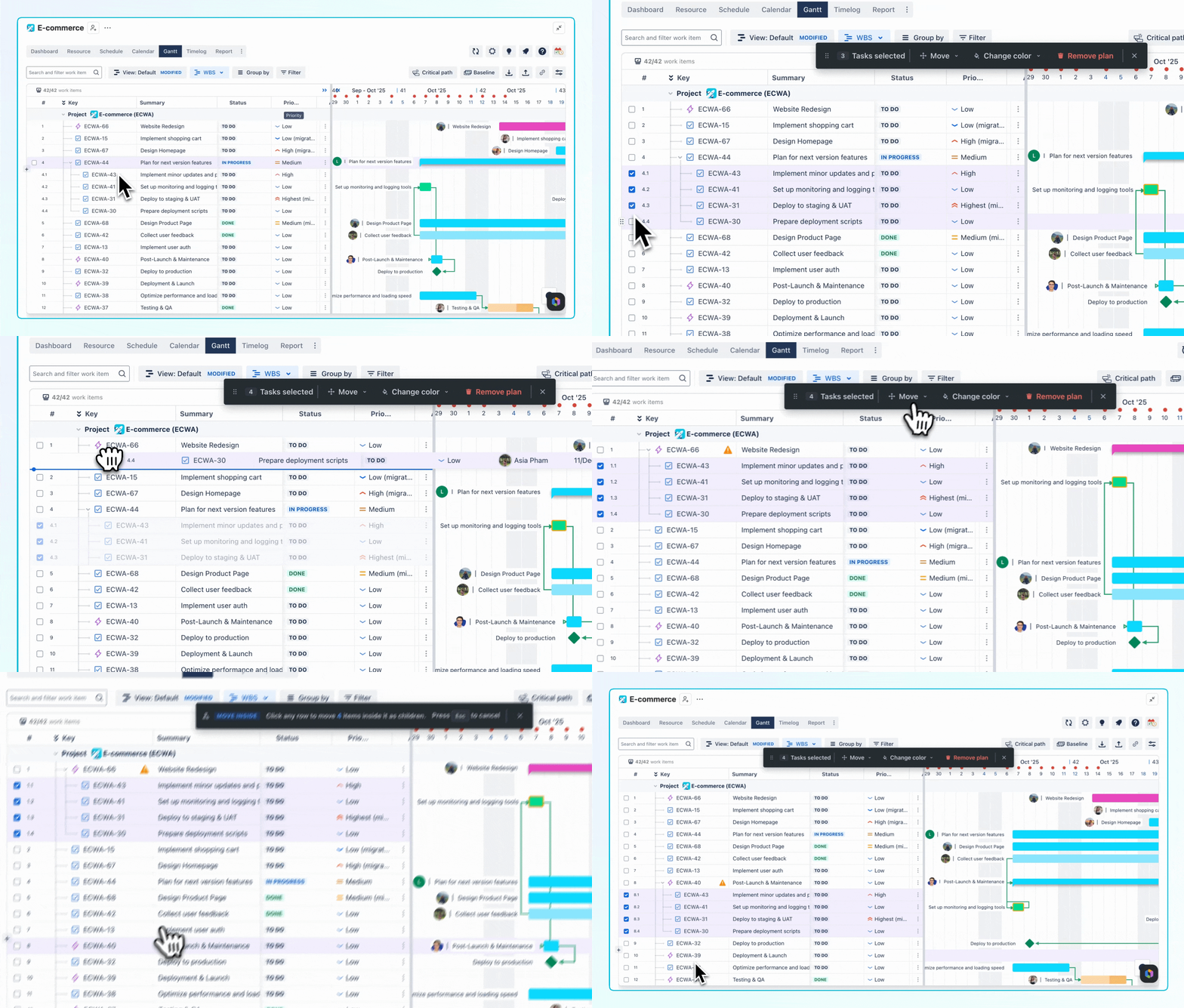
You can now select multiple work items in WBS Gantt mode and move them to a different parent level in the hierarchy, or reorder them all at once. This helps you update your work breakdown structure faster without moving work items one by one.
-
Bulk re-parent work items: Re-parent multiple selected work items by dragging and dropping them to a new parent, or by choosing a new parent from the bulk action menu.
-
Bulk re-order work items: Reorder multiple selected work items by dragging and dropping them to a new position, or by using the bulk action menu.
Learn how to use Bulk actions in WBS Gantt.
Auto-complete Progress Based on Status
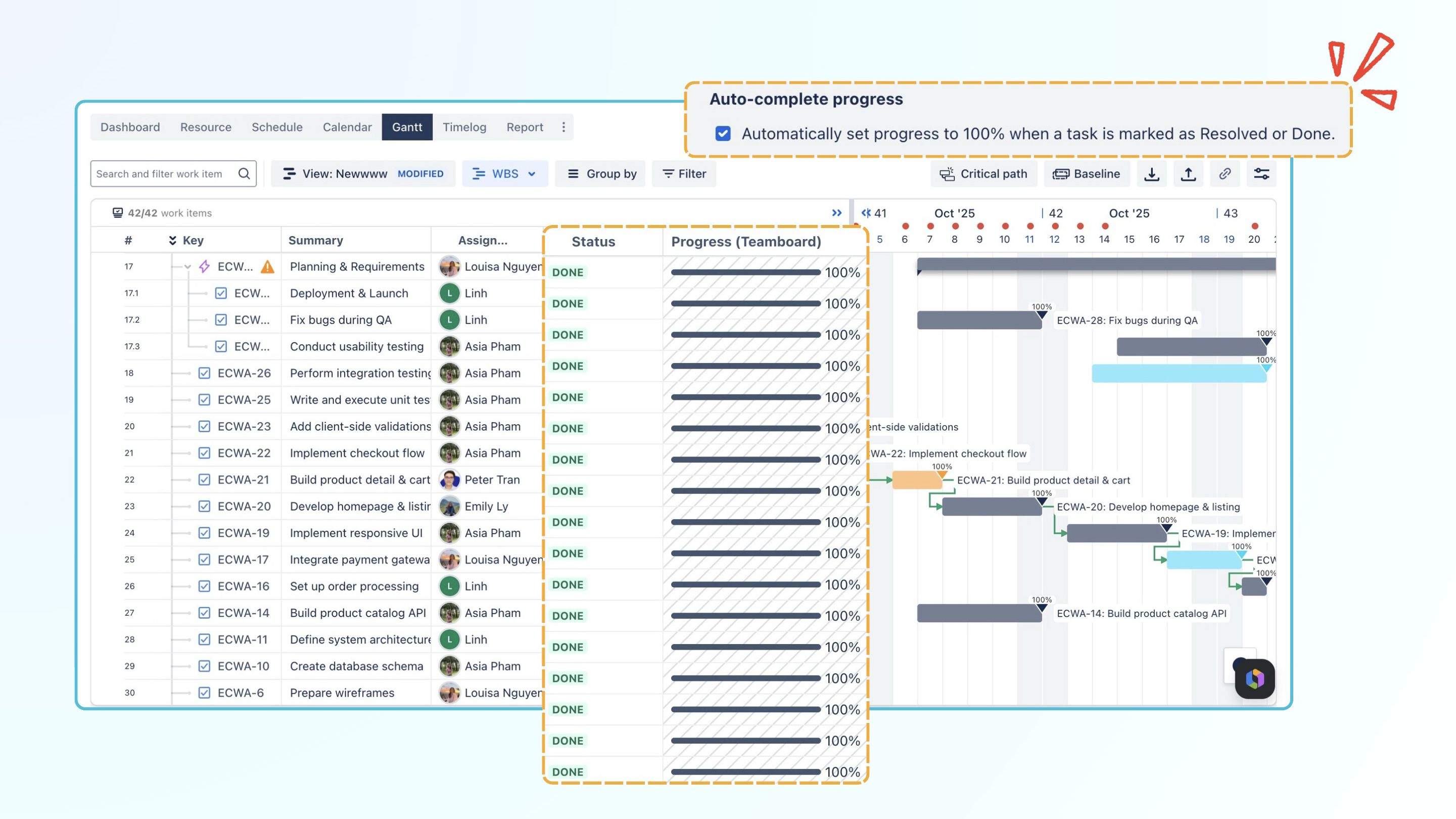
We’ve added a new option to the Progress (TeamBoard) field: ‘Auto-complete progress based on the status’. When this option is enabled, the progress will automatically be set to 100% when a task is marked as done or Resolved
For tasks that are still in To Do or In Progress , the progress value will continue to be calculated based on your selected progress setting, such as Default, Jira field, or Auto.
Learn how to configure progress settings in Gantt.
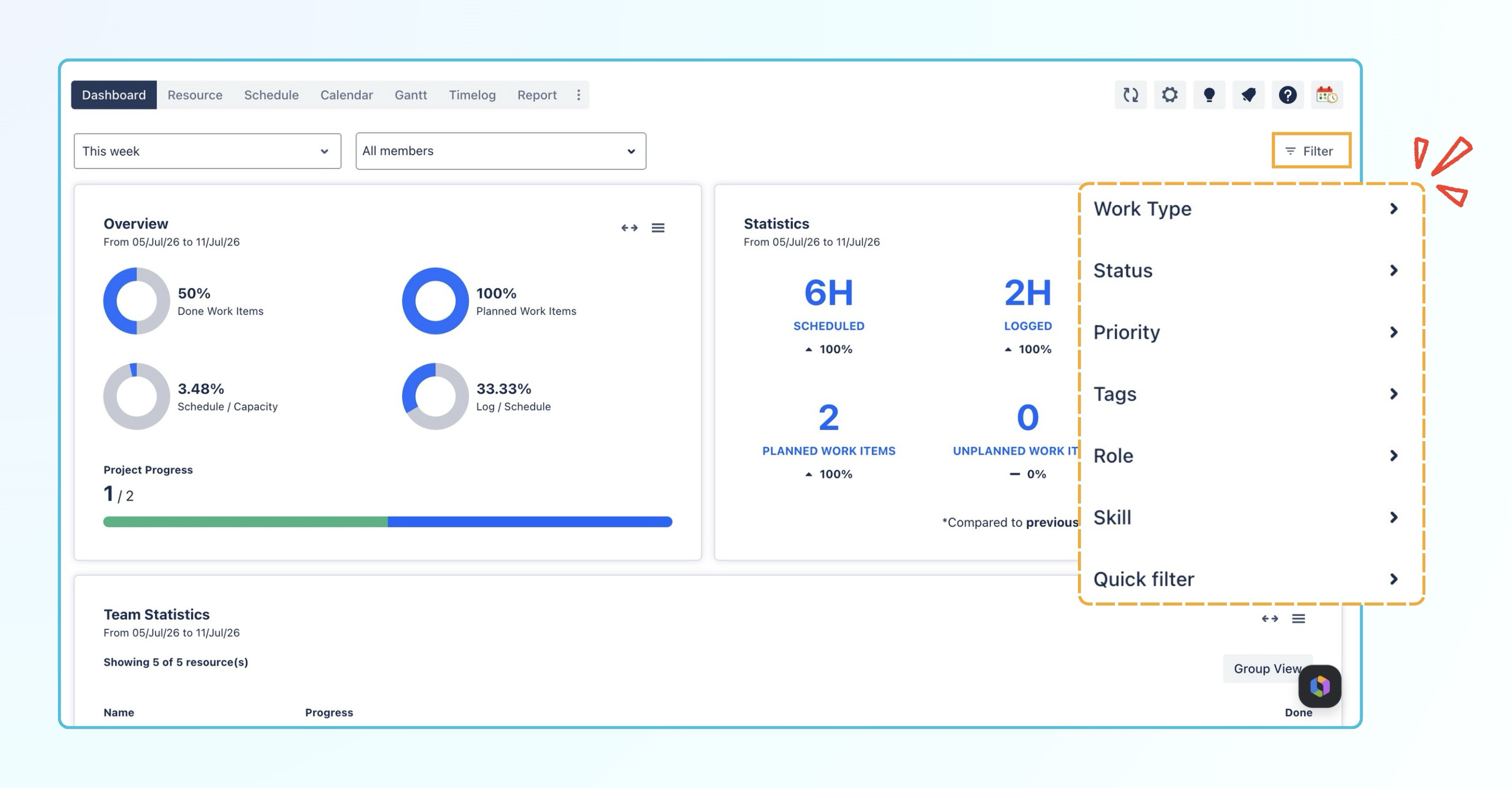
Filters on the Dashboard tab
We’ve added Basic filters and Quick filters to the Dashboard tab. You can now filter dashboard data by criteria such as Work Type, Status, Priority, Tags, Role, and Skill, or apply your saved Quick filters directly from the Dashboard.
✨ Improvements
-
Calculate workload on non-working days: Work scheduled on weekends, holidays, or company closure days is now included in workload calculations and flagged as overallocated, helping managers quickly identify scheduling conflicts and adjust resources.
-
Filter by role and skill on the Schedule board: Filter team members by Role and Skill directly on the Schedule board.
-
Jira filters on Schedule and Gantt boards: Apply existing Jira filters directly to the Schedule and Gantt boards.
-
Separate Key and Summary columns in Gantt: Sort work items by Key or Summary independently.
-
Show baseline start and end dates: Hover over a baseline bar in the Gantt view to see its start and end dates.
-
Sync scheduled hours between Schedule and Report: Scheduled hours are now synced between both views to reduce decimal differences and ensure consistent totals.
-
Improve work item movement on the Schedule board: Work items now stay in more consistent lanes, reducing unexpected row jumps.
-
Improve baseline settings: The hide/deselect action is now clearer and easier to understand.
-
Sticky task status and priority on the Schedule board: Task status and priority now remain visible when scrolling horizontally.
-
Original Estimate format consistency with Jira: The Original Estimate field now matches Jira’s duration format.
-
Save Workload expand/collapse state: The Schedule board now saves the expanded or collapsed state of each member’s Workload row.
-
Save the last selected Gantt view from a copied link: When you open Gantt from a copied link, the last view you select is now restored after you refresh the page.
🐞 Bug Fixes
-
Removed the extra line when completed sub-tasks are hidden.
-
Fixed tasks showing in the incorrect Jira hierarchy relationship when filters are applied.
-
Fixed an issue where a generic assignee disappeared after removing a label from the label column in the Gantt tab.
-
Fixed logged time dates being inconsistent across users in different time zones.
Help Center
If you're enjoying our app, we'd appreciate it if you could leave us a review. However, if you are experiencing any troubles, please contact us via the support portal before submitting a review. We are committed to working carefully and quickly to resolve any issues you may have.
Your feedback is valuable and appreciated!