.png)
Release Date:
Working Capacity by Date Range and Gantt Enhancements
This release adds date-based working capacity management, enhanced Gantt customization, and schedule updates to make project planning and resource management more flexible and efficient.
🚀 What's New
🌟 Working Capacity by Date Range
Previously, each member could have only one working capacity scheme applied across their entire history. Updating a member’s capacity could also affect past capacity calculations.
With Working Capacity by Date Range, you can now assign different capacity schemes to the same member for different periods. Each change is recorded in a capacity timeline, allowing ProScheduler to apply the correct capacity based on the selected date.
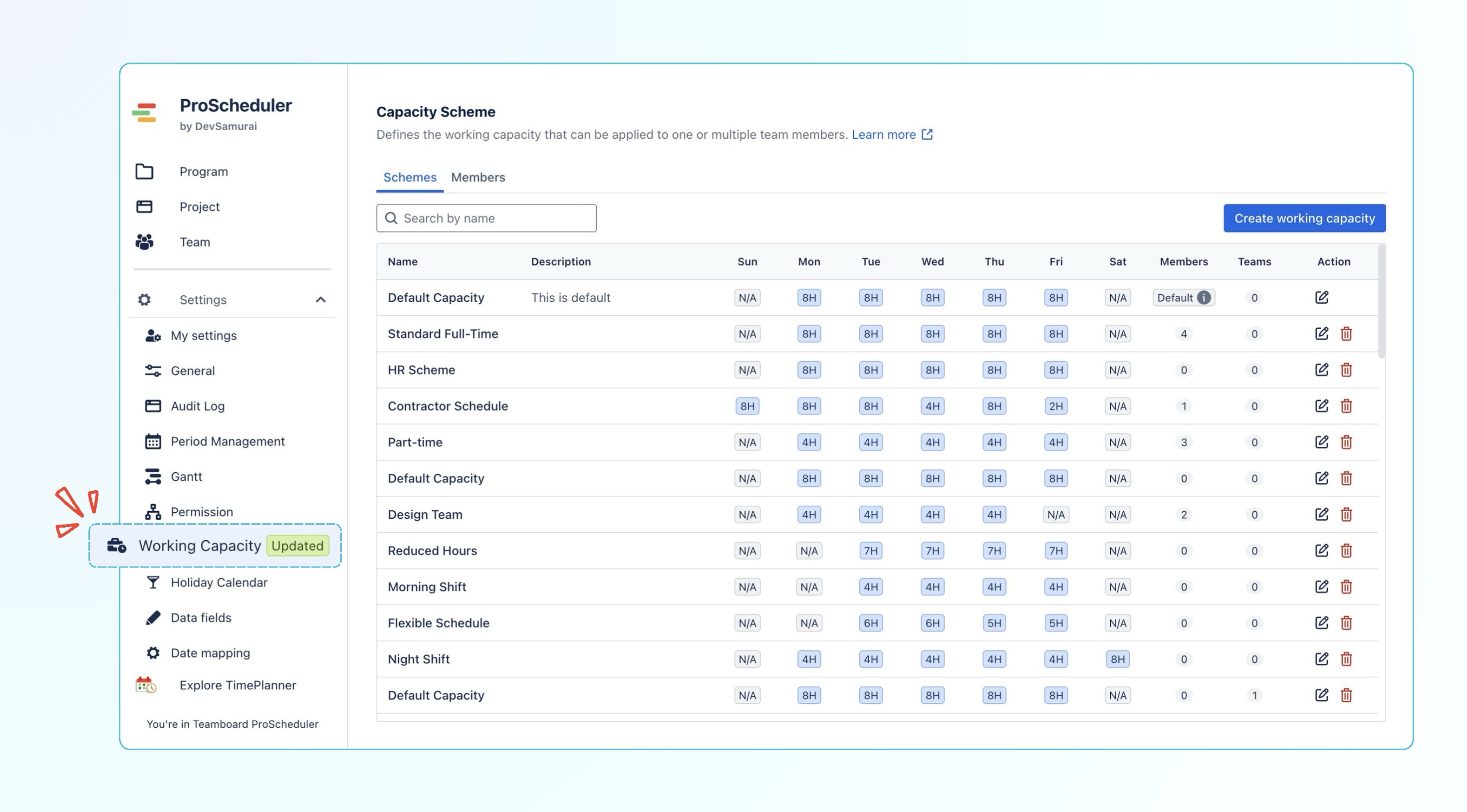
For example, a member’s capacity can change over time:
Nora Baker
-
6h/day · Jan 01, 2026 → Feb 28, 2026
-
4h/day · Mar 01, 2026 → May 31, 2026
-
2h/day · Jun 01, 2026 → Ongoing
ProScheduler automatically uses the capacity scheme that applies to each date range, so past, current, and future workload calculations reflect the member’s actual working schedule.
You can also open the Member Timeline to review all capacity assignments, including previous, active, and scheduled capacity periods.
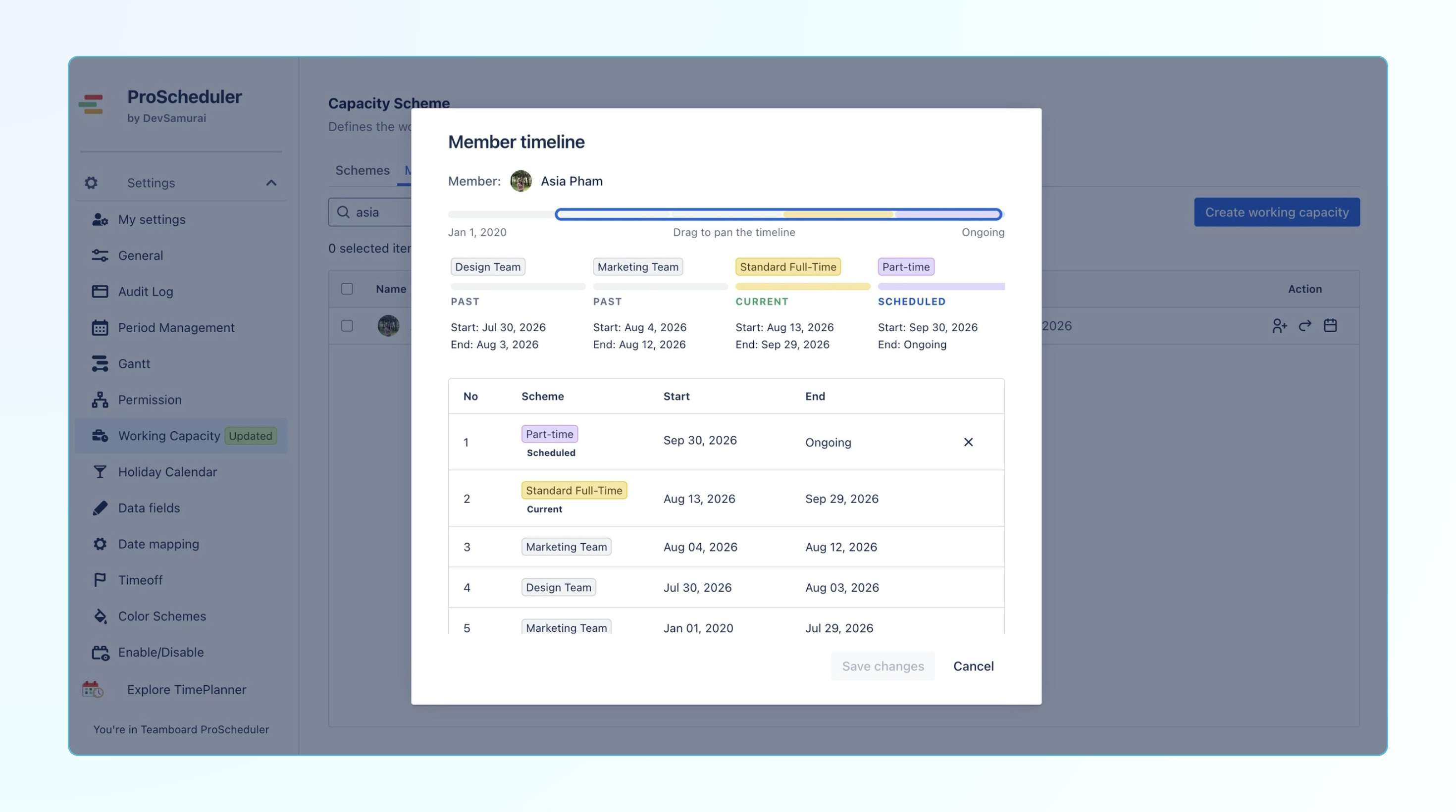
Want to explore what has changed? Learn more about 'Working Capacity by date range'.
✨ Improvements
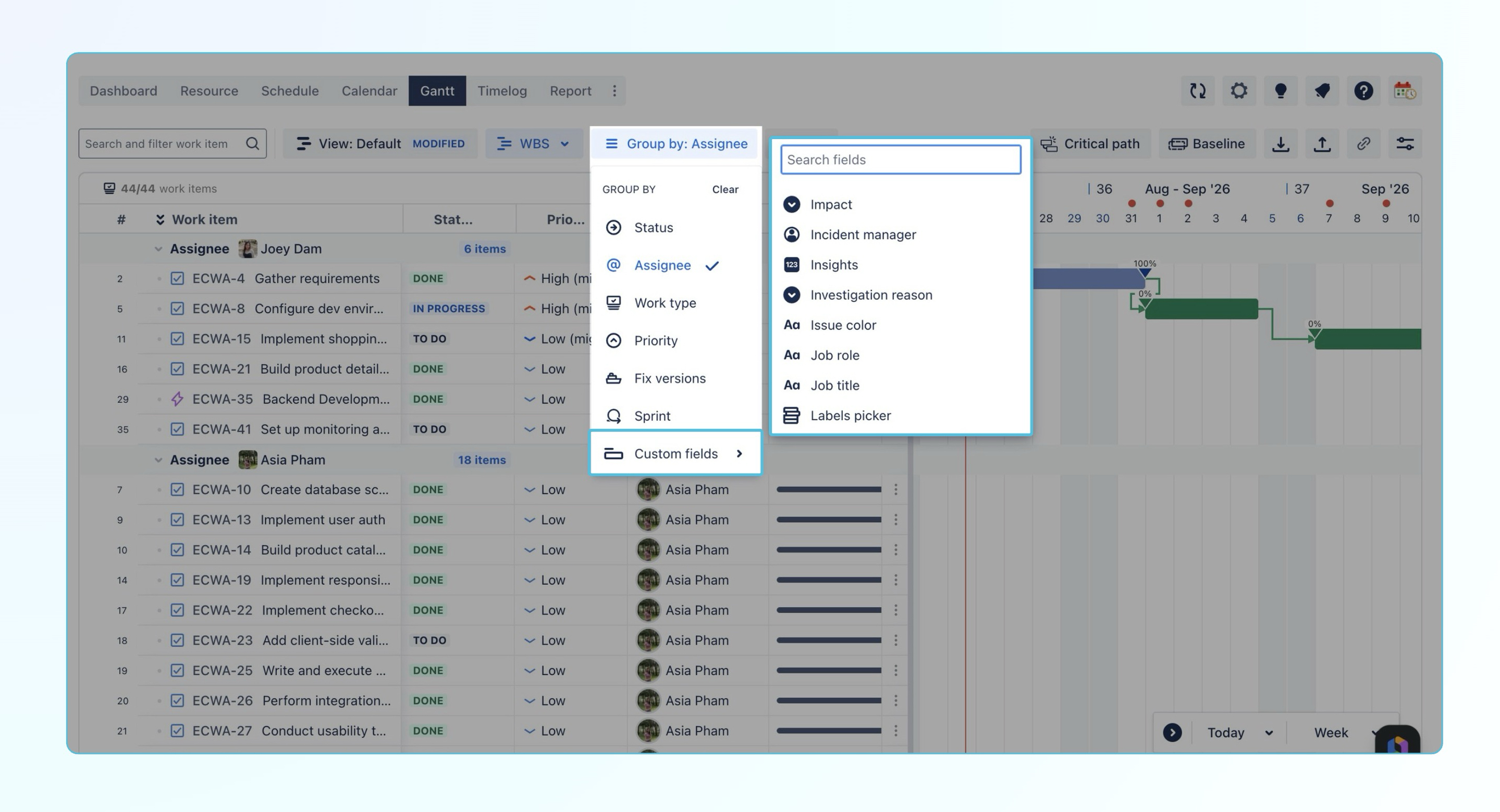
Group work items by custom fields in the Gantt view
Added support for grouping work items in the Gantt view by Jira custom fields.
Users can now organize work items based on custom fields in addition to existing grouping options, such as Status, Assignee, Priority, and Work Type. This provides more flexibility to visualize schedules based on project-specific information and team workflows.
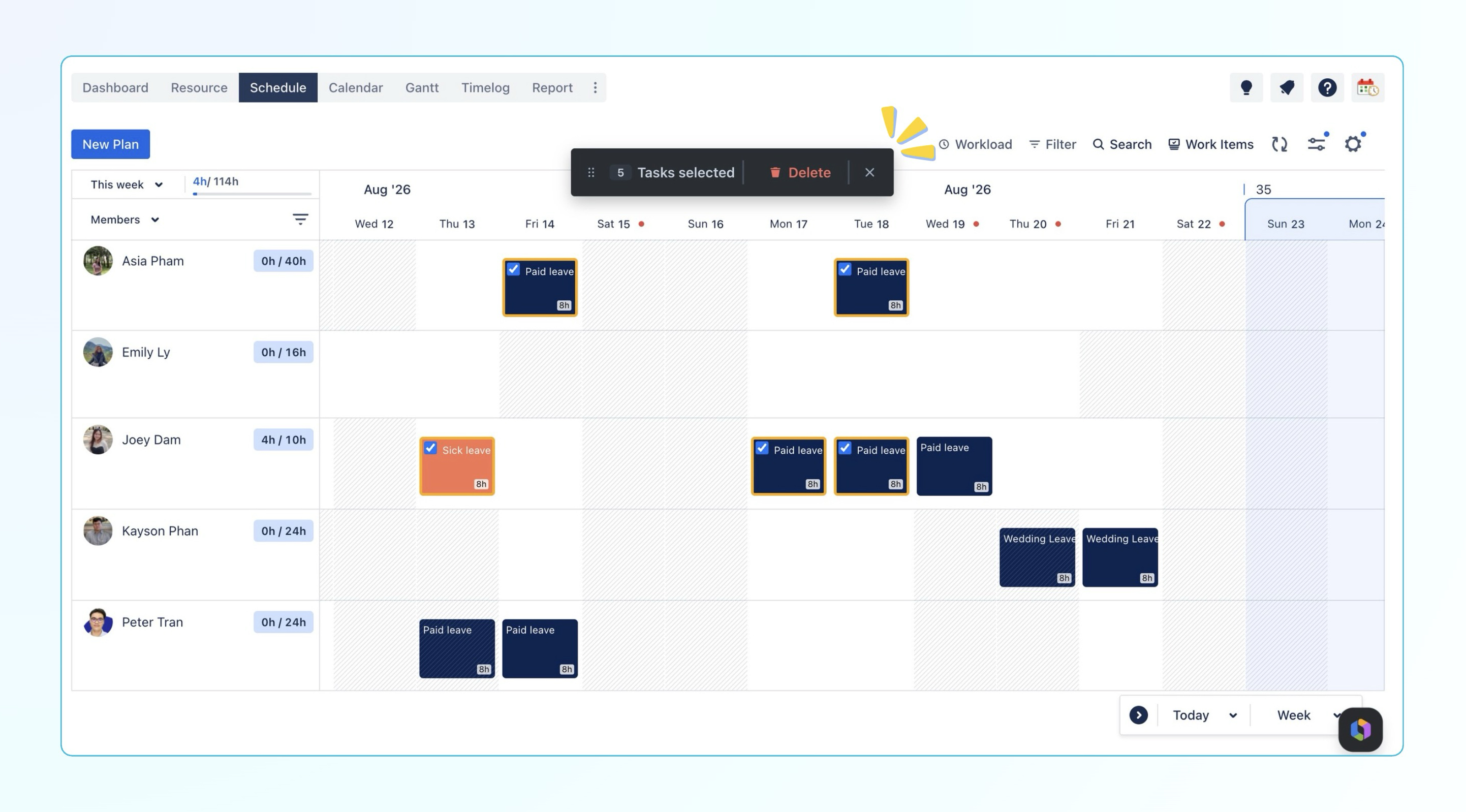
Bulk delete time off cards
Added support for deleting multiple time off cards at once in the Schedule view.
Users can now select multiple time off cards and remove them together using the bulk action bar, making it faster to clean up or update multiple leave entries without deleting each card individually.
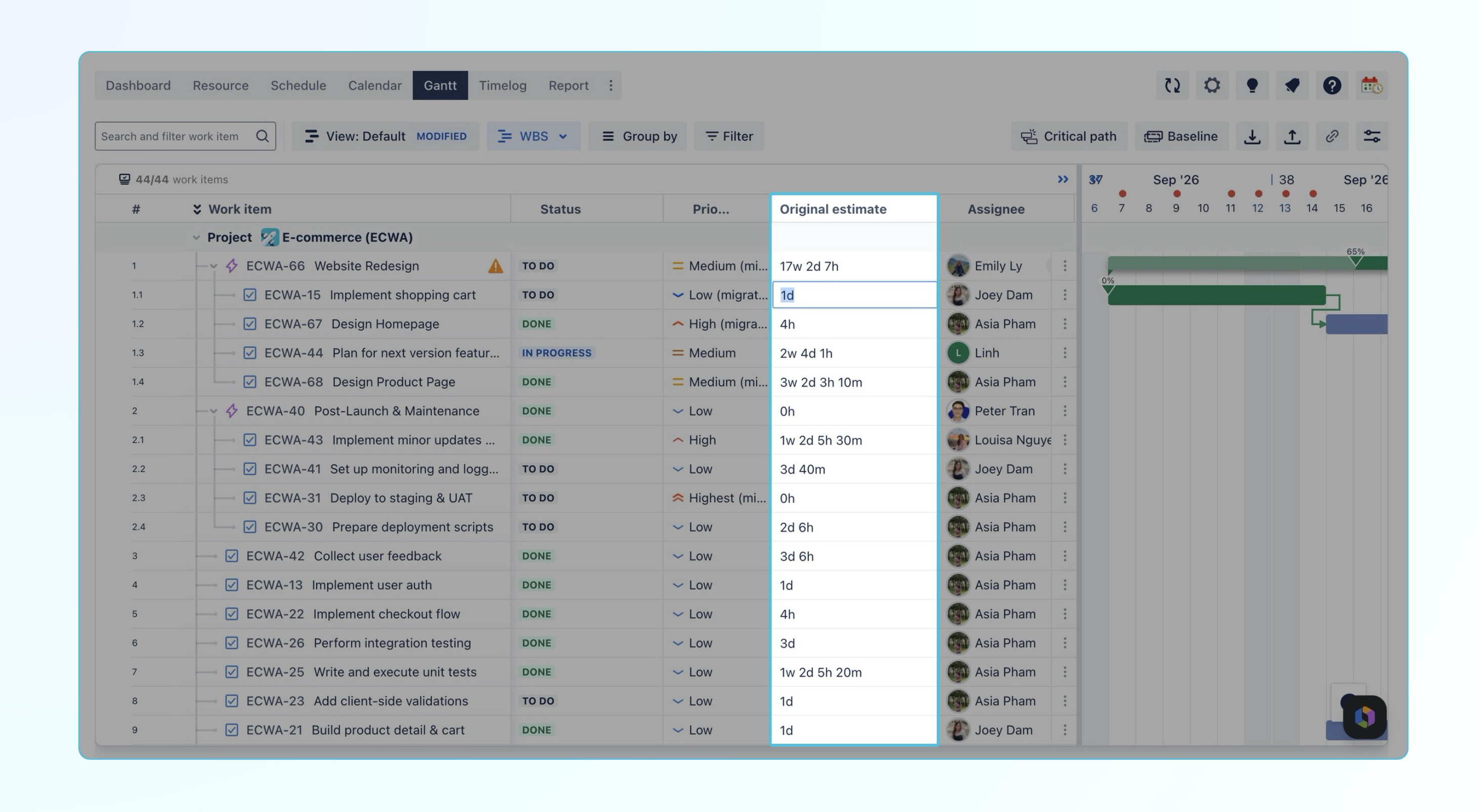
Edit Original Estimate directly from the Gantt view
Added support for editing the Original Estimate field directly from the Gantt chart.
Users can now update work item estimates without opening each Jira issue separately, making it easier to adjust schedules and keep project plans up to date while working in the Gantt view.
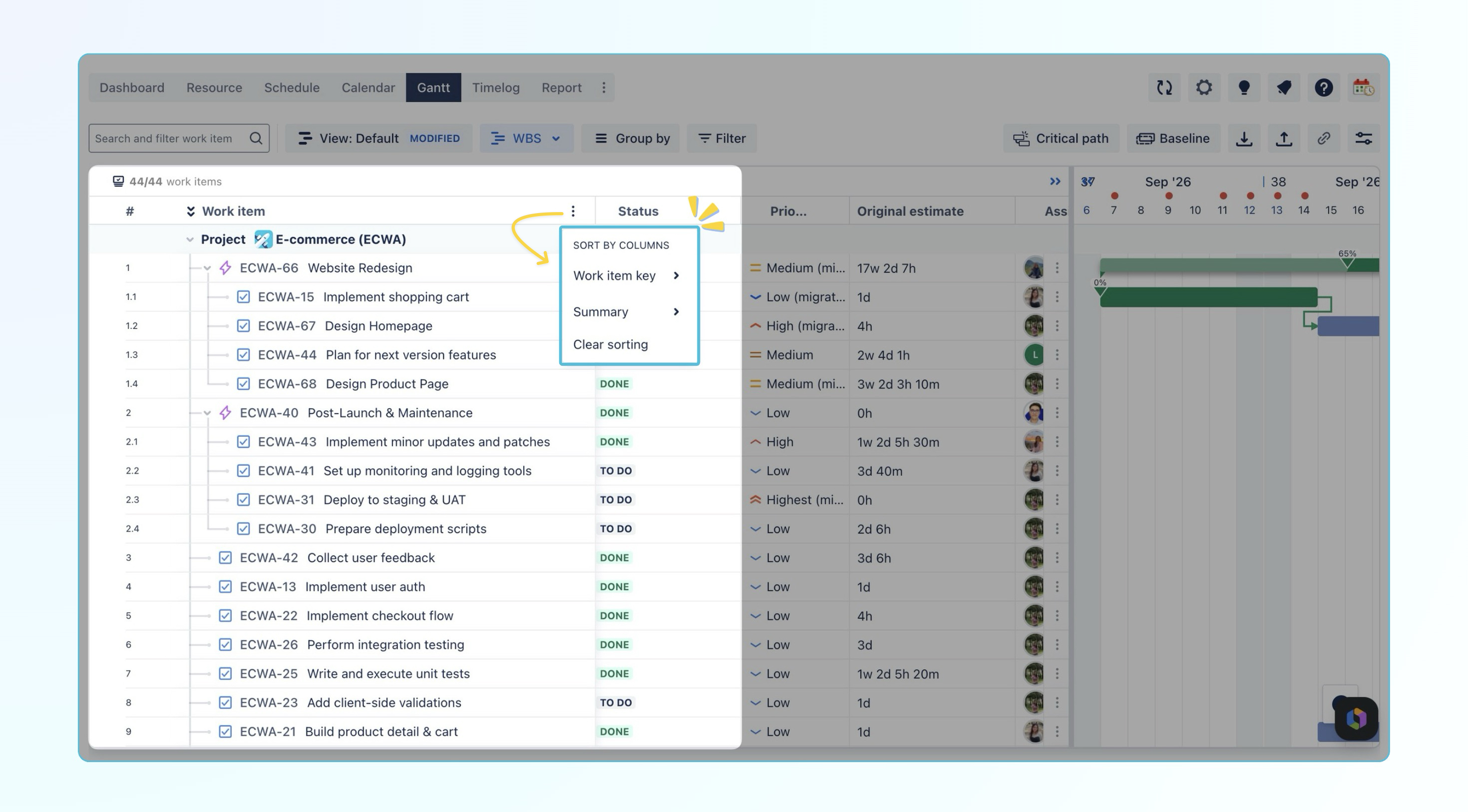
Merge Key and Summary columns in the Gantt view
Updated the Gantt table layout by combining the Work item Key and Summary fields into a single column.
Users can now view the key and summary together in a more compact layout while still sorting work items separately by Key or Summary.
Export Gantt as a Vector PDF
Improved Gantt PDF export by introducing vector-based PDF generation. Exported Gantt charts now preserve their visual elements as vector content instead of a screenshot image, providing better quality, smaller file sizes, and improved usability when sharing project schedules.
🐞 Bug Fixes
-
Fixed an issue where the Organization column value was only displayed after opening the issue detail view.
-
Fixed minor issues across the app for improved reliability and usability.
Help Center
If you're enjoying our app, we'd appreciate it if you could leave us a review. However, if you are experiencing any troubles, please contact us via the support portal before submitting a review. We are committed to working carefully and quickly to resolve any issues you may have.
Your feedback is valuable and appreciated!