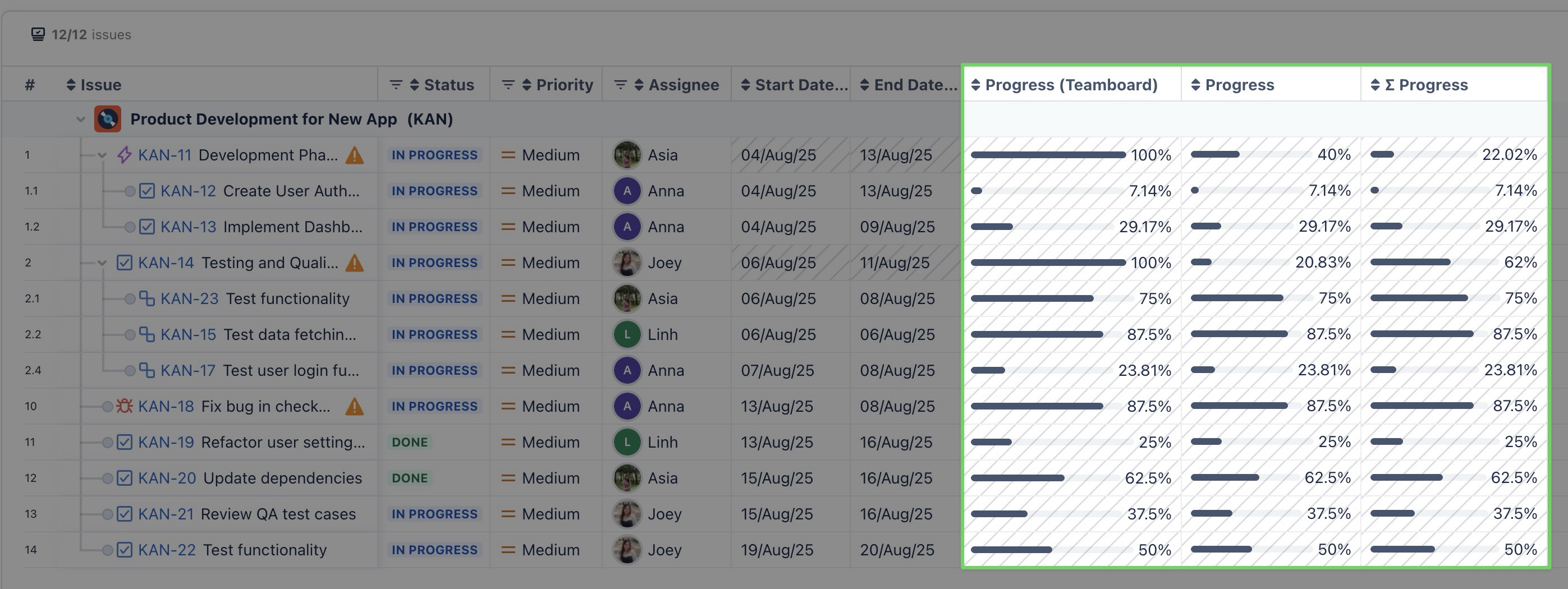
.png)
TeamBoard ProScheduler allows you to track progress using three different progress fields:
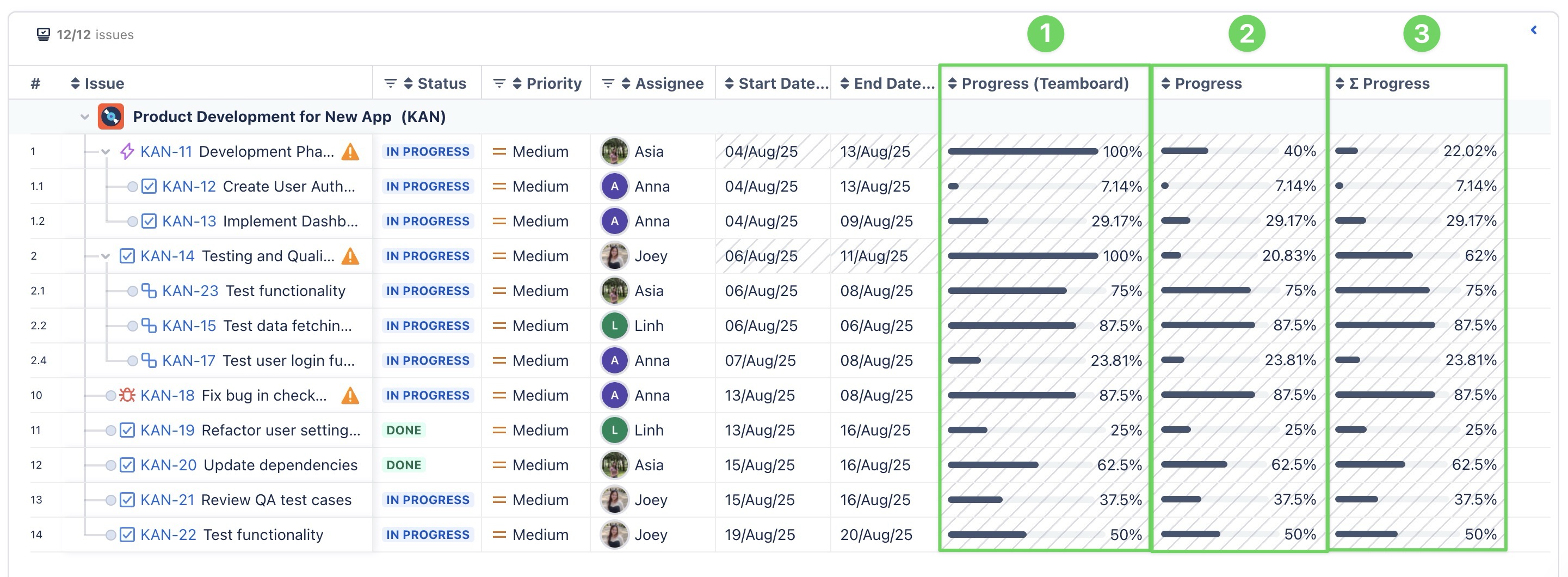
-
Progress (Teamboard): This field reflects the progress of tasks as calculated and updated within TeamBoard ProScheduler itself.
Learn more: How to configure and track progress in TeamBoard ProScheduler.
-
Progress: This field reflects the progress of a work item, calculated by Jira using its native time tracking mechanism. It provides an accurate measure of progress based on Jira’s time tracking data.
The calculation uses the following formula:

Example
A Jira work item has the following details:
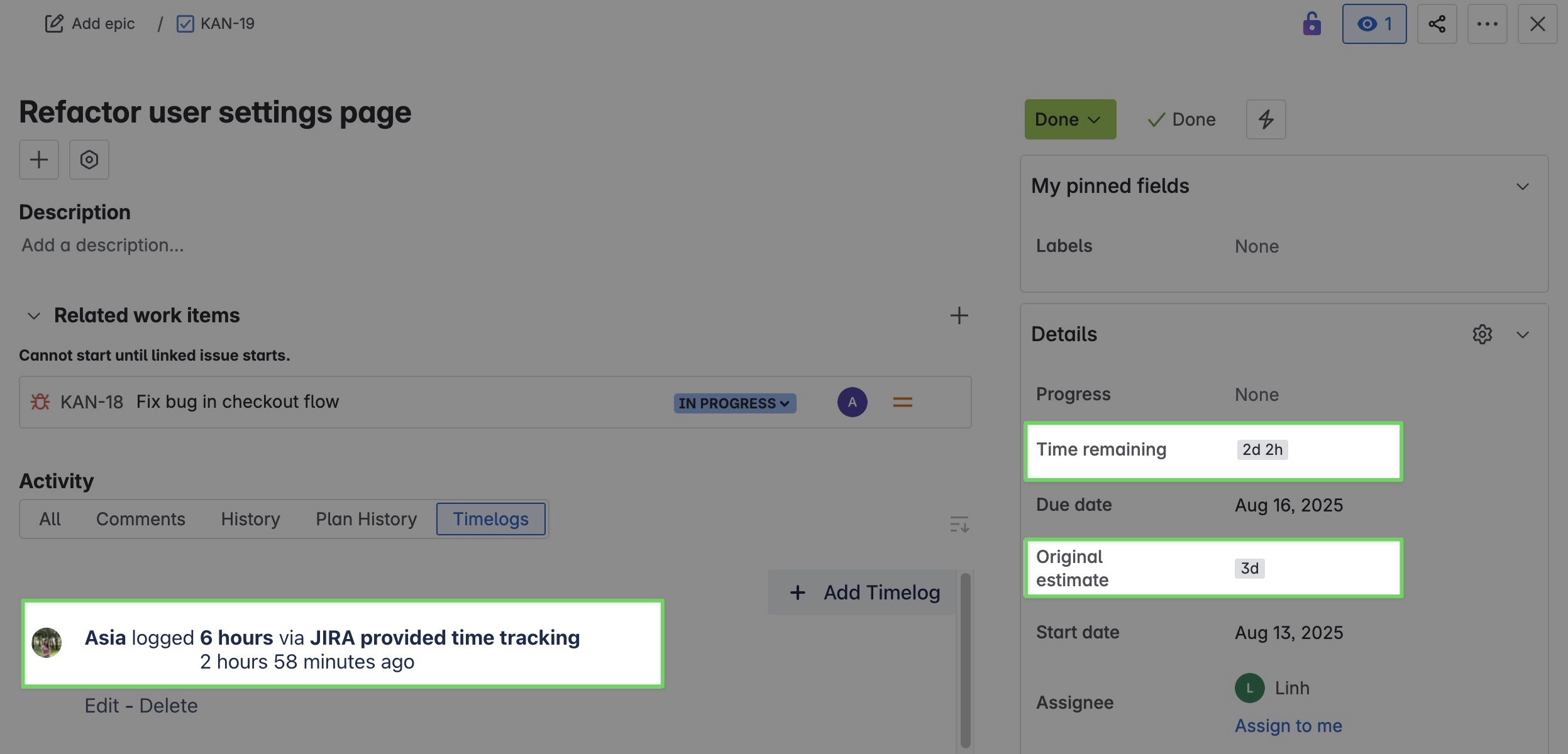
-
Original Estimate: 3 days (24 hours)
-
Time Spent: 6 hours
-
Time Remaining: 2 days 2 hours (18 hours)
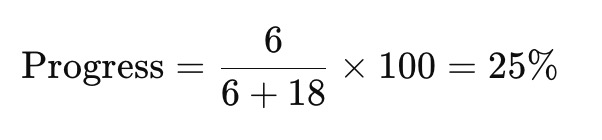
So, the Progress field will display approximately 25% complete.

-
∑ Progress: When a parent work item has linked child work items, Jira calculates the overall progress of the parent by aggregating the time tracking data of both the parent and all its child work items. This approach ensures an accurate representation of progress across the hierarchy.
This aggregated progress is calculated using the following formula:

Example
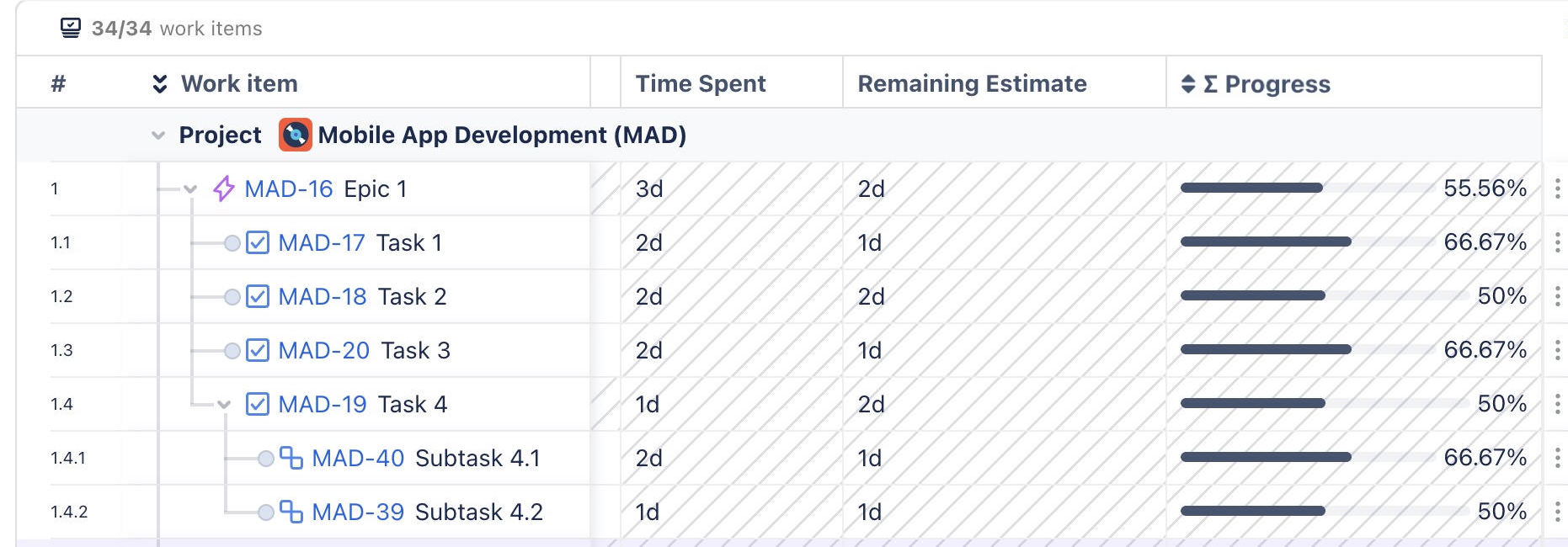
Task 4


-
Total Time Spent = 1 + 2 + 1 = 4 days (includes Subtask 4.1 and Subtask 4.2)
-
Total Remaining Estimate = 1 + 1 + 2 = 4 days (includes Subtask 4.1 and Subtask 4.2)
-
∑ Progress = 4 / (4+4) = 50%
Epic 1:

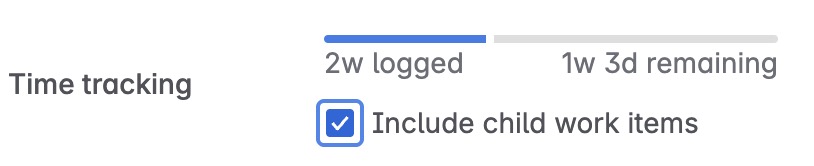
-
Total Time Spent = 1 + 2 + 2 + 2 + 3 = 10 days (includes task 4, task 3, task 2, and task 1)
-
Total Remaining Estimate = 2 + 1 + 2 + 1 + 2 = 8 days (includes task 4, task 3, task 2, and task 1)
-
∑ Progress = 10 / (10+8) = 55.56%
Displaying Progress Fields in the Gantt Table
-
From the Gantt table > click the ➕ button that appears on the right side of that column header.
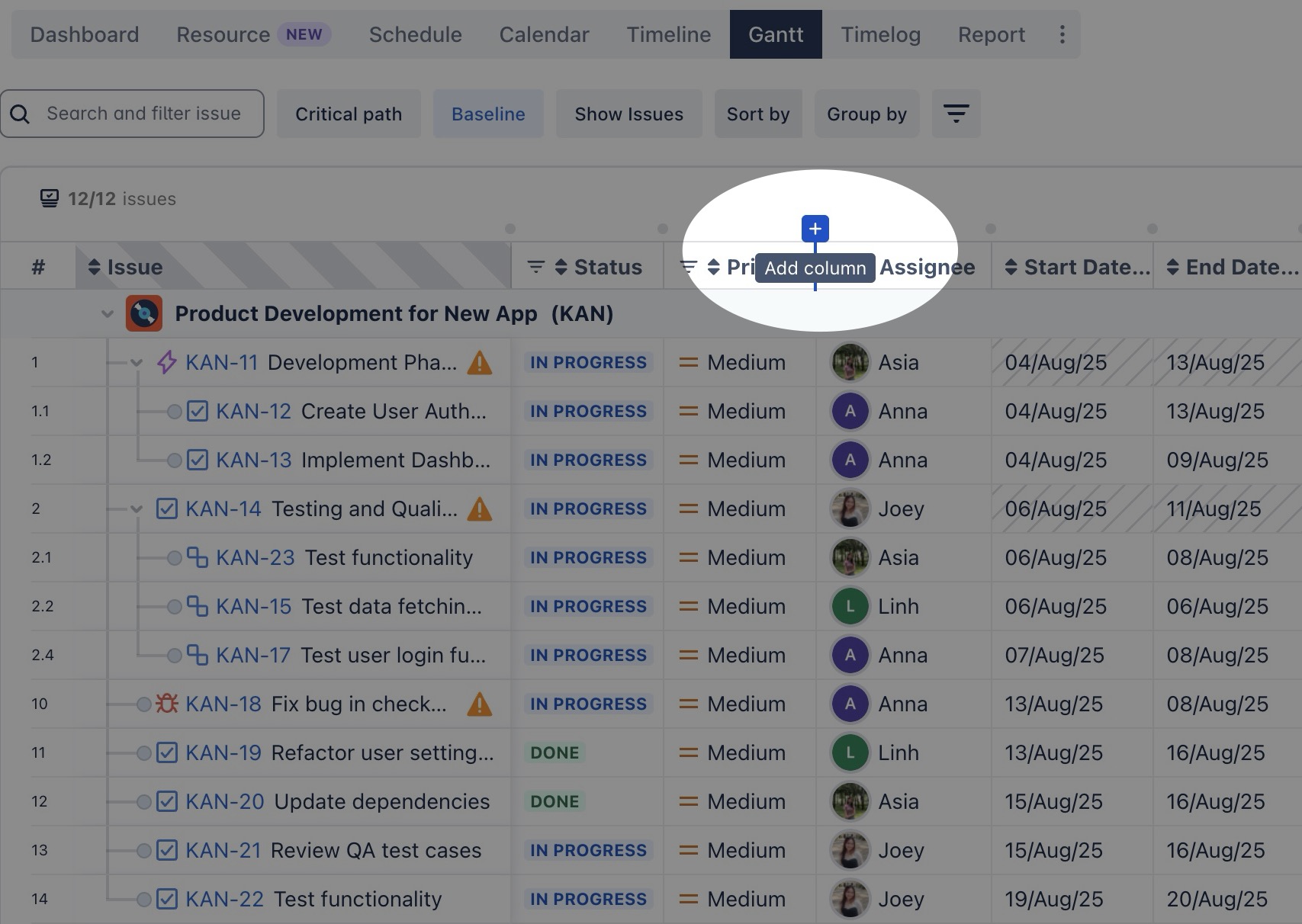
-
In the list menu, you can either search for "progress" or scroll down to find the Progress field.
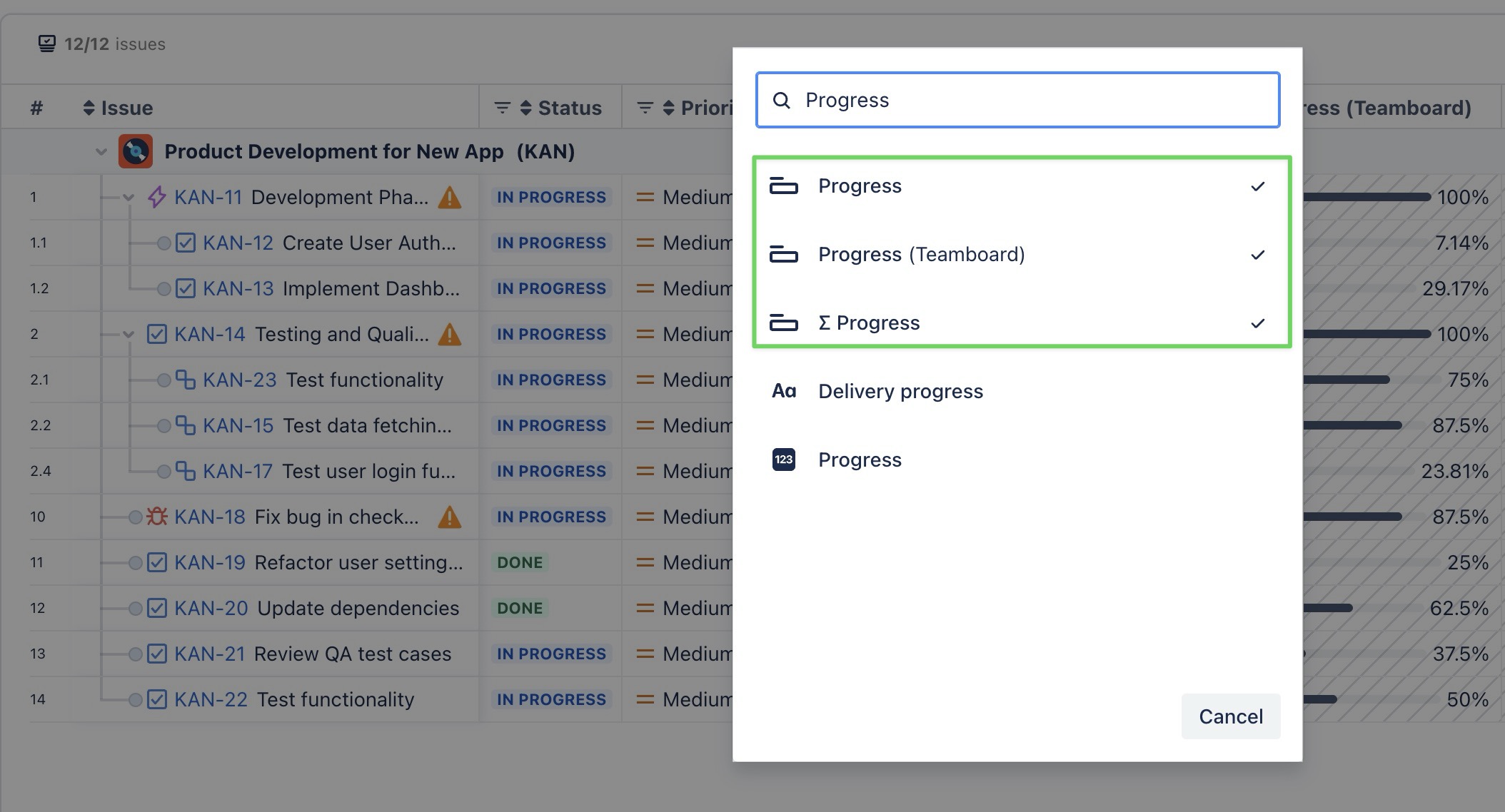
-
Once you find the Progress field, select it to display it in the table.