.png)
1. Overview
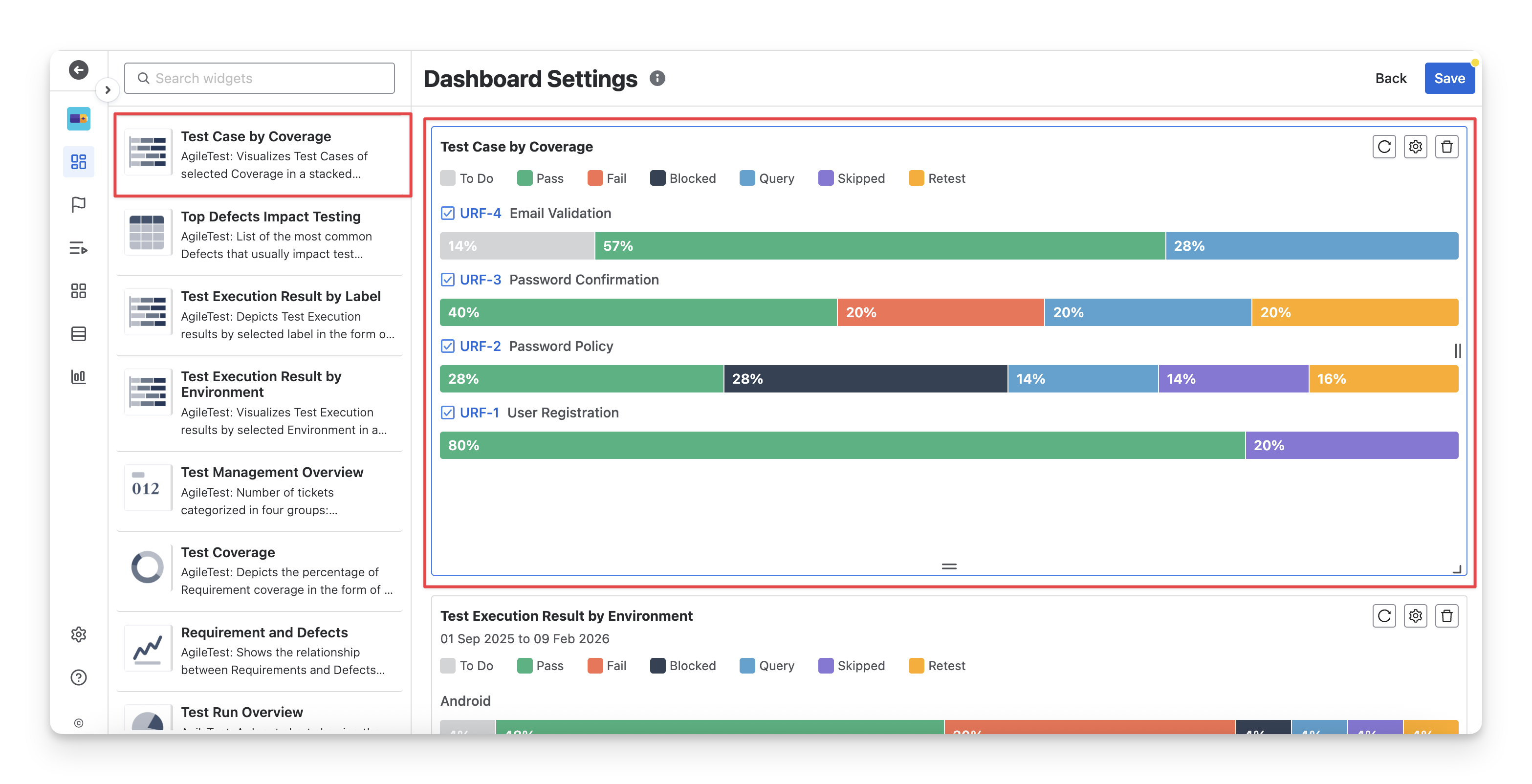
The Test Case by Coverage widget shows you the status of executed test cases linked with requirements, so that you understand which requirements are fully tested, partially tested, or not tested at all, helping to focus on critical test areas that need more attention. It is useful when you need to:
-
Validate requirement coverage: Quickly see which requirements are fully covered by executed test cases and which ones still have many todo test cases.
-
Prioritize critical features: Focus on high-impact requirements that are only partially tested or have multiple fail blocked results.
2. Configurations
-
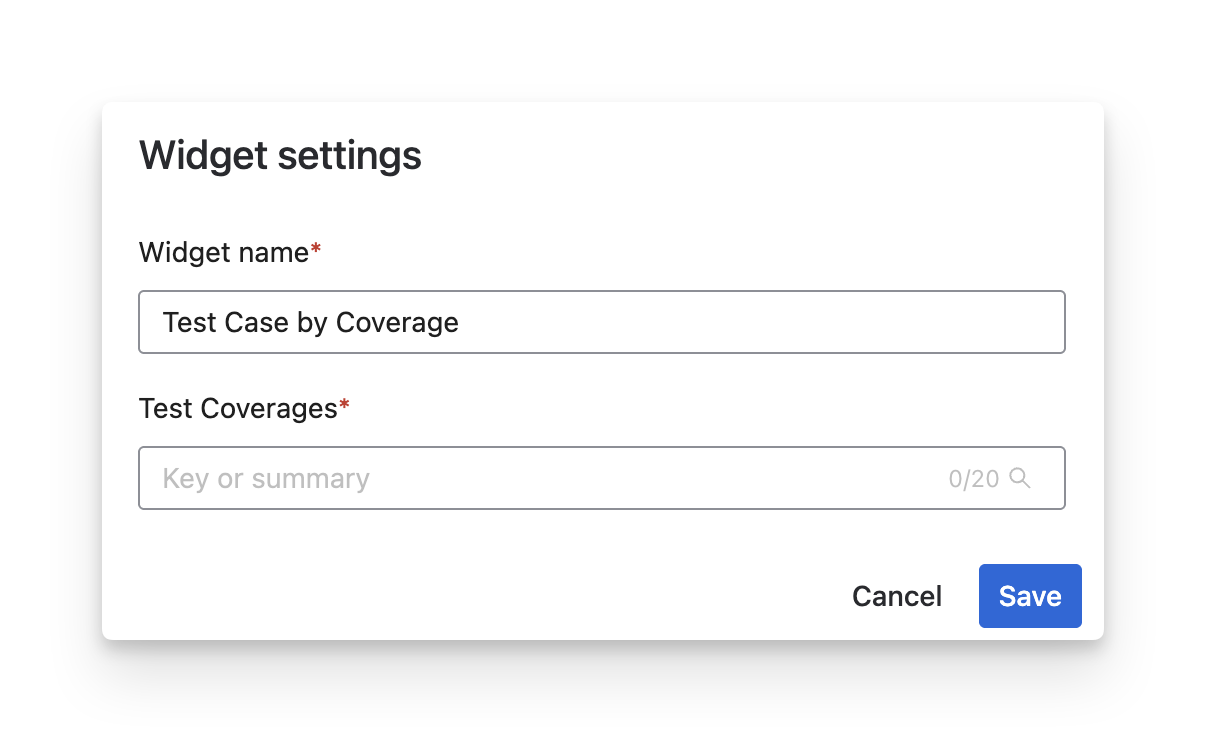
Rename the widget to match your reporting purpose (e.g., Sprint Requirement Coverage, Release Coverage Overview).
-
Select specific requirements in the Test Coverages field by entering the key or summary (up to 20 items).
Should you need any assistance or further AgileTest inquiries, contact our 24/7 Support Desk!