.png)
1. Overview
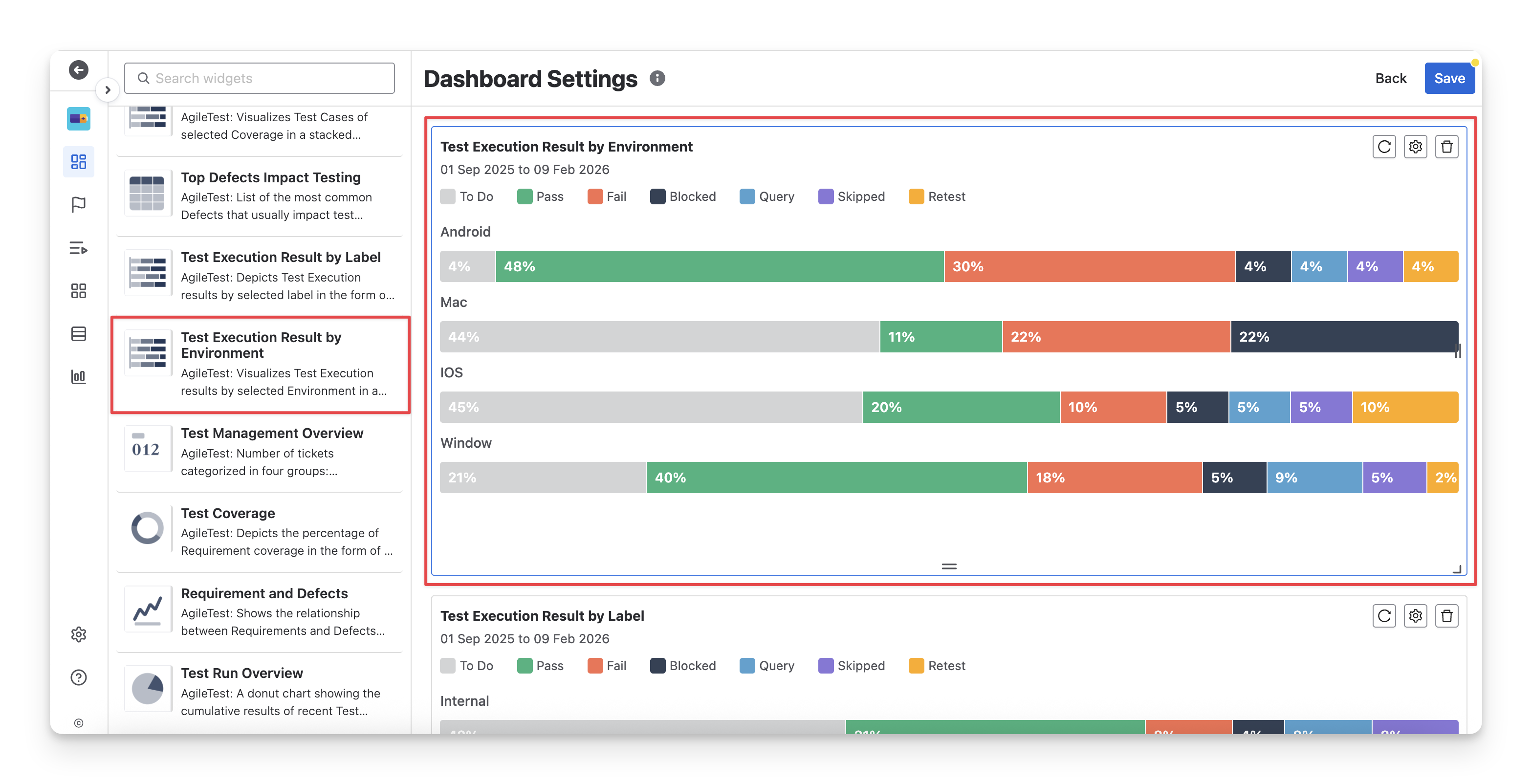
The Test Execution Result by Environment widget is useful for QA teams when they need to track the execution status of tests across different environments in Jira. This widget shows the percentage of test executions in various statuses ( Fail pass skipped blocked query todo retest ) for each environment, helping teams identify which environments are experiencing issues or delays. You can make use of this widget to:
-
Identify unstable environments: Quickly spot environments with a high percentage of Fail blocked query retest results.
-
Compare environment performance: Analyze differences in test outcomes across environments to detect platform-specific issues.
-
Support release readiness checks: Ensure critical environments meet quality standards before deployment.
2. Configuration
With this widget, you can:
-
Rename the widget to match your reporting purpose
-
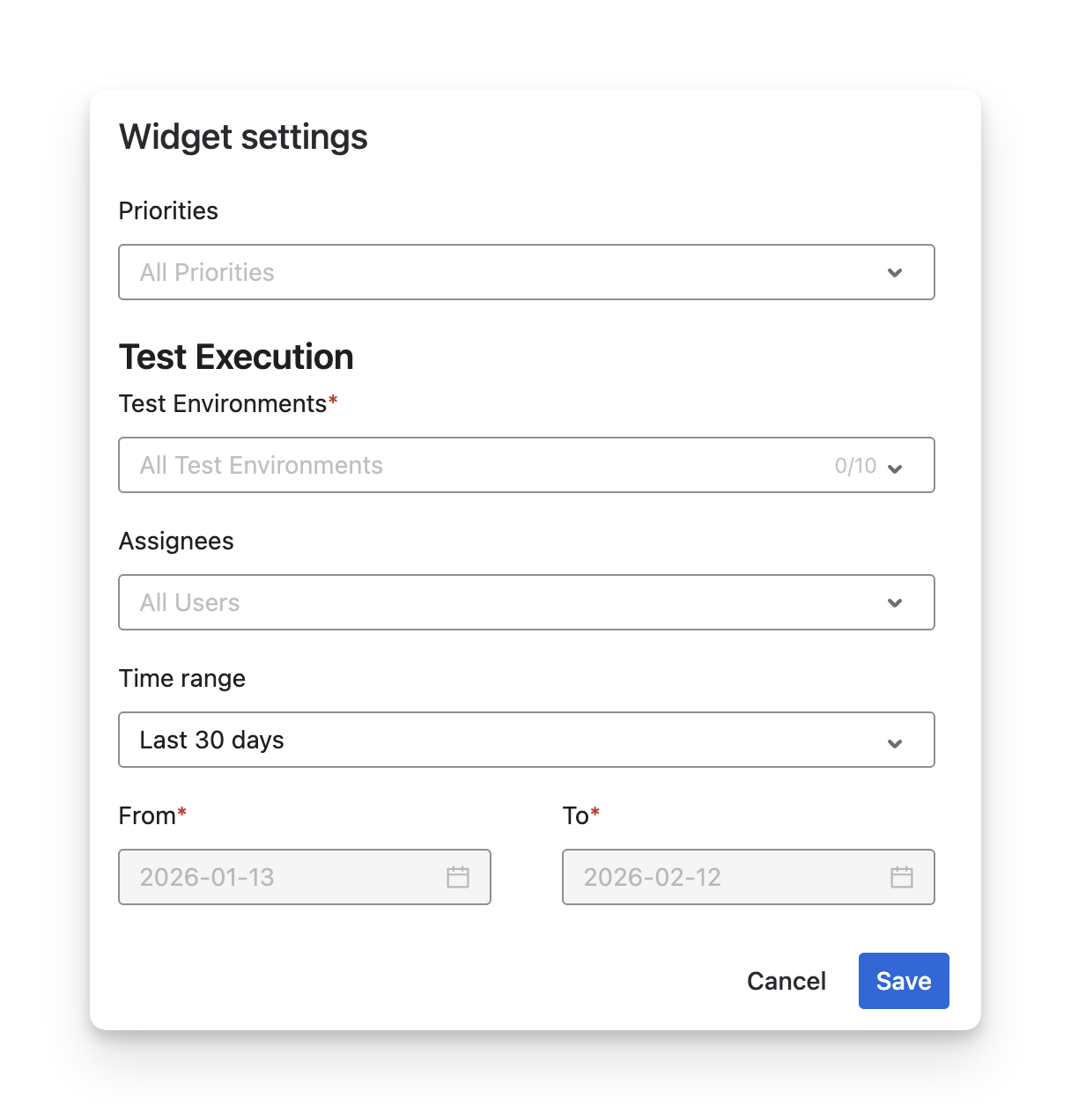
Select up to 10 test environments to analyze execution results across specific platforms.
-
Filter by test case priorities to focus on critical or high-risk tests within each environment.
-
Filter by assignees to review execution contribution by QA members.
-
Define a time range using presets or custom From–To dates to control the reporting period.
Should you need any assistance or further AgileTest inquiries, contact our 24/7 Support Desk!