.png)
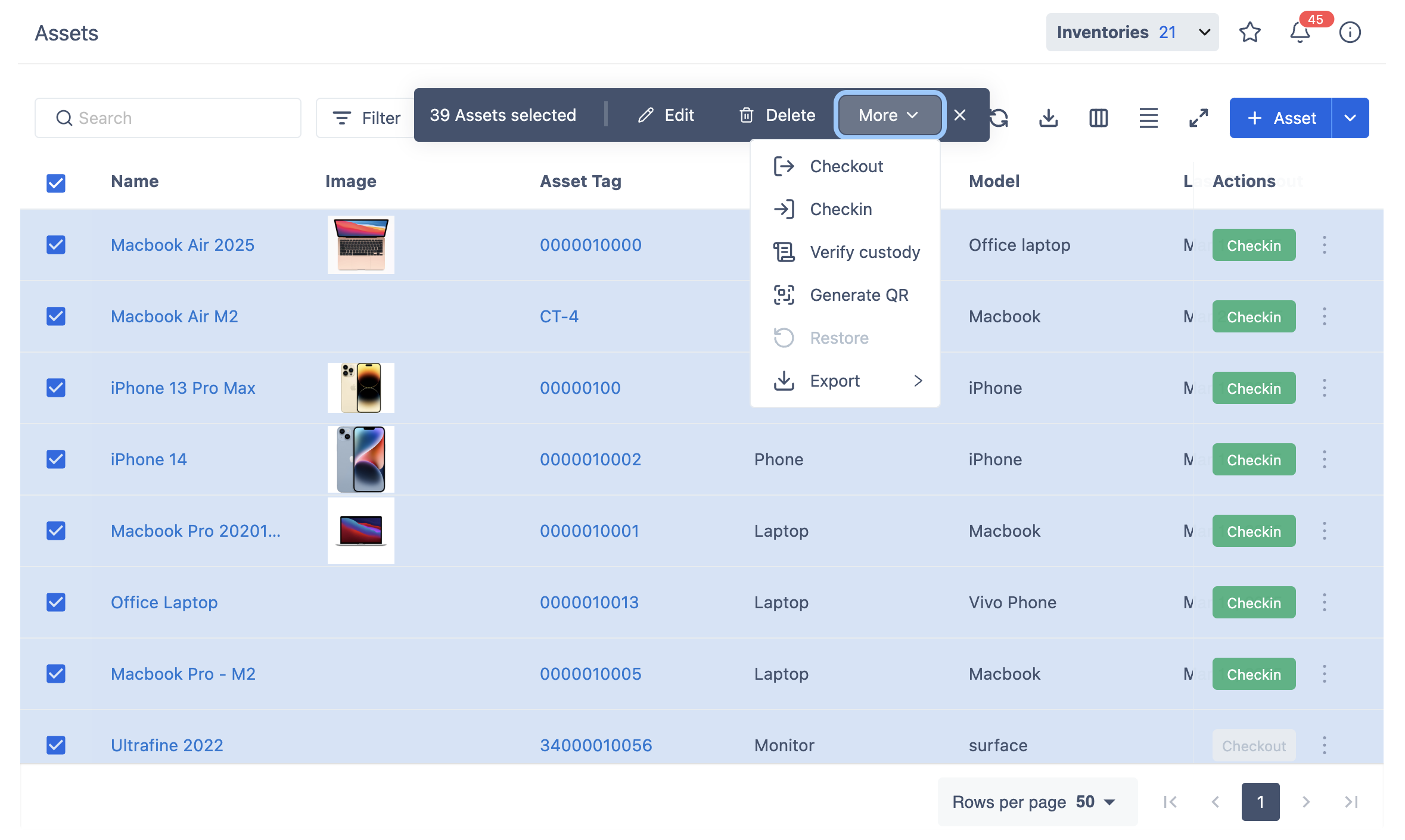
The Bulk Action button allows you to perform actions on multiple assets at once by:
-
Select Assets: Check the boxes next to the assets you want to manage from the asset list.
-
Bulk Action Bar: Once you’ve selected at least one asset, the bulk action bar will appear above the asset list. This bar contains the available actions you can perform on the selected assets.