.png)
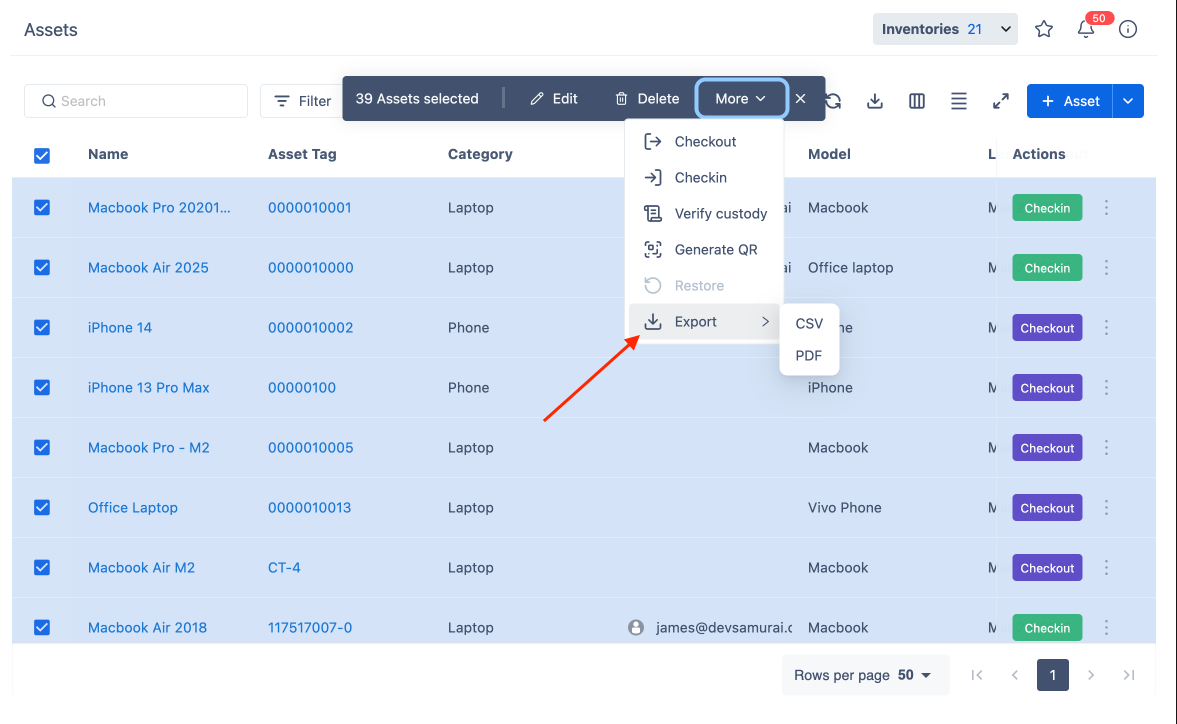
Bulk Export Assets allows users to export multiple asset records into a structured file format (CSV or PDF). This enables easy sharing, reporting, and record-keeping for asset management.
Steps to Bulk Export Assets
-
Navigate to the asset list and select the assets you want to export.
-
Click on the More dropdown.
-
Select Export, then choose the desired file format:
-
CSV – Best for spreadsheets and data analysis.
-
PDF – Ideal for reports and printing.
-
Ensure that your browser allows pop-ups, as the exported file will appear in a new window for download.