.png)
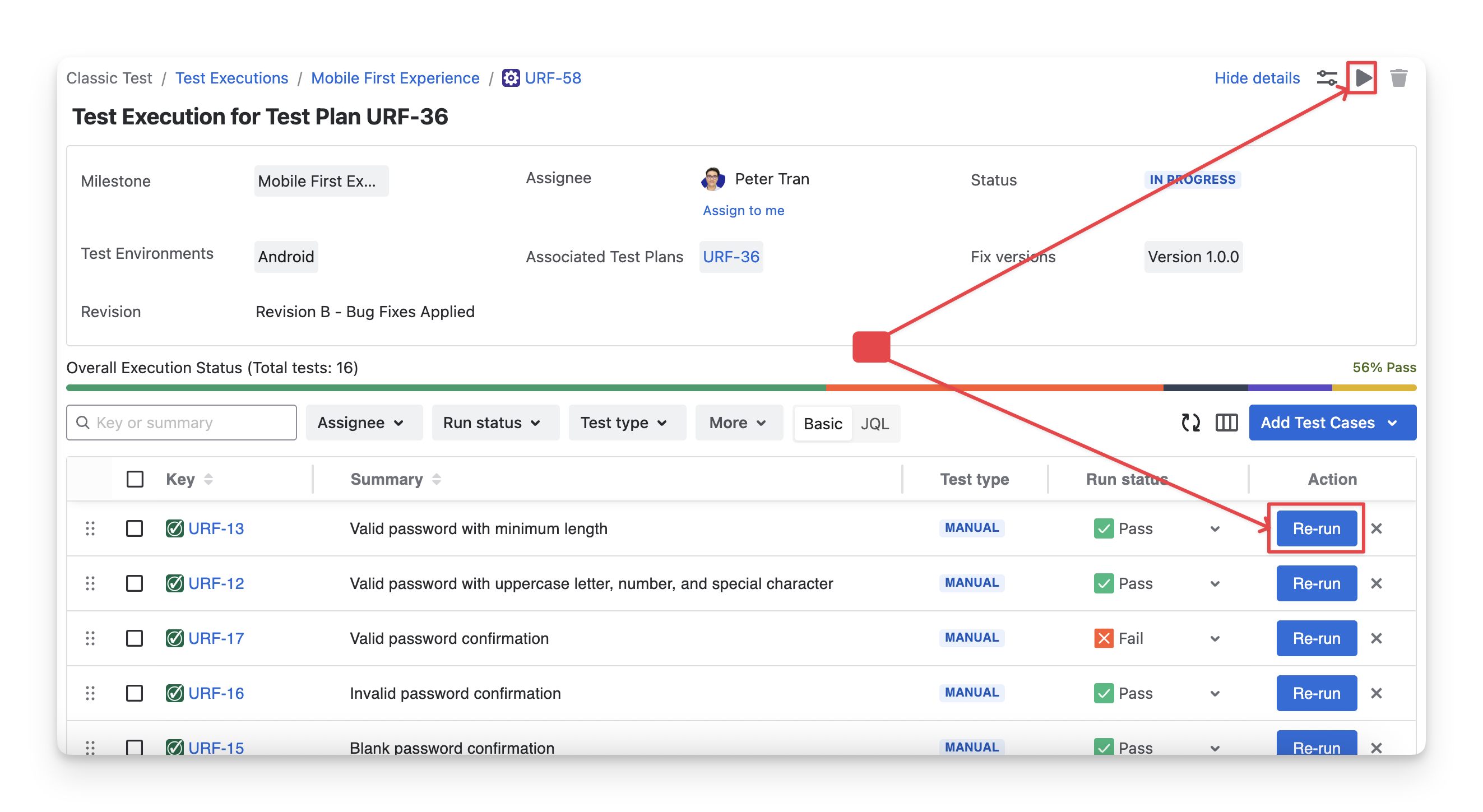
Once you click on the “Run” button or the “Run/Re-run” of any test case in the Test Execution Detail screen, you will be redirected to the Execute Screen.
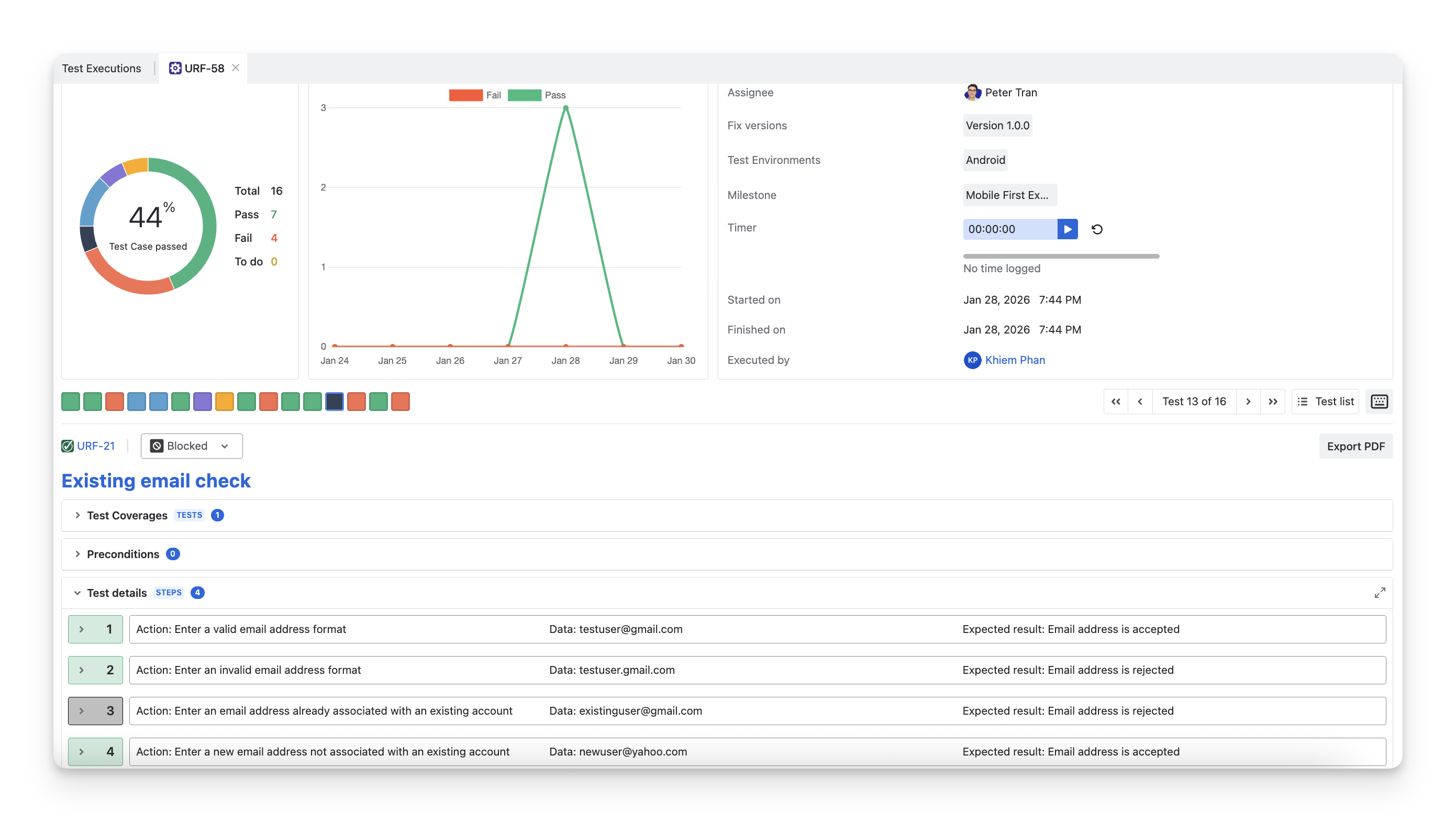
The Execute Screen is where you can run and document your observations for each test step of the test cases.
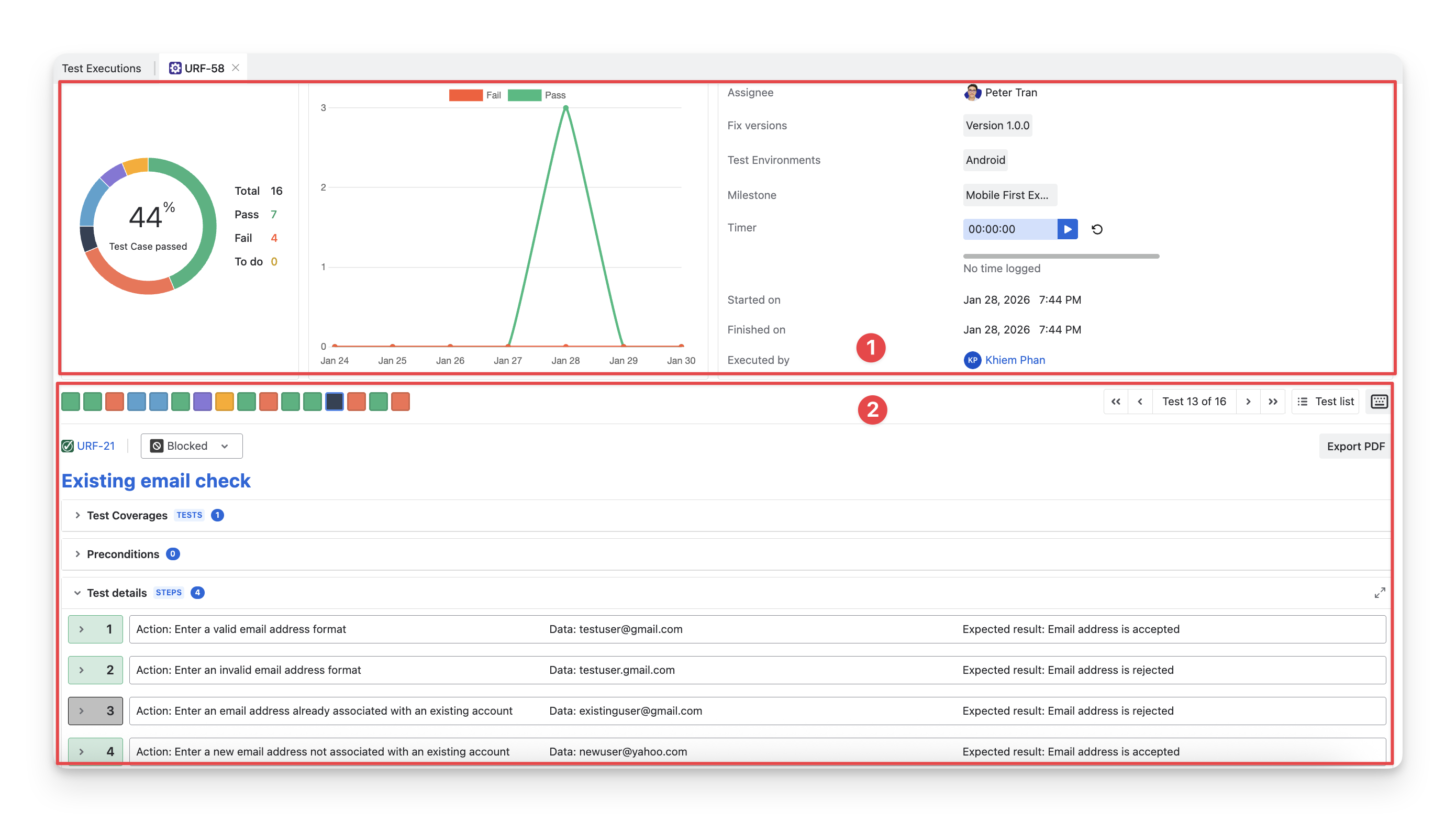
In this Execute Screen, you can see two sections:
-
Test Execution Result: This section summarizes the results after executing test cases, including overall progress and key execution details.
-
Test Execution Space: This section is where you perform the execution of test cases, track individual test step statuses, and log findings.
Explore how to:
Should you need any assistance or further AgileTest inquiries, contact our 24/7 Support Desk!